
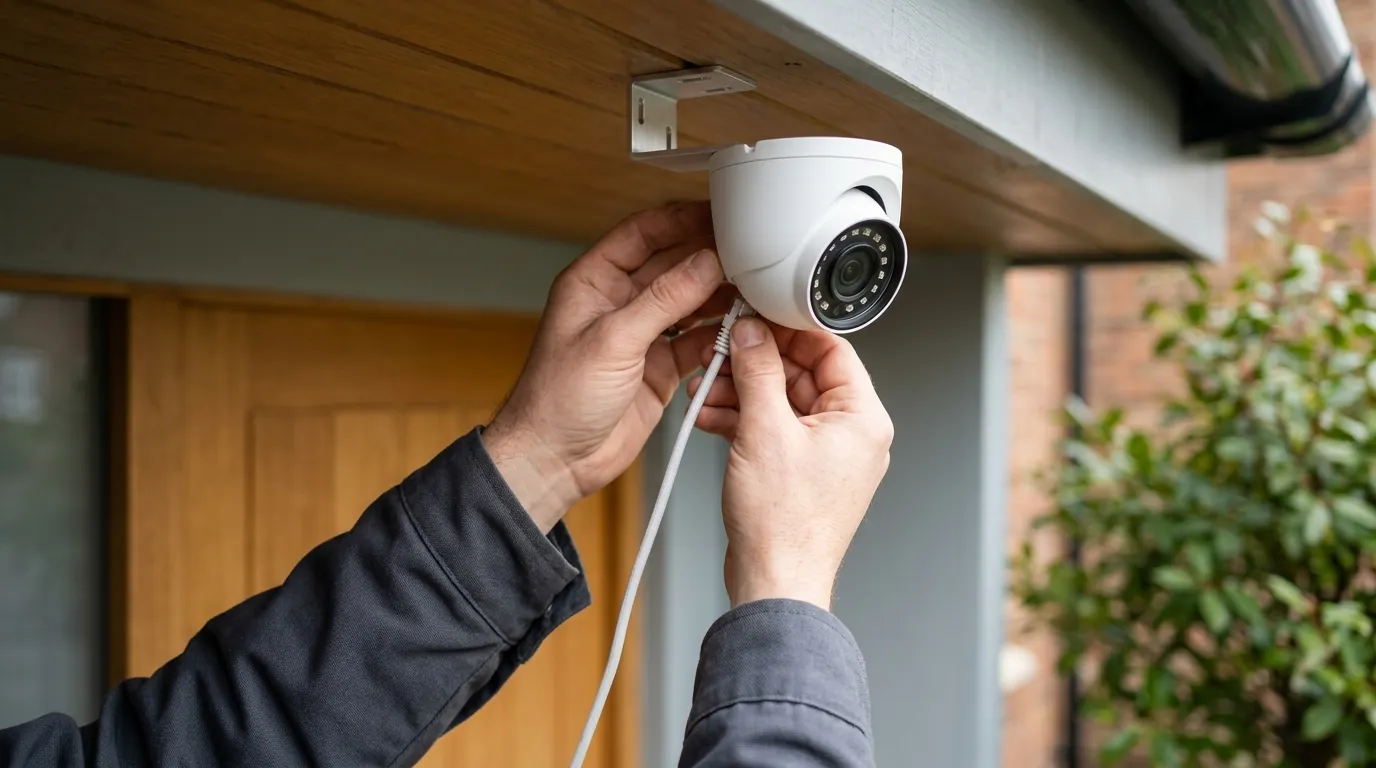
Lorex NVR Credential Stuffing: 2026 Mitigation & Security Guide
Securing a Lorex NVR in 2026 requires moving beyond simple password management to addressing the automated nature of modern credential stuffing. While local storage offers a privacy advantage, the connection between your NVR and the Lorex Home ecosystem introduces specific vulnerabilities that automated botnets are designed to exploit.
📝 Editorial Note: This guide is AI-assisted and game data evolves rapidly. Please cross-reference with in-game information. Updated: 2026-07-22.
Prevent Lorex NVR credential stuffing by enabling mandatory 2FA in the Lorex Home app, disabling UPnP/Port Forwarding, and using a unique 16+ character password. For legacy hardware, consider upgrading to a Reolink RLN16-410 for enhanced local encryption and more frequent security patching.
What it means
Related: Reolink (Neolink) Battery Camera Wake Capture Issues: Fixes & Causes · Tapo C210 RTSP Stream Freezing After Update: Causes & Fixes · Eufy Security App Not Loading on Android: 2026 Fixes & Causes
Credential stuffing is a specific type of cyberattack where hackers use massive databases of leaked usernames and passwords—obtained from breaches of unrelated websites—to attempt unauthorized access to other services. In the context of a Lorex NVR (Network Video Recorder), the attacker is not necessarily “hacking” the Lorex hardware via a software bug; rather, they are using your own valid credentials that were leaked elsewhere to log into your security system.
By 2026, the security landscape has shifted. While “brute force” attacks (guessing passwords) are still common, credential stuffing is more efficient because it relies on the high probability that users reuse passwords across multiple platforms. If your email and password were leaked in a social media breach three years ago, a botnet can attempt those same credentials on the Lorex Home API within seconds.
The Lorex Ecosystem in 2026
Modern Lorex systems, such as the N884 and N864 series, rely heavily on the Lorex Home App for remote viewing. This app acts as the gateway. When you log in, you are authenticating against Lorex’s cloud servers, which then “handshake” with your local NVR. This means the primary attack surface is no longer just the physical NVR box in your closet, but the digital account associated with it.
Credential Stuffing vs. Brute Force
It is vital to distinguish between these methods to apply the correct defense. Brute force is a “front door” attack where the attacker tries every combination. Credential stuffing is a “stolen key” attack where they already have a key and are just looking for the right door.
| Attack Type | Method | Success Rate | Primary Defense |
|---|---|---|---|
| Brute Force | Randomly guessing characters or common words. | Low for long passwords. | Account Lockout / Rate Limiting. |
| Dictionary Attack | Using a list of common passwords (e.g., “Password123”). | Moderate. | Password Complexity Requirements. |
| Credential Stuffing | Using verified leaked credentials from other sites. | High (due to password reuse). | Two-Factor Authentication (2FA). |
Why it exists
The prevalence of credential stuffing in 2026 is driven by the sheer volume of “Combo Lists” available on dark web forums. These lists contain billions of credentials in a format ready for automated tools. Because many users still prioritize convenience over security, a single leaked password from a food delivery app or a gaming forum can grant an attacker access to their home security cameras.
The Economics of Credential Leaks
There is a significant secondary market for “live feed” access. Compromised NVR accounts are often sold in bulk. For attackers, the cost of running a credential stuffing bot is negligible, while the “product”—access to a private home’s interior or a small business’s cash register—is highly valued for voyeurism, casing properties for physical theft, or corporate espionage.
The Vulnerability of Legacy Hardware
Many Lorex NVRs sold between 2017 and 2021 are still operational but lack the processing power or firmware architecture to support modern security protocols. Specifically, older “LNR” or “LHV” series units may not support 2FA or may have hardcoded “admin” accounts that are difficult to fully disable. According to community consensus on r/HomeSecurity, these legacy units often become “zombie” devices on a network if they are exposed to the internet via port forwarding without the protection of a modern app gateway.
How it works under the hood
Credential stuffing is rarely a manual process. In 2026, attackers use sophisticated botnets that target the Lorex Home API login endpoint. These bots can simulate thousands of login attempts per minute, rotating through different IP addresses via proxy networks to bypass basic rate-limiting (the security feature that blocks an IP after too many failed attempts).
API Exploitation
When you open your Lorex app, it sends a request to a Lorex server. Attackers intercept the structure of this request and use scripts to “stuff” credentials into the username and password fields. If the server returns a “Success” token, the bot flags that account as “valid” and moves to the next. If 2FA is not enabled, the attacker now has full control over the account, including the ability to view live footage, download clips, and even speak through two-way audio cameras.
The Danger of Port Forwarding
Many users still configure their NVRs using Port Forwarding (commonly Ports 80, 443, or 35000) to allow remote access without using the Lorex cloud. This is a critical error. Tools like Shodan and Censys constantly scan the internet for open ports. An NVR exposed via port forwarding is visible to the entire world. If that NVR is running outdated firmware with a known credential vulnerability, it can be compromised in minutes.
Technical Anatomy of an Attack:
- Target Acquisition: Bot identifies an IP address with Port 35000 open (common for Lorex/Dahua-based hardware).
- Credential Injection: Bot attempts 500 sets of credentials from a recent leak (e.g., the “2025 Mega-Breach”).
- Session Hijacking: If a match is found, the bot requests a session cookie.
- Data Exfiltration: The attacker logs in via the web interface or app, bypassing the need for a physical “hack” of the NVR.
Real-world implications
The impact of a credential stuffing attack on a Lorex NVR ranges from a violation of privacy to a total compromise of the home network. Because NVRs are essentially specialized Linux computers, a compromised unit can be used as a “beachhead” to launch attacks on other devices on your Wi-Fi, such as laptops or smart thermostats.
Privacy and Physical Safety Risks
An unauthorized user can see when you are home, when your children arrive from school, and where you keep valuables. In several documented cases of IoT compromise, attackers have used two-way talk features to harass residents. According to Lorex’s Privacy Policy, while they encrypt data in transit, the security of the account itself remains the user’s responsibility.
NVR as a Network Entry Point
Once an attacker has administrative access to the NVR, they can potentially change DNS settings or use the NVR’s internal network tools to scan your local network. This “lateral movement” is a high-level threat for small businesses where the NVR might be on the same VLAN as a Point-of-Sale (POS) system.
When to Upgrade Your Hardware
If your Lorex NVR was manufactured before 2022 and does not support the current Lorex Home app with mandatory 2FA, it is considered a security liability in 2026.
Decision Framework: Should you upgrade?
- If you are a Renter: Prioritize a modern NVR with 2FA (like the Lorex N847 series) that can be easily moved.
- If you are a Homeowner: Consider a Reolink RLN16-410. It is widely cited by Wirecutter and RTINGS for its robust local-first security and support for encrypted remote access without mandatory cloud accounts.
- If you are a Business: Prioritize an NVR that supports VLAN tagging and has no “P2P” (Peer-to-Peer) features enabled by default.
| Feature | Legacy Lorex (Pre-2022) | Modern Lorex (2026) | Reolink RLN16-410 |
|---|---|---|---|
| 2FA Support | No / Limited | Yes (Lorex Home) | Yes |
| Encryption | Often None (local) | TLS 1.2/1.3 | TLS 1.3 |
| Remote Access | Port Forwarding | Cloud P2P / App | App / Client / VPN |
| Firmware Updates | Discontinued | Active | Active |
Common misconceptions
The “Small Target” Fallacy
Many users believe, “I’m not a celebrity, so nobody wants to see my cameras.” This is a fundamental misunderstanding of 2026 cybercrime. Most attacks are automated and indiscriminate. Bots do not care who you are; they only care that you have a “live” IP address and a reused password. You are a target of opportunity, not a target of intent.
The Limits of Complex Passwords
A complex password like Tr0ub4dor&3 is no more secure than password123 if it was leaked from another site. In a credential stuffing attack, the complexity is irrelevant because the attacker already has the correct string. Complexity only protects against brute force; only uniqueness and 2FA protect against credential stuffing.
Security Obscurity vs. Security Reality
| Misconception | Reality |
|---|---|
| “Changing my port to 8080 hides me.” | Port scanners find open ports regardless of the number in seconds. |
| “Lorex was hacked.” | Usually, the user’s password was leaked elsewhere; Lorex servers remain intact. |
| “Local storage is 100% safe.” | Local storage is safe from cloud leaks, but not from remote login exploits. |
Total Cost of Ownership (TCO)
When mitigating security risks, you must consider the 3-year cost of maintaining a secure system. Lorex is often praised for its “no subscription” model, but security requires occasional hardware refreshes.
3-Year Cost Breakdown (Lorex 4K 8-Camera System):
- Hardware (NVR + Cameras): $450–$700 (One-time)
- Subscription Fees: $0
- HDD Replacement: $100 (Expected failure rate within 3-5 years for surveillance drives)
- Electricity: ~$40/year ($120 total)
- Security Maintenance: $0 (Time spent updating firmware)
- Total 3-Year TCO: $670–$920
Compare this to brands like Ring or Arlo, which may have a lower hardware entry price (around $200–$300) but charge $100–$200/year in subscription fees, leading to a 3-year TCO of $500–$900 with significantly less local control.
Further reading
To fully harden your Lorex system, consult the following technical resources:
- Lorex Security Best Practices: Check the Lorex Support Portal for the 2026 “Security Hardening” whitepaper.
- CISA IoT Guidelines: The Cybersecurity & Infrastructure Security Agency provides vendor-neutral steps for securing NVRs.
- VPN Setup: Instead of port forwarding, learn to set up a WireGuard VPN on your router to access your NVR securely.
- Check Your Exposure: Visit Have I Been Pwned to see if your primary Lorex email address has been involved in a recent leak.
Resource List: Top 5 Security Tools for NVR Owners
- Bitwarden/1Password: To ensure every device has a unique, non-reused password.
- Authy / Google Authenticator: For managing 2FA tokens.
- GlassWire: To monitor NVR data usage and spot unusual outbound traffic.
- Tailscale: A zero-config VPN that allows secure NVR access without port forwarding.
- Shodan.io: To search your own public IP and see what a hacker sees.
Frequently Asked Questions
Does Lorex require 2FA for all users in 2026?
As of 2026, Lorex strongly encourages 2FA through the Lorex Home app, but it may not be forced on legacy accounts created before 2023. Users must manually enable it in the Account Settings of the app to be protected against credential stuffing.
What happens if I lose my 2FA recovery code?
If you lose access to your 2FA device and recovery codes, you will likely need to contact Lorex support and provide proof of purchase to regain access to your cloud account. For the local NVR, a physical factory reset using the button on the motherboard (if available) or the “Forgot Password” sequence on the local monitor is required.
Can a hacker delete my footage if they get in?
Yes. If an attacker gains administrative access through credential stuffing, they can format the hard drive or delete specific clips. This is why off-site backup or a hidden NVR location is recommended for high-security applications.
Is the Reolink RLN16-410 really more secure than Lorex?
Both brands offer similar security features in 2026. However, Reolink is often preferred by the “prosumer” community because their firmware allows for more granular control over disabling P2P and cloud features entirely, forcing the user to use a more secure VPN-based remote access method.
Sources
- Lorex Home App Security Features — https://www.lorex.com/pages/lorex-home-app
- Reolink RLN16-410 Technical Specifications — https://reolink.com/product/rln16-410/
- CISA: Securing Your Home Network — https://www.cisa.gov/news-events/news/securing-your-home-network
- Wirecutter: The Best Home Security Camera System
- Lorex Privacy Policy 2026 — https://www.lorex.com/pages/privacy-policy