
Ring Stick Up Cam Pro Overheating: Causes, Effects, and Solutions
High-performance outdoor cameras like the Ring Stick Up Cam Pro pack advanced radar-based detection into compact, weather-sealed enclosures, making them particularly sensitive to thermal stress when exposed to intense solar radiation.
Quick Answer: The Ring Stick Up Cam Pro is rated for operation up to 120°F (48.5°C), but direct sunlight can cause its internal temperature to exceed this, leading to ‘Device Cooldown’ mode, reduced functionality, or even automatic shutdown to prevent damage.
What it means
Related: Best Smart Locks for Summer Rental Properties (2026 Guide) · Best Privacy-Focused Smart Home Cameras for 2026: Your Data, Your Cont · EufyCam S3 Pro Solar Charging: Maximize Efficiency for Continuous Powe
When a security camera is described as “overheating,” it is not merely getting warm to the touch; it has reached a specific thermal threshold where the hardware can no longer safely operate without risking permanent damage. For the Ring Stick Up Cam Pro, this state is a managed response to environmental and operational stress.
Defining ‘Overheating’ for Security Cameras
In the context of consumer electronics, overheating occurs when the heat generated by internal components (like the image processor and Wi-Fi radio) combined with external heat (solar radiation) exceeds the device’s ability to dissipate that heat. Unlike a laptop or a desktop computer, the Stick Up Cam Pro does not have active cooling fans. It relies entirely on passive cooling, meaning it transfers heat through its plastic shell to the surrounding air. If the ambient air is hot or the sun is beating down on the casing, this transfer stops, and internal temperatures spike.
Ring Stick Up Cam Pro’s Temperature Specifications
According to Ring’s official technical specifications, the Stick Up Cam Pro is designed to operate in temperatures ranging from -4°F to 120°F (-20°C to 48.5°C). It is important to distinguish between “ambient air temperature” and “device temperature.” While the weather report might state it is 95°F outside, a dark-colored camera body in direct sunlight can easily reach surface temperatures exceeding 140°F, pushing the internal components well past their 120°F safety rating.
Understanding ‘Device Cooldown’ Mode
To protect its circuitry, the Ring Stick Up Cam Pro is programmed with a “Device Cooldown” mode. This is a firmware-level fail-safe. When the internal sensors detect that the temperature is approaching a critical limit, the camera will systematically disable high-draw features to reduce internal heat production. You may receive a notification in the Ring app stating the device is cooling down, during which time Live View may be unavailable and recording may be paused. This is a protective measure, not necessarily a sign of a broken unit, though frequent triggers indicate a poor installation location.
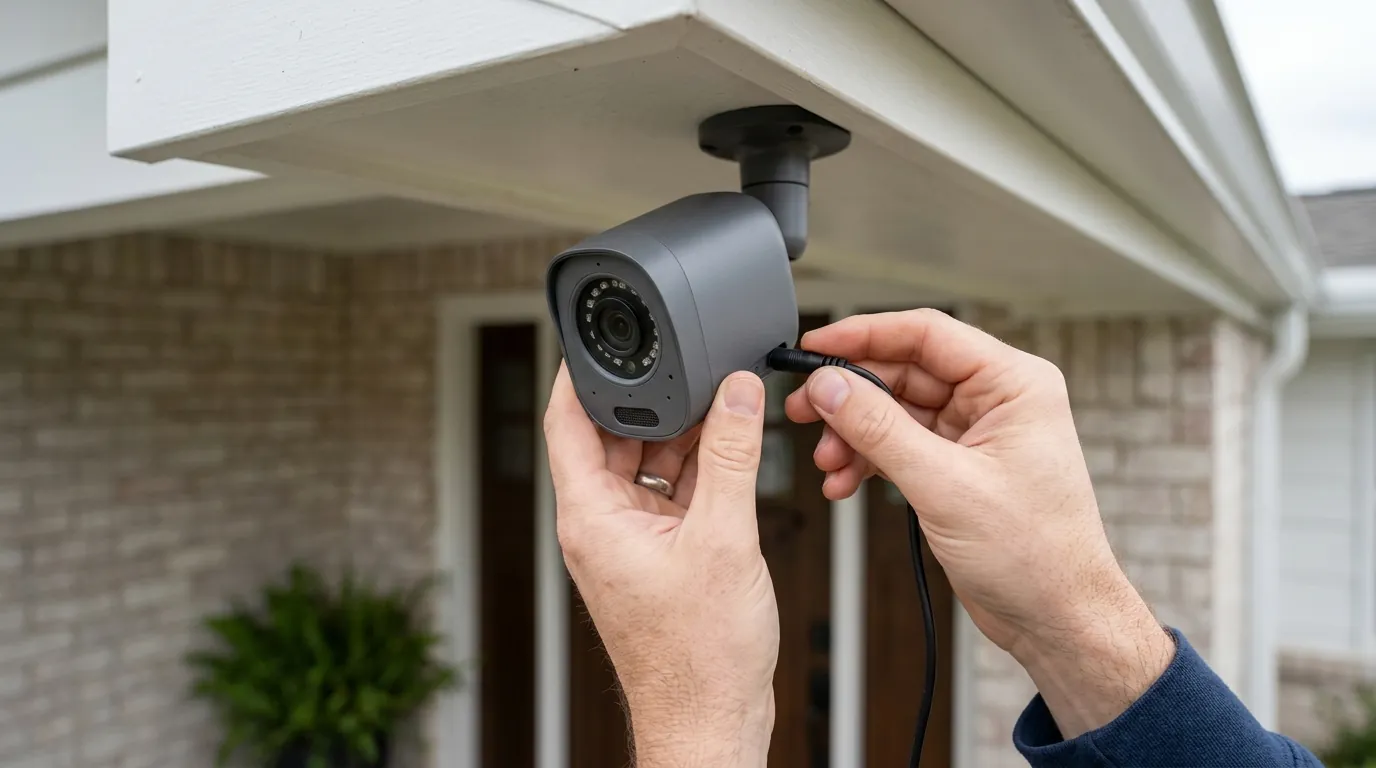
[Image Specification: A Ring Stick Up Cam Pro mounted on a home exterior, partially shaded by an overhang or tree, with bright sunlight visible in the background. Aspect Ratio: 16:9]
Why it exists
The Ring Stick Up Cam Pro is a “Pro” model because it includes 3D Motion Detection and Bird’s Eye View—features that require more processing power than standard PIR-based cameras. This increased capability comes with a higher thermal baseline.
The Impact of Direct Sunlight
Solar radiation is the most common cause of overheating for outdoor cameras. The sun emits ultraviolet (UV) and infrared (IR) radiation that vibrates the molecules in the camera’s plastic housing, generating heat. This is known as “solar loading.” Because the Stick Up Cam Pro is a sealed unit to maintain its IPX5 weather-resistance rating, there are no vents for hot air to escape. If the camera is mounted on a south-facing wall with no shade, it acts as a heat trap.
Heat from Internal Components and Battery
The “Pro” designation refers to the inclusion of radar-based 3D Motion Detection. Unlike simple motion sensors that wait for heat signatures to pass by, radar sensors actively emit and receive signals to determine the distance and path of an object. This requires constant processing by the onboard chip. Additionally, the Wi-Fi radio generates heat during high-definition video transmission. If the camera is frequently triggered by traffic or wind, the internal “duty cycle” remains high, preventing the device from cooling down between events.
Camera Material and Thermal Design Limitations
The Stick Up Cam Pro uses a high-grade polycarbonate (plastic) shell. While plastic is excellent for Wi-Fi signal transparency and weatherproofing, it is a poor thermal conductor compared to aluminum or magnesium. In high-end industrial cameras, metal housings act as a “heat sink” to pull warmth away from the sensor. In consumer-grade cameras like Ring, the plastic acts more like an insulator, keeping the heat trapped inside. This design choice prioritizes cost, weight, and signal strength over extreme thermal management.
How it works under the hood
The Stick Up Cam Pro manages heat through a combination of hardware sensors and software logic designed to prioritize “self-preservation” over “surveillance” when conditions become extreme.
Internal Temperature Monitoring
The camera’s motherboard contains thermistors—small sensors that change electrical resistance based on temperature. These are strategically placed near the image sensor and the battery charging controller. The firmware constantly polls these sensors. If the temperature crosses a “Warning” threshold, the camera begins to throttle its performance. If it crosses the “Critical” threshold, the device initiates a hard shutdown.
Mechanisms of Heat Dissipation
Without fans, the Stick Up Cam Pro uses two primary methods to stay cool:
- Conduction: Heat moves from the processor to the internal frame and eventually to the outer shell.
- Convection: The air moving over the surface of the camera carries the heat away. This is why mounting a camera in a “dead air” space, such as a tight corner or under a very deep, unventilated eave, can lead to higher temperatures than mounting it where there is a slight breeze.
Software Responses to Overheating
When the firmware detects rising heat, it follows a “stepped” reduction in power consumption:
- Step 1: Feature Throttling. The camera may disable HDR (High Dynamic Range) or reduce the frame rate from 30fps to 15fps to lower the processor load.
- Step 2: Charging Suspension. If the camera is connected to a solar panel or plug-in power, it will stop charging the battery. Charging a lithium-ion battery generates significant internal heat, which could push a warm camera into a critical state.
- Step 3: Feature Lockout. The Ring app will disable “Live View” and high-intensity settings like 3D Motion Detection.
- Step 4: Automatic Shutdown. The camera cuts power to the sensor and radio to prevent the silicon from melting or the battery from entering thermal runaway.
Real-world implications
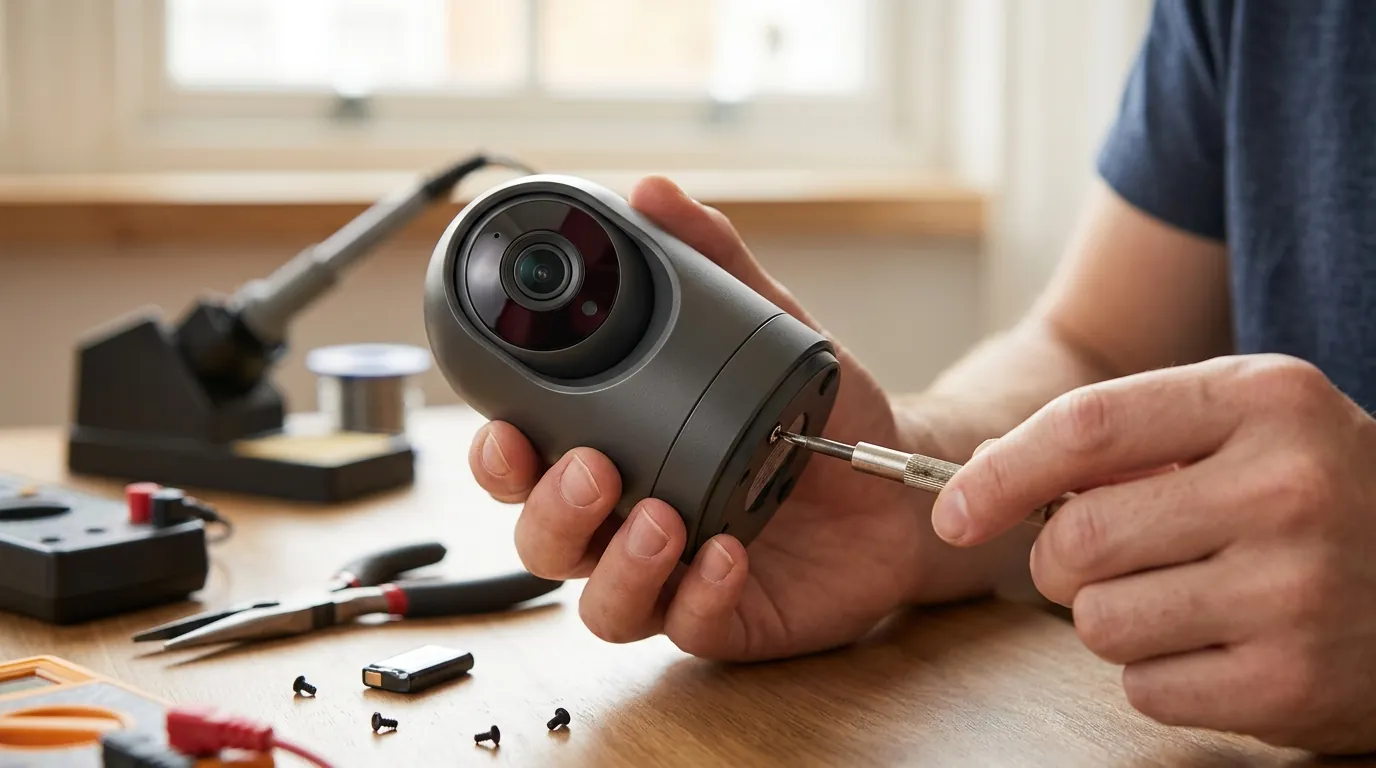
Frequent overheating isn’t just a temporary inconvenience; it has long-term effects on the reliability and value of your security investment.
Impact on Video Quality and Features
The first thing users notice during a heat event is a degradation in video quality. HDR, which helps balance bright sunlight and dark shadows, is often the first feature disabled to save power. You may also notice “ghosting” or digital artifacts in the video feed as the image sensor struggles with “dark current”—electronic noise that increases significantly as the sensor gets hot.
Risk of Device Damage and Reduced Lifespan
Electronics have a “useful life” that is shortened by heat. High temperatures can cause “electromigration” in the processor, where the tiny paths on the chip slowly degrade over time. Furthermore, the plastic housing can become brittle after years of extreme thermal cycling (heating up in the sun and cooling down at night), eventually leading to cracks that compromise the camera’s weatherproofing.
Battery Performance and Longevity
The Stick Up Cam Pro Battery version is particularly vulnerable. Lithium-ion batteries are chemically sensitive to heat. According to battery safety standards cited by Battery University, operating a lithium battery at sustained temperatures above 104°F (40°C) accelerates capacity loss. If your camera frequently overheats, you may find that the battery which used to last three months now only lasts six weeks, and eventually, it may refuse to hold a charge altogether.
Reliability of Motion Detection and Alerts
The Stick Up Cam Pro’s 3D Motion Detection relies on radar, which is generally more stable than PIR in heat. However, the software that interprets those radar signals can lag if the processor is being throttled due to temperature. This can lead to delayed notifications—where you receive an alert after a person has already left the frame—or missed events entirely if the camera is in a “Cooldown” cycle when an intruder arrives.
Warranty Considerations
Ring’s Limited Warranty covers “defects in materials and workmanship under normal use.” While “normal use” includes being outdoors, the warranty typically excludes damage caused by “misuse” or “external causes.” If a camera is mounted in a way that violates the 120°F operating spec (e.g., inside a glass enclosure or against a black metal surface in the desert), a warranty claim could theoretically be denied, though Ring is generally known for flexible support in standard residential use cases.
Common misconceptions
Understanding the limits of outdoor hardware helps in setting realistic expectations for your security system.
‘Outdoor cameras are built for all weather, including direct sun.’
This is perhaps the most common misconception. “Outdoor rated” usually refers to moisture and dust protection (IP ratings), not infinite heat tolerance. Even professional-grade hardware has limits. A camera rated for “outdoor use” is tested to survive rain and snow, but the 120°F upper limit of the Stick Up Cam Pro is a hard physical constraint of its consumer-grade components.
‘A warm camera is normal and not a problem.’
It is true that the Stick Up Cam Pro will feel warm during normal operation, especially if it has been recording frequently. However, if the camera is too hot to hold comfortably or if the Ring app is showing thermal warnings, it is not “normal.” Frequent thermal warnings are a leading indicator of premature hardware failure.
‘Overheating is purely a battery issue.’
While the battery is a major heat source, the “Plug-In” version of the Stick Up Cam Pro can also overheat. In wired models, the AC-to-DC power conversion process generates its own heat. The image sensor and the Wi-Fi radio are significant contributors to the thermal budget, regardless of the power source.
‘Darker cameras always overheat more than lighter ones.’
There is some truth to this—black surfaces absorb more solar energy than white ones. However, internal thermal management matters more. A white camera with a high-duty cycle (constant recording) may run hotter than a black camera that is mostly idle. That said, if you live in a high-heat climate like Arizona or Florida, choosing the “White” color option for the Stick Up Cam Pro provides a measurable thermal advantage in direct sun.
‘Firmware updates will fix all overheating problems.’
Software can help by making the camera more efficient, but it cannot override the laws of physics. If a camera is absorbing 50 watts of solar energy and can only dissipate 10 watts through its shell, no firmware update can prevent it from eventually overheating. Software is a bandage; placement is the cure.
Data Comparison: Ring Outdoor Models
To understand where the Stick Up Cam Pro sits in the market, we compare its thermal and operational specs against other Ring outdoor options.
| Feature | Stick Up Cam Pro | Stick Up Cam (Battery/Plug-in) | Spotlight Cam Pro |
|---|---|---|---|
| Max Operating Temp | 120°F (48.5°C) | 120°F (48.5°C) | 120°F (48.5°C) |
| Motion Detection | 3D (Radar) | PIR (Infrared) | 3D (Radar) |
| Video Resolution | 1080p HDR | 1080p | 1080p HDR |
| Power Type | Battery/Plug-in/Solar | Battery/Plug-in/Solar | Battery/Plug-in/Solar |
| Est. Price Band | $150 - $200 | $80 - $120 | $180 - $230 |
| Thermal Risk | High (Radar + HDR) | Moderate (Standard) | High (Radar + Lights) |
Data sourced from Ring.com and Ring Support.
Decision Framework: Managing Heat Based on Your Situation
| If you are… | Your Primary Thermal Risk | Recommended Strategy |
|---|---|---|
| A Renter | Limited mounting options; often stuck with direct sun on balconies. | Use the “White” model; use a third-party silicone “sun hat” or cover to provide shade. |
| A Homeowner | High-traffic areas (street-facing) causing constant recording. | Mount under an eave; hardwire the camera to reduce battery-charging heat. |
| In a Hot Climate | Ambient air already near 110°F. | Avoid the “Pro” model if 3D motion isn’t critical; standard models generate less internal heat. |
| Using Solar | Battery charging during peak sun hours. | Position the solar panel away from the camera so the camera stays in the shade. |
Total Cost of Ownership (3-Year Estimate)
When purchasing the Stick Up Cam Pro, the sticker price is only the beginning. If the camera overheats and kills the battery prematurely, your TCO increases.
- Hardware: $150 - $180 (depending on promotions).
- Subscription (Ring Protect Basic): $4.99/mo or ~$50/yr. Over 3 years: $150.
- Replacement Battery (Optional): If heat degrades the original battery, a replacement costs around $30.
- Total 3-Year TCO: $330 - $360.
Note: Ring Protect is essentially mandatory for this device, as it locks video history and advanced 3D motion features behind the paywall. Without it, the “Pro” features are largely inaccessible for security purposes.
Further reading
- Optimal Placement for Outdoor Security Cameras: Strategies to minimize direct sun exposure and maximize performance.
- Understanding IP Ratings: What weather-resistance ratings mean for your camera’s durability.
- Security Camera Power Options: A comparison of battery, wired, and solar solutions and their thermal considerations.
- Choosing Security Cameras for Extreme Climates: Features to look for when living in very hot or cold regions.
Frequently Asked Questions
Can I paint my Ring Stick Up Cam Pro to match my house?
You should avoid painting the camera, especially with dark colors. Paint can act as an additional layer of insulation, trapping heat inside, and dark colors will increase solar absorption. Furthermore, painting the device usually voids the manufacturer’s warranty. If you need a color match, look for third-party silicone skins designed with ventilation.
Does the Ring Stick Up Cam Pro work in the desert?
It can, but it requires careful installation. In desert environments where ambient temperatures regularly hit 110°F-115°F, the camera will be right at its limit. You must mount it in a fully shaded area with good airflow. Avoid mounting it on metal sheds or dark stucco walls, which can radiate heat back into the device.
Why does my camera stop charging when it’s sunny?
Ring cameras have a safety feature that disables battery charging when the battery temperature exceeds approximately 113°F (45°C). This often happens when a solar panel is working hardest. It is a protective measure to prevent the lithium-ion battery from swelling or catching fire. Charging will resume automatically once the temperature drops.
Will a silicone skin help or hurt with overheating?
It depends on the skin. A white or light-colored skin with a “brim” can help by providing shade to the camera body. However, a poorly designed, tight-fitting skin can act as a thermal blanket, trapping heat against the plastic shell. Always choose skins specifically marketed as “thermal” or “sun-shielding” for the Stick Up Cam Pro.
Sources
- Ring Product Page: Stick Up Cam Pro — https://ring.com/products/stick-up-cam-pro
- Ring Support: Device Operating Temperatures — https://support.ring.com/hc/en-us/articles/115005234746-Ring-Device-Operating-Temperatures
- Battery University: Prolonging Lithium-based Batteries — https://batteryuniversity.com/article/bu-808-how-to-prolong-lithium-based-batteries
- Ring Warranty Information — https://ring.com/warranty
Quvii tracks these thermal trade-offs across the outdoor camera category to help users choose hardware that survives their local climate. Our independent buying intelligence is supported by readers; we do not accept vendor compensation for product mentions.