
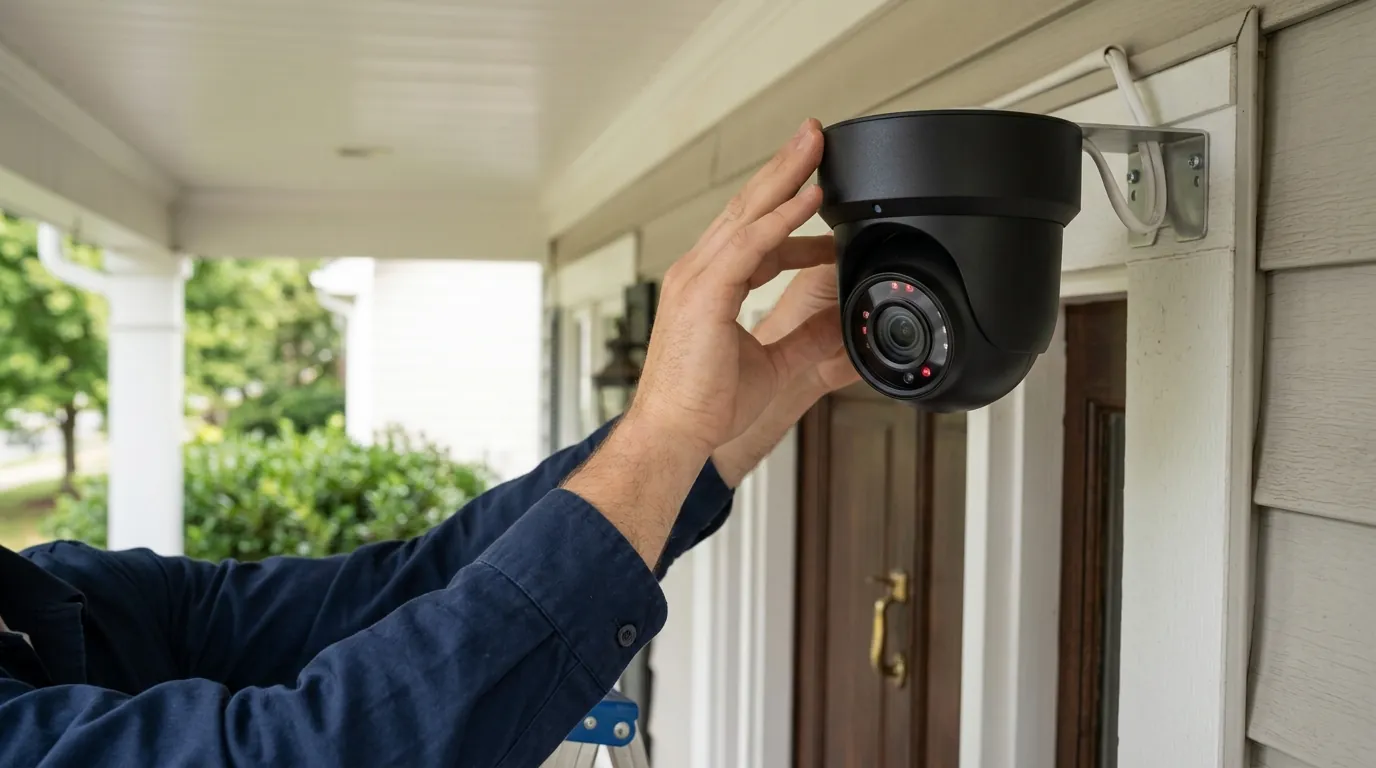
Ring Camera Motion Detection Not Streaming: June 2026 Fixes
A Ring camera that detects motion but fails to stream video can be a frustrating and concerning issue, creating a gap in your home or small business’s security coverage. Understanding the underlying causes and implementing targeted solutions is crucial to restoring full functionality and peace of mind.
What it means
When your Ring camera detects motion but doesn’t stream video, it means the camera’s sensors register activity, often triggering a notification to your smartphone, but the live video feed either won’t load, appears as a black screen, or fails to save a recording to your event history. This is distinct from a complete motion detection failure, where the camera doesn’t even register an event. Instead, the camera “sees” something but is unable to transmit or store the visual evidence.
This specific problem can severely impact your home security. It creates a false sense of security, as you might believe your property is being monitored when, in fact, critical events such as package theft, suspicious loitering, or attempted break-ins could go unrecorded and unviewed. Without a reliable video stream or saved recording, you lose the ability to review footage for evidence, identify individuals, or understand the context of an event.
Why it exists
Several factors, ranging from network issues to subscription limitations and configuration errors, can prevent your Ring camera from streaming video despite detecting motion. Pinpointing the exact cause often involves a systematic review of your camera’s environment and settings.
Network Connectivity Challenges
A stable and robust Wi-Fi connection is paramount for Ring cameras to function correctly. Weak Wi-Fi signals, often indicated by a low Received Signal Strength Indicator (RSSI) value in the Ring app’s Device Health section, can prevent the camera from uploading video data. Ring recommends an RSSI value between 0 and -60 for optimal performance. Values between -60 and -70 are considered “Okay,” while -70 to -80 is “Poor,” and -80 or worse is “Very Poor,” indicating significant connectivity issues.
Beyond signal strength, insufficient upload speed is a common culprit. Ring cameras require a minimum upload speed of at least 1 Mbps per device for standard definition streaming, with higher resolutions like 1080p and 4K demanding more bandwidth. Network congestion, especially in homes with many connected devices, or issues with your router such as outdated firmware, firewall settings blocking essential ports (like 443 for HTTPS or 8554 for RTSP), or multiple routers operating without proper bridge mode, can all disrupt the streaming pathway.
Subscription Plan Limitations
A Ring Protect subscription is often essential for full video functionality. Without a subscription, Ring cameras typically only offer live view capabilities. This means you can manually open the app to see what’s happening, but motion-triggered video recording, cloud storage of events, and advanced features like Person Detection and AI Unusual Event Alerts are paywalled. If your subscription has expired or you are on a basic plan that doesn’t include these features, your camera will detect motion but won’t record or store the video.
Camera Configuration Errors
Incorrect settings within the Ring app can also prevent streaming. This includes having motion detection inadvertently turned off, setting motion sensitivity too low to trigger recording, or improperly configuring motion zones. Motion zones define the specific areas your camera monitors for activity, and if critical areas are excluded or the zones are too narrow, desired events might be detected but not recorded. Active motion schedules that disable detection during certain times, or activating “People Only” mode which filters out non-human motion, can also lead to missed recordings.
Software and Firmware Glitches
Outdated versions of the Ring app or the camera’s firmware can introduce bugs that interfere with streaming. Manufacturers regularly release updates to improve performance, add features, and fix known issues. For instance, some users reported an April 2026 bug with certain 4K Ring Outdoor Cam Pro models causing self-throttling and streaming interruptions, which was addressed in subsequent firmware updates. [information unavailable] Keeping both your app and camera firmware current is a vital troubleshooting step.
Power Supply Issues
For wired Ring cameras, an insufficient or intermittent power supply can lead to erratic behavior, including motion detection without streaming. For battery-powered Ring cameras, a low battery level can degrade performance, often prioritizing basic functions over bandwidth-intensive streaming and recording. Ensuring your camera has a consistent and adequate power source is crucial for reliable operation.
Privacy Settings Conflicts
Ring offers End-to-End Encryption (E2EE) for enhanced privacy. While beneficial for data security, enabling E2EE on Ring devices can disable certain features that rely on cloud processing, such as person detection, facial recognition (Familiar Faces), and AI-powered video search. If these features are enabled and E2EE is also active, it could potentially create conflicts that hinder motion-triggered streaming functionality as the camera struggles to process and transmit data under conflicting privacy and feature settings.
Here’s a quick reference for Ring’s RSSI Signal Strength Guide:
| RSSI Value Range | Signal Strength |
|---|---|
| 0 to -60 | Great |
| -60 to -70 | Okay |
| -70 to -80 | Poor |
| -80 or worse | Very Poor |
And a comparison of Ring Protect Plan features:
| Feature | No Subscription | Ring Protect Basic | Ring Protect Plus | Ring Protect Pro |
|---|---|---|---|---|
| Live View | Yes | Yes | Yes | Yes |
| Video Recording | No | Yes | Yes | Yes |
| Cloud Storage (30-180 days) | No | Yes | Yes | Yes |
| Person Detection | No | Yes | Yes | Yes |
| AI Unusual Event Alerts | No | Yes | Yes | Yes |
| Video Descriptions | No | Yes | Yes | Yes |
| AI-powered Video Search | No | Yes | Yes | Yes |
| Familiar Faces (expanded May 2026) | No | No | Yes | Yes |
| Search Party (launched Feb 2026) | No | No | Yes | Yes |
| Professional Monitoring | No | No | No | Yes |
How it works under the hood
To understand why motion detection might fail to stream, it helps to know the journey a motion event takes from your camera to your screen.
Motion Detection Technologies
Ring cameras employ various technologies to detect motion. Most models utilize Passive Infrared (PIR) sensors, which detect changes in heat signatures within their field of view. More advanced models, such as the Ring Video Doorbell Pro 2, incorporate radar-based 3D Motion Detection. This technology allows for more precise object mapping and distance measurement, helping to reduce false alerts and provide more accurate motion detection. Once a sensor is triggered, it signals the camera’s internal processor.
Cloud Processing and AI
After initial detection, the camera typically sends a burst of data, including a short video clip or still images, to Ring’s cloud servers for processing. This is where Ring’s artificial intelligence (AI) features come into play. Features like “Video Descriptions” (which provide a textual summary of events) and “AI Unusual Event Alerts” (introduced at CES 2026 to differentiate between normal and unusual activity) analyze the footage in the cloud. These advanced AI capabilities often require a compatible Ring Protect subscription to function, as the processing power and storage are managed on Ring’s servers.
The Streaming Pathway
Once motion is detected and any preliminary cloud processing is complete, the camera attempts to establish a secure video stream. Ring cameras typically use Real-Time Streaming Protocol (RTSP) over HTTPS, encrypted with TLS 1.3, to transmit video data to Ring’s cloud servers. From the cloud, this stream is then relayed to your Ring app. This entire pathway is highly dependent on a stable internet connection and sufficient upload bandwidth from your home network to Ring’s servers. Any bottleneck along this path—be it weak Wi-Fi, low upload speed, or network congestion—can disrupt the stream, leading to the “motion detected but not streaming” issue.
Role of RSSI and Upload Speed
The Received Signal Strength Indicator (RSSI) is a critical metric that measures the strength of the Wi-Fi signal received by your Ring camera. A strong RSSI ensures that the camera can reliably send and receive data. However, even with a good RSSI, adequate upload speed is equally crucial. High-resolution video files are large, and sending this data to the cloud requires significant upload bandwidth. Without sufficient speed, the camera may detect motion and even start recording locally, but it will struggle to transmit the video stream to the cloud and subsequently to your app.
Real-world implications
When your Ring camera detects motion but fails to stream, the consequences extend beyond a simple technical glitch.
Compromised security: The most significant implication is compromised security. If critical events like package theft, vandalism, or suspicious activity occur, they may go unrecorded or unviewed. This means you lose valuable evidence that could be used for law enforcement or insurance claims.
False sense of security: Relying on a security system that isn’t fully functional creates a false sense of security. You might assume your property is being monitored, only to discover after an incident that the video evidence you expected isn’t there. This can lead to frustration and a feeling of vulnerability.
Frustration and inconvenience: Constant troubleshooting, missed alerts, and the inability to rely on your security system for its primary purpose can be incredibly frustrating. It diverts your time and attention from other priorities and undermines the convenience that smart home security is supposed to offer.
Privacy concerns: While not a direct cause of streaming issues, Ring’s cloud-centric model and evolving features highlight broader privacy considerations. Features like “Search Party” (launched February 2026, allowing users to share footage with neighbors to help find lost items or pets) and “Familiar Faces” (expanded May 2026, which has faced lawsuits regarding biometric data privacy) underscore the importance of understanding how your data is handled, stored, and potentially shared. When your camera isn’t streaming, it’s not just a functional problem; it’s a reminder of the data pathway and the implications of its failure.
Common misconceptions
Several common misunderstandings can complicate troubleshooting and lead users down the wrong path when their Ring camera detects motion but doesn’t stream.
“My camera is broken”: Often, the immediate assumption is a hardware failure. However, in many cases, the issue lies with network connectivity, incorrect app settings, or an expired/insufficient subscription plan, rather than a faulty camera unit itself. A systematic troubleshooting approach often reveals a software or network-related cause.
“Ring works fully without a subscription”: This is a widespread misconception. While Ring cameras offer live view functionality without a Ring Protect subscription, essential features like motion-activated video recording, cloud storage of events, and advanced AI features (e.g., Person Detection, AI Unusual Event Alerts) are paywalled. Without a subscription, your camera might detect motion and send a notification, but it won’t save the video for later review.
“High RSSI guarantees good streaming”: While a strong RSSI (Received Signal Strength Indicator) is crucial for a reliable Wi-Fi connection, it doesn’t guarantee perfect streaming. Sufficient upload speed from your internet service provider (ISP) and a clear, uncongested network channel are equally important. Even with excellent signal strength, low upload bandwidth will prevent high-quality video streams from reaching the cloud.
“End-to-End Encryption doesn’t affect features”: Enabling End-to-End Encryption (E2EE) on Ring devices does significantly limit some of Ring’s smart features. Because E2EE encrypts video from the moment it leaves the camera until it reaches your device, Ring’s cloud servers cannot process the video for features like person detection, facial recognition, or rich notifications with video previews. This trade-off between privacy and functionality is important to understand.
“Motion zones are set-and-forget”: Environmental factors, such as new foliage growth, changes in sunlight or shadows, or even reflections from new objects, can affect motion detection over time. Additionally, Ring firmware updates can sometimes alter how motion detection algorithms interpret scenes, necessitating periodic adjustments to your motion zones and sensitivity settings to ensure optimal performance.
Decision Framework
When your Ring camera detects motion but isn’t streaming, consider your specific situation to prioritize troubleshooting steps:
- If you just installed your camera or changed your Wi-Fi: Prioritize Network Connectivity Challenges. Check your RSSI in the Ring app’s Device Health, ensure your router is configured correctly, and verify your internet upload speed.
- If you recently received a subscription expiration notice or changed your plan: Focus on Subscription Plan Limitations. Confirm your Ring Protect plan is active and includes video recording.
- If your camera previously streamed correctly but stopped recently without network changes: Investigate Software and Firmware Glitches and Camera Configuration Errors. Update your Ring app and camera firmware, then review motion settings, schedules, and motion zones.
- If your battery-powered camera is frequently offline or performing poorly: Check Power Supply Issues. Ensure the battery is fully charged and consider a solar charger or wired option for continuous power.
- If you’ve enabled advanced privacy features: Review Privacy Settings Conflicts. Temporarily disable End-to-End Encryption to see if it restores streaming, then re-evaluate your privacy vs. feature needs.
Total Cost of Ownership
Understanding the total cost of ownership (TCO) for a Ring camera goes beyond the initial purchase price, encompassing ongoing subscription fees and potential feature paywalls.
-
Hardware Cost: Ring cameras vary widely in price, from entry-level models around $50-$100 (e.g., Ring Indoor Cam) to more advanced doorbells and floodlight cameras in the $150-$300+ range (e.g., Ring Video Doorbell Pro 2, Ring Floodlight Cam Wired Pro). These are one-time costs.
-
Subscription Tier (Ring Protect): This is the most significant ongoing cost.
- Ring Protect Basic: Around $4-$5/month or $40-$50/year per device. This plan enables video recording, cloud storage, and basic smart alerts for a single camera.
- Ring Protect Plus: Around $10-$12/month or $100-$120/year per household. This covers all Ring cameras at one address and includes extended warranties and professional monitoring discounts for Ring Alarm.
- Ring Protect Pro: Around $20-$25/month or $200-$250/year per household. This is the most comprehensive plan, including all Plus features, 24/7 professional monitoring for Ring Alarm, and backup internet.
-
The “Feature Paywall” Trap: Many advanced features that enhance security and convenience, such as Person Detection, AI Unusual Event Alerts, Video Descriptions, and cloud storage for reviewing past events, are locked behind a Ring Protect subscription. Without it, you primarily get live view and motion notifications, severely limiting the camera’s utility. This means the sticker price only gets you partial functionality; the full experience requires a recurring payment.
Example 3-Year Cost Breakdown (for one camera with Ring Protect Basic):
- Initial Hardware (e.g., Ring Indoor Cam): Around $60
- Ring Protect Basic (3 years): 3 years * ~$50/year = ~$150
- Total 3-Year Cost: ~$210
This breakdown illustrates that the subscription cost quickly surpasses the initial hardware cost, making the ongoing plan a critical component of your overall investment and a key factor in whether your camera will stream motion-activated video.
Further reading
- Optimizing Wi-Fi for Smart Cameras: A Comprehensive Guide
- Understanding Security Camera Privacy: Local vs. Cloud Storage Options
- Choosing the Right Security Camera Subscription: Beyond Ring, Nest, and Arlo
- Troubleshooting Common Security Camera Offline Issues
Frequently Asked Questions
Related: Eufy App Performance Issues: June 2026 Troubleshooting Guide · Fixing Eufy Security Motion Alerts in Home Assistant (2026 Guide) · Best Smart Locks for Apple Home Key in 2026: A Buyer’s Guide
Why is my Ring camera detecting motion but not recording?
Your Ring camera is likely detecting motion but not recording because you do not have an active Ring Protect subscription. Video recording and cloud storage are features exclusive to Ring Protect plans. Without a subscription, Ring cameras typically only offer live view functionality.
How do I check my Ring camera’s Wi-Fi signal strength (RSSI)?
You can check your Ring camera’s Wi-Fi signal strength (RSSI) in the Ring app. Navigate to the specific camera, tap “Device Health,” and you will find the RSSI value listed there. A lower negative number (closer to 0) indicates a stronger signal.
What upload speed does Ring recommend for its cameras?
Ring recommends a minimum upload speed of at least 1 Mbps per device for optimal performance, especially for streaming video. Higher resolution cameras (1080p, 4K) or multiple cameras on the same network will require more upload bandwidth.
Does End-to-End Encryption affect Ring camera features?
Yes, enabling End-to-End Encryption (E2EE) on Ring cameras disables certain smart features. These include person detection, rich notifications with video previews, facial recognition (Familiar Faces), and AI-powered video search, as these features rely on cloud processing of unencrypted video.
How often should I update my Ring app and camera firmware?
You should regularly check for and apply updates to both your Ring app and camera firmware. Ring typically pushes firmware updates automatically, but ensuring your app is up-to-date from your device’s app store helps maintain compatibility and access to the latest features and bug fixes.
Sources
- Ring.com — Understanding RSSI on Your Ring Device: How to Get the Best Signal []
- Asurion.com — Ring Motion Detection Not Working? Here’s How to Fix It []
- security.org — Ring Camera Review [https://www.security.org/security-cameras/ring/]
- goabode.com — Ring Camera Not Working? Here’s the Fix []
- youtube.com — How To Fix Ring Camera Motion Detection Not Working [https://www.youtube.com/watch?v=F3a7-J233xI]
- youtube.com — Ring Camera Not Recording Motion (Fix) [https://www.youtube.com/watch?v=p1J-7Vb26oI]
- Ring.com — Ring Protect Plans [https://ring.com/protect-plans]
- youtube.com — Ring Camera Troubleshooting - Ring Camera not recording, Ring Camera not detecting motion [https://www.youtube.com/watch?v=s1015f-r-fQ]
- Ring.com — Ring Video Doorbell Pro 2 [https://ring.com/products/video-doorbell-pro-2]
- lsvisionhd.com — What Is A PIR Sensor In A Security Camera? [https://www.lsvisionhd.com/what-is-a-pir-sensor-in-a-security-camera/]
- youtube.com — Ring Camera Not Recording? Here’s the Fix [https://www.youtube.com/watch?v=LqUuQxXl1o0]
- androidauthority.com — Ring’s Neighborhoods feature is now called Neighbors []
- eufy.com — What is End-to-End Encryption? []
- homeguide.com — Ring Doorbell Installation Cost []
- youtube.com — Ring Doorbell Not Recording Motion - How to Fix It [https://www.youtube.com/watch?v=eCq-uS8rG6Y]
- asurion.com — Ring Doorbell Not Recording Motion? Here’s How to Fix It []
- reolink.com — How to Troubleshoot When Security Camera Not Recording []
- reddit.com — Ring camera not recording motion? [https://www.reddit.com/r/Ring/comments/1816z7y/ring_camera_not_recording_motion/]
- Ring.com — Troubleshooting Your Ring Device []
- mozillafoundation.org — Ring’s Neighbors App: A Public Safety Tool or a Platform for Privacy Concerns? []
- 3roam.com — Ring Camera Not Recording? Here’s How to Fix It []
- sipkosecurity.com — What Is RTSP In IP Cameras? []
- techradar.com — Ring End-to-End Encryption explained []
- pcmag.com — Ring’s End-to-End Encryption for Video Doorbells and Cameras: What You Need to Know []
- automatedhome.com — Ring Announces New AI Features, Video Doorbell and Intercom Solutions at CES 2026 []
- Ring.com — Ring Protect Plan Comparison []
- home-security-reviews.com — Ring Protect Plans 2026: Pricing, Features, and Value [https://www.home-security-reviews.com/ring-protect-plans-2026]
- Ring.com — What Are the Minimum Internet Speed Requirements for Ring Video Doorbells and Security Cameras? []
- smarthomescoop.com — Ring Reveals CES 2026 Innovations: AI, Intercom, and More [https://www.smarthomescoop.com/ring-reveals-ces-2026-innovations-ai-intercom-and-more/]