
Ring Battery Doorbell Plus Motion Zone Issues: What You Need to Know
Motion zone issues with your Ring Battery Doorbell Plus can turn a valuable security tool into a source of frustration, leading to missed alerts or an endless stream of false alarms. Understanding the nuances of its motion detection system is key to optimizing its performance and ensuring your home remains securely monitored.
The Ring Battery Doorbell Plus (2nd Gen), while offering 1536p HD+ video and a head-to-toe view, often faces motion zone issues like missed events, false alerts, or rapid battery drain due to its battery-powered Passive Infrared (PIR) sensor, Wi-Fi stability, and incorrect in-app settings. Optimizing motion zones, adjusting sensitivity and frequency, and ensuring strong Wi-Fi are crucial for reliable performance.
What it means
Related: How to Secure Your Smart Home from AI Hacks (2026 Guide) · Smart Home Privacy Risks of AI Security Cameras (2026 Guide) · Wyze Cam v4 Night Vision Flickering: 2026 Troubleshooting Guide
In the realm of security cameras, “motion zones” refer to user-defined areas within a camera’s field of view where motion detection is actively monitored. Instead of scrutinizing the entire scene, these zones allow users to focus surveillance on critical areas, such as a porch, walkway, or package delivery spot, while intentionally excluding irrelevant spaces.
For the Ring Battery Doorbell Plus (2nd Gen), “issues” with motion zones commonly manifest as missed events—failing to detect people approaching, package deliveries, or suspicious activity. Conversely, users frequently report false alarms triggered by innocuous elements like passing cars, moving shadows, swaying trees, or even changes in lighting. Other problems include delayed notifications, where alerts arrive too late to be actionable, and excessive battery drain, as the device constantly attempts to detect motion in overly broad or sensitive zones.
Reliable motion detection is fundamental for effective home security and user peace of mind. A doorbell camera that consistently misses legitimate events or inundates users with false alerts undermines its primary purpose, leading to “alert fatigue” where users may start ignoring notifications altogether. The Ring Battery Doorbell Plus (2nd Gen) is designed to offer enhanced front-door security with its 1536p HD+ video and a 1:1 head-to-toe field of view, providing a comprehensive look at visitors and packages. This wide coverage, while beneficial, also necessitates careful management of motion zones to prevent unwanted detections.
Why it exists
The fundamental purpose of motion zones in security cameras is to intelligently focus monitoring on critical areas while filtering out irrelevant activity. For a battery-powered device like the Ring Battery Doorbell Plus (2nd Gen), this becomes even more crucial due to inherent power constraints. Unlike wired cameras that can continuously process video, battery-operated devices must conserve energy to maximize battery life. This means they are not constantly “watching” every pixel for changes.
Motion zones aim to reduce unwanted alerts by allowing users to exclude high-traffic areas, such as public sidewalks, busy streets, or a neighbor’s property, from triggering notifications. Without this capability, a doorbell camera facing a street could send dozens or hundreds of alerts daily, quickly overwhelming the user and draining the battery.
Furthermore, optimizing recording storage is a significant benefit, especially for devices relying on subscription-based cloud storage. By recording only relevant events within defined motion zones, the camera conserves bandwidth and storage space, leading to more efficient use of resources and potentially lower subscription costs over time.
How it works under the hood
The Ring Battery Doorbell Plus (2nd Gen), like other battery-powered Ring devices, primarily relies on Passive Infrared (PIR) sensors for initial motion detection. Unlike wired cameras that can continuously analyze pixels in the video stream for changes (pixel-based detection), PIR sensors detect changes in heat signatures, such as those emitted by people or large animals. When a heat signature is detected, it “wakes” the camera, which then begins recording video. This power-saving approach is essential for extending battery life but can be less precise than pixel-based detection, making it susceptible to environmental factors like direct sunlight or sudden temperature shifts.
To enhance the precision of motion detection on battery devices, Ring incorporates “Advanced Motion Detection.” This feature allows users to enable and customize motion zones within the Ring app, providing more control over where motion is detected and recorded.
[Image: Ring app Motion Settings interface with customizable motion zones]
PIR Sensor Technology and Battery Life
PIR sensors work by detecting infrared energy. When a warm body moves into the sensor’s field of view, it causes a rapid change in the detected infrared levels, triggering an alert. This technology is energy-efficient because the sensor is always “listening” for heat changes but only fully activates the camera when a significant change occurs. However, PIR sensors are generally less effective at detecting motion directly towards or away from the camera, and their performance can be impacted by extreme temperatures or reflective surfaces. The need to conserve battery power also dictates “Motion Frequency” settings, which determine how often the device checks for motion after an initial event.
Advanced Motion Detection and Customizable Zones
Within the Ring app, users can draw and adjust up to three specific customizable motion zones within the camera’s 150° horizontal and 150° vertical field of view. These zones define the active detection boundaries, allowing users to exclude areas like public roads or distant trees. Alongside zones, “Motion Sensitivity” settings allow users to adjust the threshold for what constitutes a motion event, effectively controlling how far the device “sees” and how small an object needs to be to trigger an alert. A higher sensitivity setting means the camera will detect more subtle movements and at greater distances, while a lower setting will filter out minor disturbances.
The “Motion Frequency” setting is particularly important for battery life. It controls how often the device checks for motion after an initial event. The options are:
- Frequently: The device checks for motion continuously, providing the fastest alerts but consuming the most battery power.
- Regularly: The device takes a short break after each motion alert, offering a balance between detection and battery life. This is often recommended for most homes.
- Periodically: The device takes a longer break after each alert, maximizing battery life but potentially missing subsequent events in quick succession.
The Role of AI in Smart Alerts
For users with a Ring Protect subscription, AI-powered features significantly enhance motion detection. These “Smart Alerts” include Person Detection and Package Alerts, which use algorithms to identify specific types of motion, reducing false alarms from non-human or non-package events. Person Detection differentiates human figures from other moving objects, while Package Alerts are designed to notify users when a package is delivered or removed from a designated zone. These features require a subscription because they involve cloud processing of video data.
Finally, a stable Wi-Fi signal is critical. A weak Wi-Fi connection forces the device to work harder to transmit data and can lead to delayed notifications or missed events as the camera struggles to stay connected or upload footage. The Ring Battery Doorbell Plus (2nd Gen) supports dual-band Wi-Fi 6 (2.4GHz and 5GHz), which can improve connection stability and speed compared to older 2.4GHz-only models.
Here’s a summary of key specifications and motion detection features for the Ring Battery Doorbell Plus (2nd Gen):
| Feature | Specification | Source |
|---|---|---|
| Resolution | 1536p HD+ Video / Retinal 2K (2560x1440) | |
| Field of View | 150° horizontal, 150° vertical (1:1 aspect ratio) | |
| Motion Detection | Advanced Motion Detection, Customizable Motion Zones | |
| Sensor Type | Passive Infrared (PIR) | |
| Night Vision | Color Night Vision, Infrared LEDs for B&W | |
| Wi-Fi Connectivity | Dual-band Wi-Fi 6 (2.4GHz & 5GHz) | |
| Power Source | Quick Release Rechargeable Battery Pack (included) | |
| Smart Alerts (Subscription) | Person Detection, Package Alerts |
Real-world implications
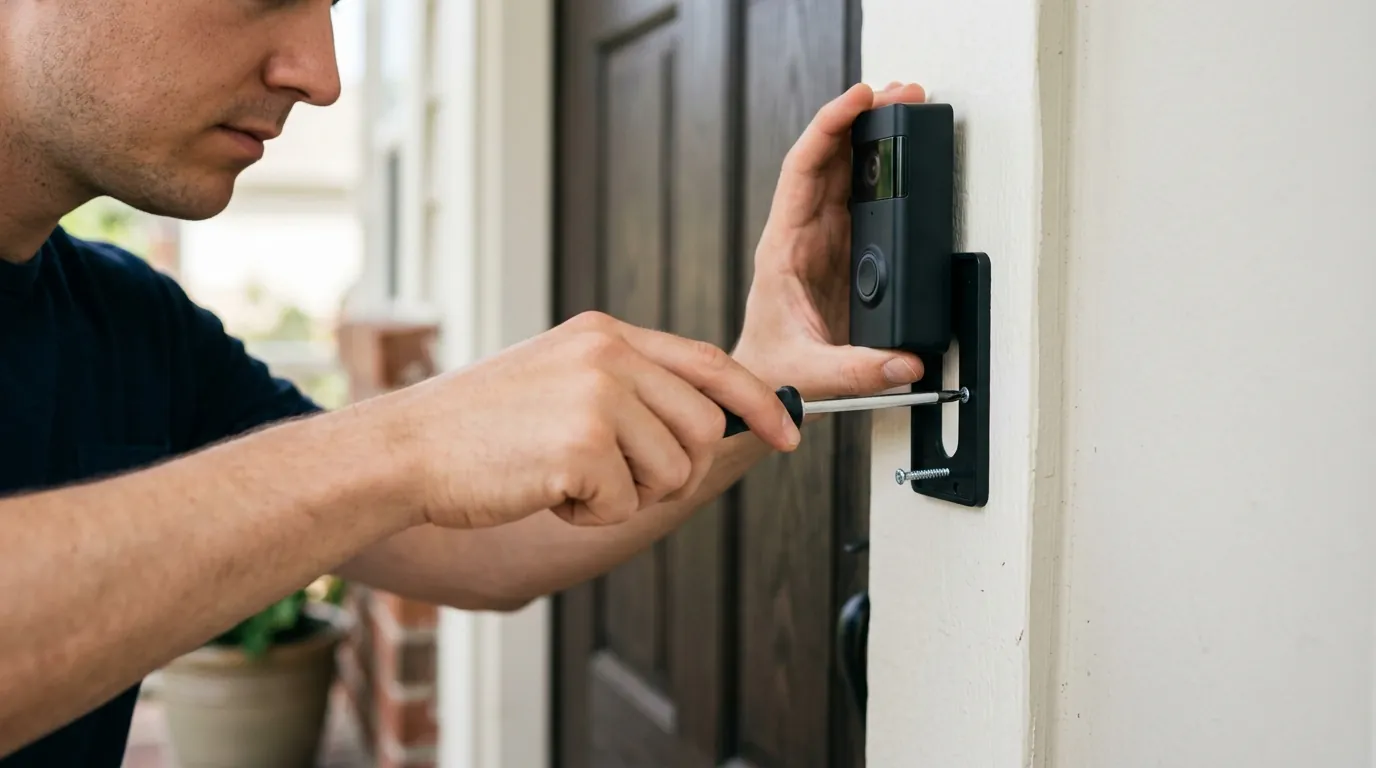
Motion zone issues with the Ring Battery Doorbell Plus (2nd Gen) can have tangible real-world implications, impacting both security effectiveness and user experience.
Missed Events and Security Gaps
One of the most critical implications is the creation of security vulnerabilities. If motion zones are improperly configured or the device’s limitations are not understood, critical events like package theft, unauthorized entry attempts, or suspicious loitering might be missed entirely. For instance, a zone set too narrowly may fail to capture an individual approaching the door from an unexpected angle, or a low sensitivity setting might ignore a person moving slowly. This directly undermines the primary goal of a security camera: to provide timely and accurate alerts when they matter most.
Battery Life Trade-offs
Aggressive motion detection settings, such as high sensitivity and “Frequently” motion frequency, can drastically accelerate battery drain. While Ring advertises a battery life of 6-12 months for its doorbells with normal usage, real-world performance for the Battery Doorbell Plus can drop significantly, with some users reporting needing to recharge every few weeks or even months under high activity. This frequent recharging can be a major inconvenience, transforming a “wire-free” solution into a high-maintenance device. Factors like numerous motion events, frequent Live View access, and a weak Wi-Fi signal all contribute to faster battery depletion.
Privacy Concerns with Wide Coverage
The 150° horizontal and 150° vertical field of view of the Ring Battery Doorbell Plus (2nd Gen), while excellent for a head-to-toe perspective, also means the camera captures a wide area. Without carefully defined motion and privacy zones, there’s a risk of inadvertently monitoring public spaces or neighbors’ property, leading to privacy concerns. Poorly defined zones can result in constant recordings of public sidewalks or adjacent yards, raising ethical questions and potentially infringing on others’ privacy. Ring offers customizable privacy zones that allow users to black out specific areas within the camera’s view that they do not wish to monitor or record.
Environmental factors also play a significant role in motion detection accuracy. Direct sunlight can create strong shadows or glare that confuse PIR sensors, leading to false alerts. Reflective surfaces, such as windows or shiny doors, can also interfere with detection. Additionally, rapid temperature changes, especially in colder climates, can affect PIR sensor performance and battery capacity, making the device less reliable.
Common misconceptions
Several misconceptions surround motion detection in battery-powered doorbells like the Ring Battery Doorbell Plus (2nd Gen), often leading to user frustration.
Misconception: All motion detection is the same (wired vs. battery). Reality: Battery-powered devices, including the Ring Battery Doorbell Plus (2nd Gen), primarily use Passive Infrared (PIR) sensors to detect heat signatures, which are inherently different from the pixel-based motion detection often found in continuously powered wired cameras. Wired cameras can constantly analyze video frames for changes, offering more granular control and often quicker, more precise detection. Battery devices must conserve power, leading to a “wake-up” period after PIR detection, which can sometimes result in missed initial moments of an event.
Misconception: Setting motion zones perfectly will eliminate all false alerts and missed events. Reality: While optimizing motion zones significantly improves performance, it won’t eliminate all issues. Environmental factors like sudden sunlight changes, strong shadows, reflective surfaces, extreme temperatures, and even network stability (Wi-Fi signal strength) still play a substantial role in detection accuracy and notification delivery. Motion zones are a critical tool, but they are part of a larger ecosystem of factors affecting performance.
Misconception: High sensitivity and “Frequently” motion frequency settings are always better. Reality: These settings drastically increase the frequency of detection and how far the camera “sees,” which can indeed lead to fewer missed events. However, they also significantly increase the likelihood of false alarms from minor disturbances and, most importantly, can drastically reduce battery life from months to mere weeks. A balance must be struck between comprehensive coverage and practical battery endurance.
Misconception: Ring provides all advanced features for free. Reality: While essential features like Live View, two-way talk, and basic motion alerts are available without a subscription, key “smart alerts” such as Person Detection and Package Alerts, as well as the ability to review and save video recordings, require a Ring Protect subscription plan. Without a subscription, the doorbell acts primarily as a live viewer and notifier, limiting its full security potential.
Misconception: Firmware updates automatically fix all motion issues. Reality: While Ring regularly releases firmware updates that can improve performance, stability, and add new features, they are not a magic bullet for all motion issues. Many problems stem from user settings, environmental interference, or Wi-Fi connectivity, which require manual adjustment and troubleshooting. Regular updates are important, but user configuration remains critical.
Total Cost of Ownership (TCO)
When considering a security camera like the Ring Battery Doorbell Plus (2nd Gen), it’s important to look beyond the initial purchase price and evaluate the Total Cost of Ownership (TCO) over several years. The “feature paywall” is a significant factor in the security camera market, where many advanced functionalities are locked behind monthly subscription plans.
Here’s a breakdown of potential 3-year costs:
1. Hardware Cost:
- Ring Battery Doorbell Plus (2nd Gen): Around $180 (list price, though often discounted to around $120-$180).
- Optional Accessories:
- Extra Quick Release Battery Pack: around $50.
- Solar Charger/Panel: around $50-$60 (can reduce charging frequency).
2. Subscription Tier (Ring Protect Plans): Ring’s subscription model, renamed in 2026, offers different tiers:
- Ring Solo (formerly Home Basic): Covers one device. Provides video recording history (up to 180 days), Person and Package Alerts, video preview alerts.
- Cost: Around $5/month or $50/year.
- Ring Multi (formerly Home Standard/Protect Plus 1st Gen without alarm): Covers all devices at one location. Includes all Solo features, plus doorbell calls, extended live view, and alarm cellular backup (for Ring Alarm systems).
- Cost: Around $10/month or $100/year.
- Ring Pro (for Ring Alarm systems with professional monitoring): Includes all Multi features plus professional monitoring and other advanced alarm features.
- Cost: Around $20/month or $200/year.
For a standalone Ring Battery Doorbell Plus, the Ring Solo plan is typically sufficient for unlocking full video recording and smart alerts.
3. Feature Paywall Trap: Many features that enhance security and convenience are gated behind a subscription:
- Video Recording and History: Without a plan, you can only view live video and receive real-time alerts. Recordings are not saved.
- Smart Alerts: Person Detection, Package Alerts, and Rich Notifications (alerts with a photo preview) require a Ring Protect plan.
- Video Descriptions: AI-generated descriptions of detected events also typically require a subscription.
Example 3-Year TCO Calculation (using Ring Solo plan):
- Hardware: ~$180 (doorbell)
- Subscription: $50/year x 3 years = $150
- Total 3-Year Cost: ~$330 (excluding optional accessories or potential sales)
This calculation highlights that the ongoing subscription fees can significantly increase the overall cost of ownership, making a seemingly affordable doorbell a more substantial investment over time. It’s crucial for buyers to factor in these recurring costs to understand the true financial commitment.
Decision Framework
Choosing and configuring a Ring Battery Doorbell Plus (2nd Gen) involves balancing security needs, convenience, and privacy. Here’s a decision framework based on common buyer situations:
-
If you’re a renter or prefer minimal installation and flexibility:
- Prioritize: The battery-powered nature and easy setup of the Ring Battery Doorbell Plus are ideal.
- Recommendation: Focus on optimizing motion zones to cover only your immediate entryway and porch, avoiding public walkways to conserve battery and respect privacy. Consider a “No-Drill Mount” accessory for easy installation and removal.
-
If you experience frequent false alarms from street traffic or pets:
- Prioritize: Refined motion zone configuration and “Smart Alerts.”
- Recommendation: Draw precise motion zones in the Ring app to exclude busy areas. Enable Person Detection (requires Ring Protect subscription) to filter out non-human triggers. Adjust Motion Sensitivity to a lower setting and Motion Frequency to “Regularly” or “Periodically” to reduce alerts and save battery.
-
If you’re concerned about battery life and frequent recharging:
- Prioritize: Power-saving settings and potentially external power.
- Recommendation: Set Motion Frequency to “Periodically” and reduce Motion Sensitivity. Minimize Live View usage and Snapshot Capture frequency. Consider purchasing a Ring Solar Panel or Solar Charger if your doorbell gets adequate direct sunlight, or hardwiring to an existing doorbell transformer for trickle charging if possible.
-
If you need reliable package detection and detailed event recording:
- Prioritize: A Ring Protect subscription and optimal camera placement.
- Recommendation: Subscribe to a Ring Protect plan to unlock Package Alerts and video recording history. Ensure your doorbell is mounted at a height and angle that provides a clear, unobstructed view of your entire doorstep, from head-to-toe, to maximize the effectiveness of package detection.
-
If privacy and data sharing are your primary concerns:
- Prioritize: Understanding Ring’s privacy policy and utilizing available encryption.
- Recommendation: Be aware that Ring has provisions for sharing data with law enforcement in certain emergency situations. Enable End-to-End Encryption (E2EE) if available for your device, understanding that this may disable certain smart features like Person Detection. Carefully define Privacy Zones to black out sensitive areas within the camera’s view. If robust local storage and minimal cloud dependence are paramount, you might consider alternatives that offer these features.
Further reading
- How to optimize Ring Battery Doorbell Plus settings for maximum battery life.
- Best practices for mounting your Ring doorbell to improve motion detection.
- Understanding Ring’s privacy policy and data sharing practices.
- Subscription-free security camera alternatives for home and small business.
Frequently Asked Questions
What is the actual video resolution of the Ring Battery Doorbell Plus (2nd Gen)?
The Ring Battery Doorbell Plus (2nd Gen) records video in 1536p HD+ resolution, which Ring also refers to as Retinal 2K, providing clear, detailed footage. This is an upgrade that allows for a sharper image and enhanced zoom capabilities.
Do I need a Ring Protect subscription to use motion zones?
No, you can set up and customize motion zones in the Ring app without a subscription. However, a Ring Protect subscription is required to unlock advanced features like Person Detection, Package Alerts, and the ability to review and save recorded video clips triggered by motion.
How long does the battery typically last on the Ring Battery Doorbell Plus?
While Ring suggests a battery life of 6-12 months with normal use, real-world battery life for the Ring Battery Doorbell Plus can vary significantly. With high motion activity, frequent Live View access, or a weak Wi-Fi signal, users may find themselves recharging every 6 weeks to 3 months. Settings adjustments are crucial for extending battery life.
Can environmental factors really affect motion detection?
Yes, environmental factors such as direct sunlight, rapidly changing shadows, reflective surfaces (like windows), and extreme temperatures can all impact the accuracy and reliability of the PIR motion sensor in battery-powered Ring doorbells, potentially leading to false alarms or missed events.
What are the current names for Ring’s subscription plans in 2026?
As of 2026, Ring’s subscription plans have been renamed from “Ring Protect” to “Ring Solo” (for one device), “Ring Multi” (for multiple devices at one location), and “Ring Pro” (for Ring Alarm with professional monitoring). There’s also a “Premium Legacy” plan for certain existing subscribers.
Sources
- Ring Battery Doorbell Plus Review - PCMag — https://www.pcmag.com/reviews/ring-battery-doorbell-plus
- Battery Doorbell Plus (Newest Model) 2nd Gen - Ring
- Battery Doorbell Plus - Ring
- Using Motion Detection - Ring — https://support.ring.com/hc/en-us/articles/360042735771-Using-Motion-Detection
- Fix Ring Battery Doorbell Plus Not Detecting Motion - fixringdoorbell.com — https://fixringdoorbell.com/ring-battery-doorbell-plus-not-detecting-motion/
- With the second-gen Ring Battery Video Doorbell Plus, the head-to-toe doorbell finally goes 2K | TechRadar
- Ring Battery Draining Too Fast? Here’s Why [Fixed] - Whizz-Experts
- Ring Battery Doorbell Plus (2nd Gen) Review: Smarter Alerts, Sharper Video | PCMag — https://www.pcmag.com/reviews/ring-battery-doorbell-plus-2nd-gen
- Troubleshooting battery performance - Ring — https://support.ring.com/hc/en-us/articles/115003551843-Troubleshooting-Battery-Performance
- How to Stop Your Ring Doorbell’s Battery From Draining Too Fast, Once and For All
- Battery Doorbell Plus - Ring
- How Much Is Ring Doorbell Subscription in 2026?
- Ring subscription plan changes in 2026 — https://support.ring.com/hc/en-us/articles/12301132204756-Ring-subscription-plan-changes-in-2026
- Ring Reinvents Its Security Subscriptions With ‘Ring Home’ and 24/7 Recording - CNET
- Ring Battery Doorbell Plus Review: Full Test Results - LinkdHOME
- Ring Doorbell Pro Gen 3 Review 2026: Privacy, Pros and Cons, Personal Data
- Free software offers trust and privacy; Ring offers mass surveillance
- Ring says police partnerships help solve crimes. What does it mean for your privacy? | Here & Now - WBUR
- After Ring privacy backlash, company abandons plans for police partnership - 9to5Mac
- Ring vs. Eufy (2026): Privacy Risks, Hidden Costs & The “Warrantless” - ModemGuides
- 2026 Privacy Forecast: Amazon Ring Faces Growing Biometric Risk - YouTube — https://www.youtube.com/watch?v=FjI6i-Hl6fE