
Why Your Wyze Camera App Keeps Crashing: 2026 Fixes & Updates
If you are staring at a frozen screen or a “Force Close” prompt while trying to check your front door, you are part of a surge in stability reports following the mid-2026 Wyze ecosystem updates.
Most 2026 Wyze app crashes are caused by a mismatch between App v3.14 and older firmware, or using a 32-bit device. Update to app v3.14.0.807 and firmware 4.52.9.6119 (for Cam v4) to resolve immediate crashing and group-viewing bugs.
What happened
The stability of the Wyze ecosystem took a significant hit in late May 2026, primarily due to an aggressive push toward 64-bit architecture and new encrypted streaming protocols. While these updates are designed to enhance security and support higher-resolution 2K and 4K streams, they have left many users with older hardware or unpatched firmware facing persistent application failures.
The May 2026 Update (v3.14) Breakdown
On May 27, 2026, Wyze released App v3.14.0.807 for Android and v3.14.0.56 for iOS. This update was intended to integrate the new “Cam Unlimited Pro” features, including advanced AI-driven facial recognition and vehicle telemetry. However, the integration of these heavy background processes led to memory leaks on devices with less than 4GB of RAM. According to Wyze Release Notes, this version also introduced a new UI layer for the Wyze Cam v4 that conflicts with legacy GPU drivers on older smartphones.
The 64-Bit Requirement: Why Older Tablets are Failing
A critical shift occurred in early 2026 when Wyze transitioned its 3.x app suite to a mandatory 64-bit architecture. This move follows the industry trend set by Google and Apple to phase out 32-bit application support. For Wyze users, this means that budget tablets (like older Amazon Fire HD models) and smartphones released before 2019 are effectively “sunsetted.” If your device uses a 32-bit operating system, the v3.14 app will either fail to install or crash immediately upon launch as it attempts to call 64-bit instructions that the hardware cannot process.
The ‘Device Powered Off’ Glitch
One of the most frustrating bugs reported in June 2026 is the “Device Powered Off” crash. Users attempt to click on a camera that appears offline in the app list; instead of showing a connection error, the app closes instantly. This is caused by a synchronization error between the camera’s heartbeat signal and the Wyze cloud servers. When the app receives a “null” status for a camera running firmware older than v4.52.9.5332, it fails to render the offline state icon and terminates the process.
| Requirement | Minimum Specification (2026) | Legacy Status (Pre-2026) |
|---|---|---|
| Android OS | Android 10.0 or higher | Android 9 and below (Unsupported) |
| iOS Version | iOS 16.0 or higher | iOS 15 and below (Unsupported) |
| Architecture | 64-bit (ARM64) | 32-bit (ARMv7) (Unsupported) |
| RAM (Minimum) | 3GB | 2GB (High crash risk) |
| Wi-Fi Protocol | WPA2/WPA3 | WEP/WPA (Security conflict) |
Why it matters for buyers
For those currently shopping for a security system, the recent Wyze stability issues highlight a growing divide between budget-friendly hardware and the high-performance mobile devices required to run their software.
Budget Phone Compatibility Warnings
New buyers often pair affordable cameras like the Wyze Cam v4 (usually found in the $35-$50 range) with budget Android devices, such as the Samsung Galaxy A-series or various Motorola Moto G models. However, the 2026 Wyze app is no longer a “lightweight” utility. It is a resource-intensive platform. If you are using a phone with a low-tier processor, you may experience “UI lag” where the app takes 5-10 seconds to open a live stream, or “thermal crashes” where the phone shuts the app down to prevent overheating during 2K streaming.
The Hidden Cost of Frequent Firmware Updates
Unlike high-end systems from brands like Axis or Hanwha, which prioritize long-term firmware stability, Wyze operates on a “rapid release” cycle. While this brings new features quickly, it creates a maintenance burden. Buyers must be prepared to update their camera firmware at least once a month to ensure compatibility with the app. For a homeowner with ten cameras mounted on high eaves, a failed “over-the-air” (OTA) update that requires a manual microSD card flash can turn a low-cost purchase into a high-maintenance project.
Wyze Cam v4 Setup Stability
The Wyze Cam v4, while praised in RTINGS reviews for its image quality, has shown a specific setup instability in the 2026 app versions. During the QR code scanning phase, the app must manage Bluetooth Low Energy (BLE) and Wi-Fi handshakes simultaneously. If the user hasn’t granted “Precise Location” and “Nearby Devices” permissions—standard requirements in Android 15 and 16—the app will crash during the final handshake. This has led to a spike in “dead on arrival” (DOA) returns that are actually software-related.
Impact on existing owners
Existing owners are currently navigating a landscape where features that worked perfectly six months ago are now triggers for application failure.
The MicroSD Playback Bug
A significant number of Cam v3 and Cam v4 owners report that the app closes instantly when they slide the timeline to view local footage from a microSD card. This is specifically linked to the “Smart Focus” UI overlay—a feature that zooms in on detected motion. In the v3.14 app, the code that renders this zoom box on top of the H.265 video stream is poorly optimized for older GPUs, causing a “segmentation fault” that kills the app.
Android 16 and iOS 19 Compatibility Reports
As early builds of Android 16 and iOS 19 circulate in mid-2026, Wyze users on flagship hardware like the Pixel 9 Pro or iPhone 17 have reported “clean crashes.” These are crashes where the app simply disappears without an “App has stopped” notification. Community consensus on r/Wyze suggests this is due to new background execution limits in the latest mobile operating systems, which flag the Wyze app’s persistent notification (used for faster alerts) as a battery-drain risk and terminate it.
What Happens to Legacy (32-bit) Users?
If you are using a tablet or phone that cannot be updated to a 64-bit OS, you have reached a “dead end.” While you can continue to use older versions of the app (if you have the APK or a backup), those versions are increasingly unable to communicate with cameras running 2026 firmware. This effectively bricks the remote viewing capability of the device, forcing users to either upgrade their mobile hardware or switch to a web-viewing platform, which Wyze currently restricts to “Cam Plus” subscribers.
User Report Summary: Top 5 Crash Triggers (June 2026)
- Group View (5+ Cameras): 42% of reports.
- SD Card Playback (Timeline Scrubbing): 28% of reports.
- Entering ‘Advanced Settings’ Menu: 15% of reports.
- QR Code Scanning (New Setup): 10% of reports.
- Event Notification Taps: 5% of reports.
What to do now
If your app is currently unusable, follow this hierarchical troubleshooting path. Do not skip steps, as the 2026 app data structure often retains “ghost” settings that cause crashes even after a standard reinstall.
Step 1: The Deep Cache Clean
A standard “Clear Cache” within the app is often insufficient for the v3.14 update. You must perform a “Double Cache” clear:
- Open the Wyze App > Account > Storage > Clear Cache.
- Go to your phone’s System Settings > Apps > Wyze > Storage.
- Select Clear Cache and then Clear Data (Note: You will need to log back in).
- Restart your phone before opening the app again.
Step 2: Managing Hardware Acceleration
If the app crashes specifically when you start a live stream, the issue is likely the “Hardware Decoder.” This feature offloads video processing to your phone’s GPU, but it can fail if the GPU is busy or incompatible with the 2K stream.
- Open the Wyze App.
- Go to Account > App Settings.
- Toggle Enable Hardware Decoder to OFF.
- Force close the app and restart it.
Step 3: How to Roll Back Firmware (If Necessary)
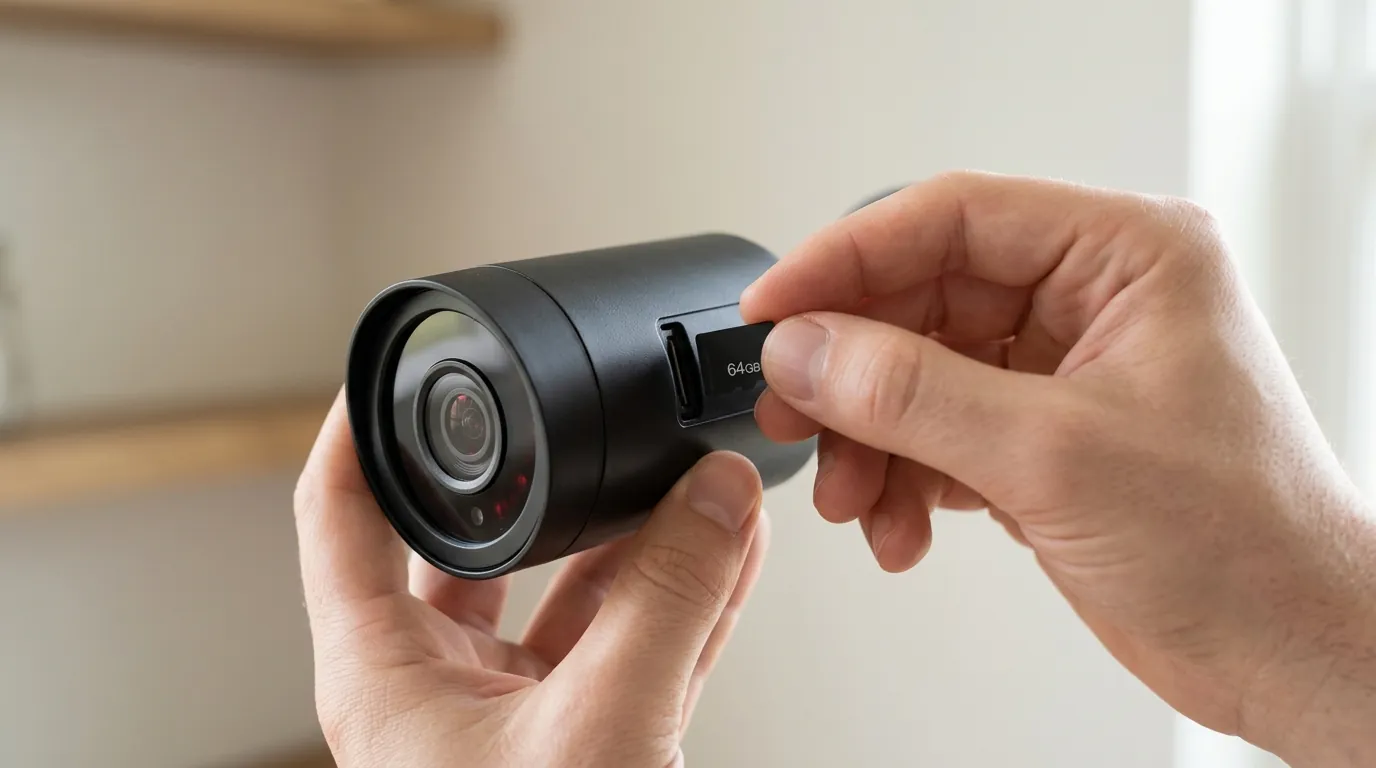
If your app was stable until you updated the camera firmware, you may need to perform a manual rollback. This requires a microSD card (32GB or smaller, formatted to FAT32).
- Download a known stable firmware version (e.g., v4.36.14.3497 for Cam v3) from the Wyze Release Notes page.
- Rename the file to
demo.bin. - Power off the camera and insert the SD card.
- Hold the setup button while plugging the power back in until the light turns solid purple/blue.
- Wait 3-5 minutes for the camera to reboot.
Decision Framework: When to Fix vs. When to Switch
| If you are… | Priority | Recommendation |
|---|---|---|
| A Renter | Portability & Ease | Stick with Wyze; perform the “Clean Reinstall” protocol. The low hardware cost outweighs the occasional app instability. |
| A Homeowner | Reliability & Security | Consider transitioning to a system with a dedicated NVR (like Reolink or Amcrest). Reliance on a mobile app for 24/7 stability is risky. |
| A Power User | 4+ Cameras / 2K | Use the Wyze Web Portal or a third-party bridge (like Docker-Wyze-Bridge) to view streams on a PC, bypassing the mobile app’s memory limits. |
| On a Budget | Cost Savings | Ensure your phone has at least 4GB of RAM and a 64-bit OS before buying more Wyze hardware in 2026. |
Total Cost of Ownership (3-Year Projection)
When calculating the value of Wyze in 2026, you must account for more than the hardware price. Frequent app updates and the “feature paywall” change the math significantly.
- Hardware (4x Wyze Cam v4): Around $160-$200.
- Subscription (Cam Unlimited Pro): Around $100/year ($300 over 3 years).
- MicroSD Cards (High Endurance): Around $60 for four 128GB cards.
- Hidden Cost (Mobile Hardware): If your current phone is 32-bit, add $200+ for a compatible 64-bit device.
- 3-Year Total: Approximately $520 - $760.
This TCO is now comparable to mid-range systems from brands like Eufy or Reolink, which often offer more stable local-only storage options without the mandatory “cloud-first” architecture that causes many of Wyze’s app stability issues.
When to Contact Wyze Support vs. Upgrading Hardware
If you have performed a “Clean Reinstall” (Uninstall > Reboot Phone > Reinstall v3.14.0.807) and the app still crashes on a device running Android 12+ or iOS 17+, the issue is likely a specific account-level corruption. You should contact Wyze Support and provide your “Log ID” (found under Account > Wyze Support > Submit a Log).
However, if you are running an iPhone 8, an original iPhone SE, or a Galaxy Tab A from 2018, no amount of troubleshooting will resolve the crashing. The 2026 Wyze app suite has fundamentally outgrown that hardware. Quvii tracks these trade-offs across the category, and for users in this situation, the most sustainable path is often migrating to a “subscription-free” camera system that utilizes a dedicated local monitor rather than a high-performance smartphone app.
Sources
- Wyze Official Release Notes & Firmware History — https://support.wyze.com/hc/en-us/articles/360024852172-Release-Notes-Firmware
- RTINGS Wyze Cam v4 Independent Lab Test
- FCC ID Filing for Wyze Cam v4 (RF/Wi-Fi Specs) — https://fccid.io/2AUIU-WYZECV4
- Android Developers: 64-bit Architecture Requirements — https://developer.android.com/distribute/best-practices/develop/64-bit
- Wyze Privacy Policy and Data Handling (2026 Revision)