
Lorex NVR Firmware Security Patch: July 2026 Release Guide
Owners of Lorex N84x, N86x, and N88x series Network Video Recorders (NVRs) should check their firmware versions immediately following the disclosure of two high-severity vulnerabilities.
Lorex issued a critical firmware update in July 2026 to fix CVE-2026-15680, a high-severity RCE vulnerability. Owners of N84x, N86x, and N88x NVRs must update immediately to version 3.100 or higher to secure their systems.
What happened
Related: Blink Camera Credential Stuffing: July 2026 Security Advisory · Ubiquiti UniFi Protect CVE-2026-3482: Critical Patch Guide · EZVIZ HP7 Home Assistant Stream Fails: 2026 Firmware & Fixes
In early July 2026, security researchers identified two significant vulnerabilities within the core operating environment of several Lorex NVR product lines. These flaws, designated as CVE-2026-15680 and CVE-2026-15683, primarily affect the “sonia” binary—a critical component responsible for device management and communication services within the Lorex ecosystem.
The most severe of the two, CVE-2026-15680, is a format string vulnerability that allows for Remote Code Execution (RCE). Because this binary runs with elevated privileges, a successful exploit grants an attacker root-level access to the NVR. Crucially, this attack can be executed without a password or any user interaction, provided the attacker has gained access to the local network.
Technical Breakdown: The Sonia Binary Flaw
The “sonia” binary is a proprietary middleware service used by Lorex to handle discovery protocols and remote access requests. The July 2026 disclosure revealed that the service failed to properly sanitize input strings during the initial handshake process. By sending a specially crafted packet to the NVR’s management port, an attacker can trigger a buffer overflow or format string error, leading to arbitrary code execution.
| CVE ID | CVSS Score | Vulnerability Type | Affected Component |
|---|---|---|---|
| CVE-2026-15680 | 7.5 (High) | Format String / RCE | ‘sonia’ binary |
| CVE-2026-15683 | 7.5 (High) | Improper Certificate Validation | Device Management Server |
CVE-2026-15683, while not an RCE flaw, is equally concerning for privacy-conscious users. This vulnerability involves improper validation of SSL/TLS certificates when the NVR communicates with Lorex’s cloud signaling servers. This could allow a sophisticated attacker to perform a Man-in-the-Middle (MitM) attack, potentially intercepting video metadata or account credentials during the login process.
Timeline of the July 2026 Disclosure
The vulnerabilities were reportedly discovered in late Q1 2026 and underwent a coordinated disclosure period.
- July 11, 2026: Lorex began pushing the first wave of firmware updates (v3.100) to the N86x series.
- July 13, 2026: Updates were expanded to include the N84x and N88x series.
- July 14, 2026: Public disclosure via OpenCVE and the Lorex Security Advisory page.
Lorex has confirmed that these patches are intended to harden the “sonia” binary against the specific memory corruption techniques used in the RCE exploit.
Why it matters for buyers
For those currently shopping for a security system, this July 2026 update highlights a fundamental trade-off in the “local storage” category. Lorex is often chosen by buyers who want to avoid the monthly subscription fees associated with brands like Ring or Arlo. However, local storage comes with a “maintenance tax”: the responsibility for security falls squarely on the owner.
The Reality of Local Storage Security
Unlike cloud-based systems where the vendor can patch vulnerabilities on the server side, an NVR is a physical computer sitting on your network. If a vulnerability like CVE-2026-15680 is discovered, your home network remains exposed until you—the user—ensure the firmware is updated. This is particularly critical for small businesses that may provide guest Wi-Fi on the same physical network as their security cameras, as network adjacency is the primary requirement for this exploit.
| Feature | Local NVR (Lorex/Reolink) | Cloud-Based (Ring/Nest) |
|---|---|---|
| Storage Location | Local Hard Drive | Vendor Cloud |
| Monthly Fees | $0 (Usually) | $10–$15+ per month |
| Security Responsibility | User (Firmware Updates) | Vendor (Auto-updates) |
| Internet Dependency | Low (Works offline) | High (Required for recording) |
| Data Privacy | High (User-controlled) | Moderate (Third-party access) |
Lorex’s Evolving Security Posture in 2026
Lorex has spent the last several years distancing its hardware from its former parent company, Dahua, following US regulatory changes. By 2026, Lorex has moved toward more independent hardware and software stacks. While this move improves supply chain transparency, it also means their internal software teams are solely responsible for the stability of the “sonia” binary and other proprietary services.
The July 2026 patch is a test of Lorex’s new independent infrastructure. Buyers must weigh the benefit of having total control over their video data against the risk of unpatched network vulnerabilities that could turn their NVR into a gateway for lateral movement within their home network.
Impact on existing owners
If you own a Lorex system purchased between 2021 and early 2026, you are likely affected by this disclosure. The N84x, N86x, and N88x series are the “workhorse” units of the Lorex lineup, managing everything from 4K PoE cameras to Wi-Fi doorbell integrations.
Affected NVR Models
The following model prefixes are confirmed to be vulnerable to CVE-2026-15680 if running firmware older than version 3.100:
- N845 / N846 / N847 Series: Popular 4K Fusion NVRs often sold in 8- and 16-channel configurations.
- N864 Series: Higher-end 4K NVRs with expanded HDD bays.
- N884 Series: Pro-sumer 4K NVRs supporting up to 32 channels.
- N910 Series: Newer 2025/2026 releases that may have shipped with vulnerable beta firmware.
Users running older legacy hardware, such as the LNR600 or NR800 series, should note that these units are largely End-of-Life (EOL) and may not receive this security patch. If you are using an EOL unit, your system is likely permanently vulnerable to similar RCE flaws.
How to Check Your Current Firmware Version
To determine if your system is at risk, you must access the NVR’s local interface:
- Right-click on the live view screen and select Main Menu.
- Log in using your admin credentials.
- Navigate to Information > System (or About).
- Look for the Build Date and Firmware Version.
If your version number is lower than 3.100 or your build date is prior to July 2026, your NVR is currently exposed to unauthenticated root access if an attacker gains entry to your network.
Known Issues with the July Update Process
Community reports on r/HomeSecurity indicate that the “Auto-Update” feature in the Lorex Home app and the NVR interface is not 100% reliable for this specific rollout. Some users have reported that the NVR claims to be “Up to Date” while still sitting on version 2.xxx. This discrepancy often occurs when the update server is throttled or if the NVR has a DNS misconfiguration.
Furthermore, some users have noted “event handling” bugs in the July update, where motion detection zones are reset to default after the patch is applied. It is highly recommended to take photos of your current configuration settings before proceeding with the update.
What to do now
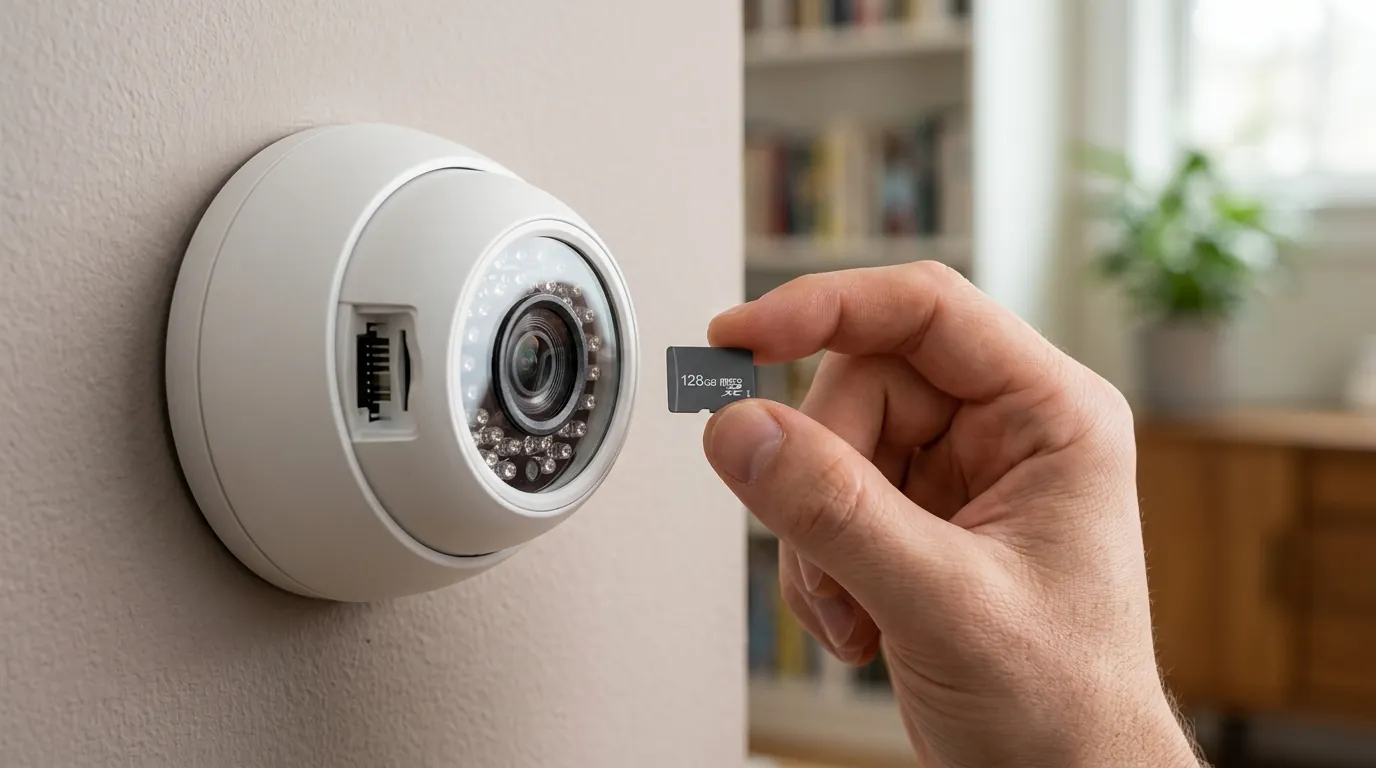
Securing your Lorex NVR requires a two-pronged approach: applying the immediate firmware patch and hardening your network to prevent future vulnerabilities from being exploitable.
Step-by-Step: Cloud vs. USB Manual Update
Method 1: Cloud Update (Preferred)
- Ensure your NVR is connected to the internet via Ethernet.
- Go to Main Menu > System > Update & Reset > Upgrade.
- Click Check for Updates. If version 3.100 or higher appears, click Update.
- The system will reboot. Do not power off the NVR during this process.
Method 2: USB Manual Update (If Cloud Fails) If the NVR fails to find the update, you must perform a manual flash.
- Contact Lorex Support at 1-888-425-6739 to request the specific
.binfirmware file for your model. - Format a USB flash drive to FAT32.
- Copy the firmware file to the root directory of the USB drive.
- Insert the drive into the NVR’s front or back USB port.
- In the Upgrade menu, select Local Upgrade, select the file, and click Start.
Hardening Your NVR Network Settings
Even with the patch, the existence of an RCE vulnerability in the “sonia” binary suggests that the NVR should not be treated as a “secure” device on your primary network. To mitigate the risk of network-adjacent attacks:
- VLAN Isolation: Place your NVR and cameras on a separate Virtual Local Area Network (VLAN). This prevents a compromised guest laptop or “smart” toaster from reaching the NVR’s management ports.
- Disable UPnP: Ensure Universal Plug and Play (UPnP) is disabled on both your NVR and your router. This prevents the NVR from automatically opening ports to the public internet.
- VPN Access: Instead of port forwarding, use a secure VPN like WireGuard or Tailscale to access your cameras remotely. This ensures that the NVR’s vulnerable management interface is never exposed to the internet.
When to Consider a Hardware Upgrade
If your NVR is more than five years old (e.g., LNR or NR series), it is unlikely to receive the July 2026 patch. In the world of cybersecurity, an unpatchable NVR is a liability.
Decision Framework: Should You Stay with Lorex?
| If you are… | Priority | Recommendation |
|---|---|---|
| A Renter | Ease of setup & Portability | Consider switching to a cloud-based system with auto-updates (e.g., Ring) to avoid NVR maintenance. |
| A Homeowner | Privacy & No Monthly Fees | Stay with Lorex but implement VLAN isolation and a strict manual update schedule. |
| A Small Business | Reliability & Compliance | Upgrade to the N884 series or a professional TAA-compliant system; avoid guest Wi-Fi on the same NVR network. |
| No-Wi-Fi User | Offline Security | Lorex remains a top choice as it functions fully without an internet connection, neutralizing RCE risks. |
Total Cost of Ownership (TCO) Analysis
When evaluating the cost of a Lorex system, the hardware price is only the starting point. Unlike Ring or Nest, which have lower entry prices but high recurring costs, Lorex’s TCO is front-loaded.
3-Year Cost Comparison (8-Channel 4K System):
- Lorex (N864 Series):
- Hardware: Around $500–$700 (NVR + 4 Cameras).
- Storage: Included (2TB–4TB HDD).
- Subscription: $0.
- Total: $500–$700.
- Ring (Spotlight Cam Battery x4):
- Hardware: Around $600–$800.
- Storage: $120/year (Ring Protect Plus).
- Total: $960–$1,160.
While Lorex saves you roughly $400 over three years, that “savings” is effectively your budget for managing your own security. If you are not comfortable performing manual firmware updates or configuring VLANs, the “free” security of a cloud subscription may actually be a better value.
Frequently Asked Questions
Does this vulnerability affect Lorex Wi-Fi cameras used without an NVR?
CVE-2026-15680 specifically targets the NVR’s management binary. However, Lorex Wi-Fi cameras often share similar codebases. You should check the Lorex Home app for any pending “Camera Firmware” updates, as standalone cameras were issued separate patches in late July 2026 to address related certificate validation issues.
My NVR is not connected to the internet. Am I safe?
Yes. Both CVE-2026-15680 and CVE-2026-15683 require network access to exploit. If your NVR is completely “air-gapped” (not connected to a router), an attacker would need physical access to your building to plug into the NVR’s Ethernet ports, making the risk negligible.
Will the July update delete my recorded footage?
Standard firmware updates do not format the hard drive. However, a “Local Upgrade” via USB sometimes offers an option to “Reset to Factory Defaults.” Ensure this box is unchecked during the update process to preserve your recordings and user settings.
What happens if I don’t update my Lorex NVR?
Your system will remain vulnerable to any attacker on your local network. A compromised NVR can be used to view your private camera feeds, delete footage, or serve as a “jumping-off point” to attack other devices on your network, such as personal computers or NAS drives.
Sources
- Lorex Product Support & Firmware Downloads — https://help.lorextechnology.com/
- Lorex Privacy Policy and Security Commitments — https://www.lorex.com/pages/privacy-policy
- OpenCVE Vulnerability Database — https://www.opencve.io/cve/CVE-2026-15680
- r/HomeSecurity Community Wiki — https://www.reddit.com/r/homesecurity/
- FCC ID Search (Lorex NVR Wireless Modules) — https://www.fcc.gov/oet/ea/fccid
Quvii tracks these security trade-offs across the home camera category to help buyers navigate the balance between local privacy and cloud convenience.