
June 2026 Android Security Patch: Critical Camera Hub Vulnerabilities Fixed
For homeowners using Android-based tablets or dedicated hubs to monitor their security feeds, the latest system update is no longer optional—it is a critical defensive requirement.
📝 Editorial Note: This guide is AI-assisted and game data evolves rapidly. Please cross-reference with in-game information. Updated: 2026-06-20.
The June 2026 Android patch fixes 124 vulnerabilities, including a critical zero-day (CVE-2025-48595) and an RCE flaw (CVE-2026-0073). Users of Android-based camera hubs or monitor tablets must update to patch level 2026-06-05 immediately to prevent unauthorized access to live video feeds and local storage.
What happened
Related: Wyze Window Cam Firmware 1.3.0.48 Update: Security & Performance · Reolink App Crashing on iOS 18? Solutions for Connectivity & Stability · EufyCam S330 Firmware 3.1.8.2 Motion Detection Failure: What You Need
Google has officially released the June 2026 Android Security Bulletin, a massive update addressing 124 documented vulnerabilities. This month’s release is particularly significant for the smart home and security camera industry due to the nature of the flaws discovered in the Android Framework and System components. Unlike standard monthly updates that often focus on minor UI bugs or background service stability, the June 2026 release targets exploits that can be triggered without any user interaction.
The update is split into two distinct tiers. The 2026-06-01 patch level addresses core Android Framework and System issues, while the 2026-06-05 patch level includes critical kernel-level fixes and third-party driver updates from major chipset manufacturers like Qualcomm and MediaTek. For security camera users, the latter is the essential target, as many dedicated camera monitors and “smart displays” rely on these specific hardware drivers for video decoding and network management.
The Framework Zero-Day (CVE-2025-48595)
The most pressing threat in this cycle is CVE-2025-48595, a critical zero-day vulnerability located within the Android Framework. Google has confirmed in its Android Security Bulletin that this flaw is currently under “limited, targeted exploitation.”
This vulnerability allows for local escalation of privilege (EoP). In a security camera context, this means that if a low-privilege application (such as a generic smart home app or a compromised background service) is already on the device, it can gain full system-level permissions. Once an attacker achieves this, they can bypass Android’s “Sandboxing” protections, potentially gaining access to the camera’s microphone, saved recordings, and even the Wi-Fi credentials stored on the device.
Remote Code Execution in System Components
While the zero-day requires an initial foothold on the device, CVE-2026-0073 is a high-severity Remote Code Execution (RCE) flaw that can be triggered over a network. This flaw exists within the Android Debug Bridge daemon (adbd).
For camera owners who use Android tablets as permanent wall-mounted “dashboards,” this is a significant risk. If “Wireless Debugging” or “Developer Options” were left enabled during the initial setup of a dashboard like Home Assistant or ActionTiles, an attacker on the same local network could theoretically execute commands on the tablet. This could lead to the interception of RTSP (Real-Time Streaming Protocol) feeds, effectively allowing an intruder to watch your cameras through your own monitor.
Chipset-Specific Patches: Qualcomm and MediaTek
The June 5 patch level also includes a critical fix for Qualcomm graphics drivers (CVE-2026-21385). Because security camera monitors spend 99% of their CPU cycles rendering video streams, the graphics driver is a primary attack vector. Vulnerabilities here can lead to system crashes or, in worse cases, memory corruption that allows for further exploitation. MediaTek-based devices, common in the “budget” tablet and smart display category, also received several high-severity fixes for their Wi-Fi and Bluetooth stacks, which are essential for maintaining a stable, secure connection to wireless cameras.
| CVE ID | Severity | Component | Impact |
|---|---|---|---|
| CVE-2025-48595 | Critical | Android Framework | Zero-day; Local Escalation of Privilege |
| CVE-2026-0073 | High | System (adbd) | Remote Code Execution (RCE) |
| CVE-2026-21385 | High | Qualcomm Graphics | Memory corruption / Denial of Service |
| CVE-2026-0081 | High | MediaTek Connectivity | Unauthorized Wi-Fi packet injection |
| CVE-2026-1192 | Moderate | System | Information disclosure (Metadata) |
Why it matters for buyers
The security camera market in 2026 has shifted heavily toward “local-first” ecosystems. Many users are moving away from monthly cloud subscriptions (like those from Ring or Arlo) in favor of systems that store footage on a local NVR or a dedicated Android-based hub. While this saves money and improves privacy from the manufacturer, it places the burden of OS security squarely on the consumer.
The Risk of ‘White-Label’ Android Hardware
When shopping for a dedicated camera monitor, many buyers are tempted by generic, “white-label” Android tablets found in the $50-$100 range on marketplaces like Amazon or AliExpress. These devices often run heavily modified, older versions of Android (such as Android 11 or 12) that are no longer supported by Google’s security bulletins.
The June 2026 update highlights the danger of these “disposable” devices. Because these manufacturers rarely provide firmware updates, a white-label tablet used as a camera monitor today will likely remain vulnerable to the adbd RCE flaw (CVE-2026-0073) forever. If you are buying hardware to act as the “brain” of your security system, the software support window is just as important as the screen resolution.
Subscription-Free vs. Security-First: Finding the Balance
Buyers often choose Android-based systems to avoid the “feature paywall” common in the industry. However, a “free” system that remains unpatched is a liability. Brands like Samsung and Google have committed to longer support windows for their tablets, making them safer choices for long-term security monitoring. For example, the Samsung Galaxy Tab S-series now offers up to seven years of security updates, ensuring that a dashboard installed today will still be receiving patches in 2031.
Evaluating Update Longevity Before You Buy
Before purchasing a hub or tablet for your camera system, check the manufacturer’s transparency regarding security updates. In the current 2026 landscape, a device should ideally be running Android 14 or newer to be eligible for the most critical Framework patches.
Comparison of Security Update Support Windows (2026 Estimates):
| Brand | Typical Support Window | Reliability for Security Monitoring |
|---|---|---|
| Samsung (S-Series/A-Series) | 5-7 Years | High |
| Google (Pixel Tablet) | 5-7 Years | High |
| Lenovo (M/P Series) | 2-3 Years | Moderate |
| Generic/White-Label | 0-1 Year | Low |
| Dedicated NVR (Proprietary) | Varies by vendor | High (if active) |
Impact on existing owners
If you currently own a security camera system that utilizes an Android device for viewing or management, the June 2026 update is a “stop-everything-and-patch” moment. This is especially true for users of “Home Dashboard” setups where a tablet is permanently mounted and connected to power.
Threat Scenario: Lateral Movement and Feed Interception
The most realistic threat for a home user is “lateral movement.” Imagine a scenario where a low-security IoT device on your network—perhaps a cheap smart bulb or a generic Wi-Fi plug—is compromised. Under normal circumstances, that bulb shouldn’t be able to “see” your security cameras.
However, if you have an unpatched Android tablet on that same network with “Wireless ADB” enabled, the attacker can use the CVE-2026-0073 RCE flaw to jump from the smart bulb to your camera monitor. Once they control the monitor, they can view your live feeds, delete recorded clips from local SD cards, or even disable the motion detection alerts that would otherwise notify you of their presence.
The ‘Legacy Device’ Trap
Many users repurpose old phones or tablets (running Android 10, 11, or 12) as dedicated “baby monitors” or “front door viewers.” These devices are now officially in the “Legacy” category. Google no longer provides security backports for these versions for the majority of the vulnerabilities listed in the June 2026 bulletin.
If your monitor is stuck on an old version of Android, it is a permanent security liability. Even if the camera itself (e.g., a Reolink or Eufy) has the latest firmware, the device you use to view the camera can be the weak link that exposes your home.
Mobile App Security vs. OS Security
It is a common misconception that updating your camera app (like the Hikvision, Tuya, or Lorex apps) via the Play Store is sufficient. While app updates fix bugs within the application itself, they cannot fix the underlying vulnerabilities in the Android Framework (CVE-2025-48595). If the OS is compromised via a privilege escalation attack, the security of the app becomes irrelevant because the attacker has control over the entire operating environment.
Checklist of Affected Android Versions:
- Android 14: Fully supported; requires June 2026 update.
- Android 15: Fully supported; requires June 2026 update.
- Android 16 / 16 QPR2: Current flagship versions; requires June 2026 update.
- Android 13 & Older: Limited support or End-of-Life (EOL); may not receive the June 5 chipset patches.
What to do now
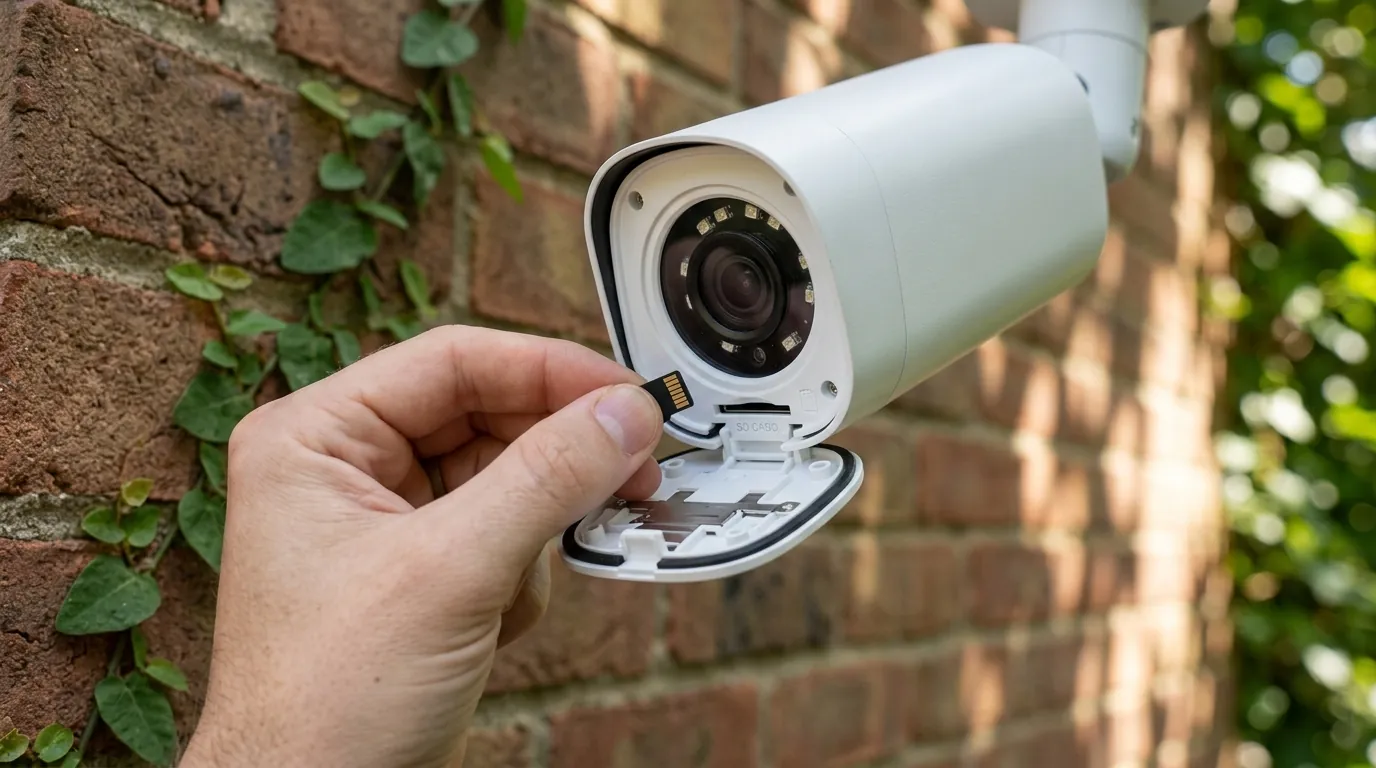
Securing your camera system against these 2026 vulnerabilities requires a three-step approach: updating, hardening, and, if necessary, retiring hardware.
Step-by-Step Update Instructions
- Check your current level: Open Settings > Security & Privacy > System & Updates.
- Verify Security Update: Look for the “Android Security Update” date. If it is earlier than June 5, 2026, tap Check for Update.
- Google Play System Update: In the same menu, ensure your “Google Play System Update” is also current, as this often delivers Framework-level fixes independently of the manufacturer’s firmware.
- Restart: Always restart the device after these updates to ensure the new kernel and drivers are properly initialized.
Hardening Your Network: VLANs and ADB Disabling
To mitigate the risk of network-based attacks like CVE-2026-0073, you should isolate your security hardware.
- Disable Developer Options: Go to Settings > System > Developer Options. Ensure “USB Debugging” and “Wireless Debugging” are turned OFF. Unless you are actively developing an app, there is no reason for these to be enabled on a production security monitor.
- Implement a VLAN: Use your router’s settings to create a dedicated VLAN for your “IoT and Security” devices. This prevents a compromised laptop or smart appliance from communicating directly with your camera monitor. In 2026, most mid-range routers from Asus, TP-Link, and Netgear support basic VLAN tagging or “Guest Network Isolation” which can achieve a similar result.
When to Retire Your Old Camera Monitor
If your device is no longer receiving security updates, you must decide if the convenience of the monitor outweighs the security risk.
Decision Framework: Should You Replace Your Monitor?
| If you are… | And your device is… | Recommendation |
|---|---|---|
| A Renter | A phone/tablet (Android 13+) | Update and keep. Use a strong PIN and disable ADB. |
| A Homeowner | A wall-mounted tablet (Android 12 or older) | Retire/Replace. These devices are vulnerable to lateral movement. |
| A Small Business | Any Android-based hub | Prioritize Samsung/Google. The 7-year support window is essential for business compliance. |
| No-Wi-Fi (LTE) | Any Android device | Lower Risk. Without a local network, RCE attacks are harder to execute, but EoP (Zero-day) still applies. |
Total Cost of Ownership (TCO) Analysis
When upgrading to a secure monitor, consider the 3-year cost of ownership. While a generic tablet is cheaper upfront, the lack of security updates may force a replacement much sooner than a supported device.
- Supported Tablet (e.g., Samsung Tab A-series): ~$200 (Hardware) + $0 (Subscription) + $15 (Mounting) = $215 Total over 3 years.
- Budget White-Label Tablet: ~$80 (Hardware) + $0 (Subscription) + $15 (Mounting) + Security Risk/Early Replacement = Unknown TCO.
- Proprietary Smart Display (e.g., Nest Hub): ~$100 (Hardware) + $120/yr (Cloud Subscription) = $460 Total over 3 years.
For most users, a mid-range, name-brand Android tablet remains the most cost-effective way to run a “local-first” security system, provided the June 2026 patches are applied promptly. Quvii tracks these trade-offs across the category to help buyers avoid the “feature paywall” without sacrificing fundamental network security.
Frequently Asked Questions
How do I know if my Android tablet is no longer getting security updates?
Check your device settings under “Security & Privacy.” If the “Security Update” date is more than six months old and tapping “Check for Update” says your system is up to date, your manufacturer has likely ended support for that model.
Can a virus on my phone actually let someone see my security cameras?
Yes. Vulnerabilities like the June 2026 Framework zero-day (CVE-2025-48595) allow a malicious app to escalate its permissions. If the app gains system-level access, it can potentially “screen scrape” or intercept the video data within your camera app.
Is it safer to use a dedicated NVR instead of an Android tablet?
Generally, yes. Dedicated NVRs (Network Video Recorders) run proprietary, stripped-down operating systems with fewer “attack surfaces” than a full Android tablet. However, they must still be kept updated with the latest firmware from the manufacturer to protect against their own specific vulnerabilities.
Does this update affect my cameras if I only view them on an iPhone?
This specific bulletin only applies to Android devices. However, security vulnerabilities are discovered across all platforms. If you use an iPhone, you should similarly ensure you are running the latest version of iOS (likely iOS 19 or 20 by mid-2026) to protect against similar exploits.
Sources
- Android Security Bulletin — https://source.android.com/docs/security/bulletin/2026-06-01
- Qualcomm Security Advisory — https://www.qualcomm.com/company/product-security/bulletins
- Samsung Security Update Policies — https://security.samsungmobile.com/workScope.smsb
- NIST National Vulnerability Database (CVE-2025-48595 Detail) — https://nvd.nist.gov/
- Google Pixel Tablet Support Life