
Eufy Security App 4.8.0 Login Issues: Fixes & Legacy App News
A sudden inability to access your Eufy security cameras can be alarming, especially when faced with persistent login errors. Many Eufy users running app version 4.8.0 have recently encountered such issues, indicating a server-side change is likely deprecating older application versions.
Eufy Security app 4.8.0 login failures are caused by a June 2026 server-side update. Users see ‘Login Error 18201’ or password rejections. To fix, you must update to the latest unified Eufy app or use the web portal.
What happened
Related: Eufy Security Camera Offline: Troubleshooting & What to Do in June 202 · Google Nest Cam’s Familiar Faces Gets Major June 2026 AI Update · Eufy Cloud Sync Failure June 2026: What Buyers Need to Know
Starting in early June 2026, a significant number of Eufy users reported being unexpectedly logged out of their Eufy Security app version 4.8.0. The most common symptom is a “Login Error 18201” message or a frustrating login loop where previously valid credentials are repeatedly rejected, preventing access to live feeds and recorded footage. This widespread issue appears to coincide with Eufy’s ongoing efforts to consolidate its various product lines—Security, Clean, and Pet—into a single, unified application ecosystem, primarily represented by app versions 6.x and newer.
Server-side security enhancements, particularly concerning Two-Factor Authentication (2FA) protocols, seem to be the root cause of the incompatibility with the older 4.8.x app architecture. These updates, while enhancing overall security, inadvertently broke the communication handshake required for legacy app versions to authenticate with Eufy’s current servers.
The ‘Login Error 18201’ Explained
The “Login Error 18201” specifically points to an authentication failure during the login process. Unlike a simple incorrect password error, this code suggests a deeper systemic issue, often related to how the app communicates with the server’s authentication services. In this context, it indicates that the older 4.8.0 app is no longer able to correctly process the updated security tokens or 2FA challenges issued by Eufy’s backend systems. This makes it impossible for the app to establish a secure, authenticated session, effectively locking users out even with correct credentials.
The End of the Legacy App Era
The current login issues with version 4.8.0 mark a significant step in the phasing out of Eufy’s legacy application framework. For a period, Eufy maintained separate applications or allowed older versions to function alongside newer, unified platforms. However, the move to integrate Security, Clean, and Pet products into a single app (version 6.x onwards) signals a strategic shift towards a more cohesive user experience and streamlined development. This transition inevitably means that older, standalone app versions like 4.8.0 will eventually lose full functionality as backend infrastructure evolves. Users clinging to the 4.8.0 app, perhaps due to preference for its interface or to avoid perceived bloat in newer versions, are now finding their access to hardware compromised, necessitating an upgrade.
| Feature/Requirement | Eufy Security App v4.8.0 (Legacy) | Eufy Security App v6.x (Unified) |
|---|---|---|
| Release Era | ~2022-2024 | ~2024-Present |
| Product Integration | Primarily Security devices only | Security, Clean (RoboVac), Pet, and Smart Health devices |
| Login Protocol Support | Older 2FA/Auth methods | Updated 2FA/Auth protocols (June 2026 compatibility) |
| Interface Design | Dedicated security-focused UI | Integrated UI for multiple product categories |
| Local Storage Access | Direct via HomeBase (pre-update) | Direct via HomeBase, but gated by cloud login |
| Firmware Updates | Compatible with older device FW | Optimized for latest device FW, may require device updates |
| Current Status | Functionality compromised | Fully supported, actively developed |
Why it matters for buyers
App stability is a critical yet often overlooked “hidden cost” when evaluating security cameras, especially those marketed as subscription-free. While Eufy cameras are known for their local storage capabilities, often leveraging a HomeBase 3, the recent app issues highlight that access to your locally stored footage and live feeds is still fundamentally gated by cloud-based login servers. This “cloud-dependency paradox” means that even with all your data stored securely on your premises, a disruption in Eufy’s cloud authentication services can render your entire system inaccessible through the primary mobile interface.
The transition to “all-in-one” applications, such as Eufy’s unified app, can introduce user experience trade-offs. While convenient for those with multiple Eufy product types, these apps can feel bloated and potentially incorporate more advertising or promotional content, frustrating users who initially chose Eufy for a minimalist, security-focused experience. Prospective buyers should carefully evaluate if they are comfortable with a brand that, at times, may necessitate app updates to maintain essential hardware functionality. This can be a concern for long-term software support and the perceived longevity of the product.
The Cloud-Dependency Paradox
Many consumers choose Eufy specifically for its emphasis on local storage, often facilitated by devices like the HomeBase 3, which promises privacy and control by keeping footage off the cloud. However, the recent 4.8.0 app issues vividly demonstrate that even with local storage, the operational backbone of your security system, including crucial functions like live viewing, settings adjustments, and event playback, relies heavily on a stable connection to Eufy’s cloud authentication servers. If these servers change their protocols or deprecate older app versions, your access can be severed, regardless of where your video files reside. This paradox underscores that “subscription-free” doesn’t necessarily mean “cloud-independent” when it comes to user interface and control.
Evaluating Long-Term Software Support
The forced upgrade path for 4.8.0 users serves as a vital lesson in evaluating a security camera brand’s long-term software support strategy. Brands frequently evolve their app ecosystems, but the manner in which these transitions are managed directly impacts user experience and product utility. Buyers should consider how a company communicates these changes, the backward compatibility provided, and the potential for older hardware to become less functional over time due to app deprecation. A robust software support policy ensures that your investment in hardware remains viable and accessible for its intended lifespan, without unexpected interruptions due to app updates.
Impact on existing owners
Existing owners of Eufy security cameras, particularly those with older hardware such as the original eufyCam, SoloCam S230, or even the Indoor Cam C220, may find the new, unified Eufy app (v6.x) less optimized for their specific devices. While the new app aims for broad compatibility, the interface and feature sets might be tailored more towards newer product lines, potentially leading to a less intuitive experience for legacy device users.
The most significant impact is on users who intentionally remained on version 4.8.0 to avoid the unified app’s interface or perceived bloat. These individuals are now effectively facing a “forced” upgrade, as their current app version has lost its ability to authenticate. This loss of access to live feeds and recorded events during the login outage creates significant security gaps, leaving homes and businesses potentially unmonitored until the app is updated and access is restored. Furthermore, reports indicate that 2FA synchronization issues, stemming from the server-side changes, have left some users completely unable to recover their accounts without direct intervention from Eufy customer support.
Interface Bloat and Performance Hits
The unified Eufy app (v6.x) integrates control for a wider range of Eufy products, which can lead to a more complex interface compared to the dedicated security app (v4.8.0). Users who only own security cameras might perceive this as “bloat,” with unnecessary menus and options for products they don’t possess. While objective benchmarks for app load times between v4.8.0 and v6.x are [information unavailable], anecdotal user reports on community forums suggest that the newer, more feature-rich app can sometimes feel slower or less responsive on older mobile devices. This can be a minor inconvenience for some but a significant frustration for others, especially when quick access to live feeds is critical.
The 2FA Synchronization Trap
The server-side security updates that led to the 4.8.0 login issues primarily revolve around Two-Factor Authentication (2FA) protocols. Some users have reported falling into a 2FA synchronization trap, where the legacy app fails to properly handle the new 2FA challenge, leading to repeated failures even after entering correct verification codes. This can result in accounts being temporarily locked or requiring a complete reset of 2FA settings, which often necessitates contacting Eufy support directly. It underscores the importance of having up-to-date security protocols on both the server and client (app) side to maintain seamless access.
Affected Eufy Models (Compatible with HomeBase 2/3 and the unified app):
- HomeBase 2
- HomeBase 3 (S380)
- eufyCam series (e.g., eufyCam 2, 2 Pro, 3, 3C)
- SoloCam series (e.g., SoloCam S230, S340, L20)
- Indoor Cam series (e.g., Indoor Cam C220, P24)
- Video Doorbell series (e.g., Video Doorbell 2K, Dual, E340)
What to do now
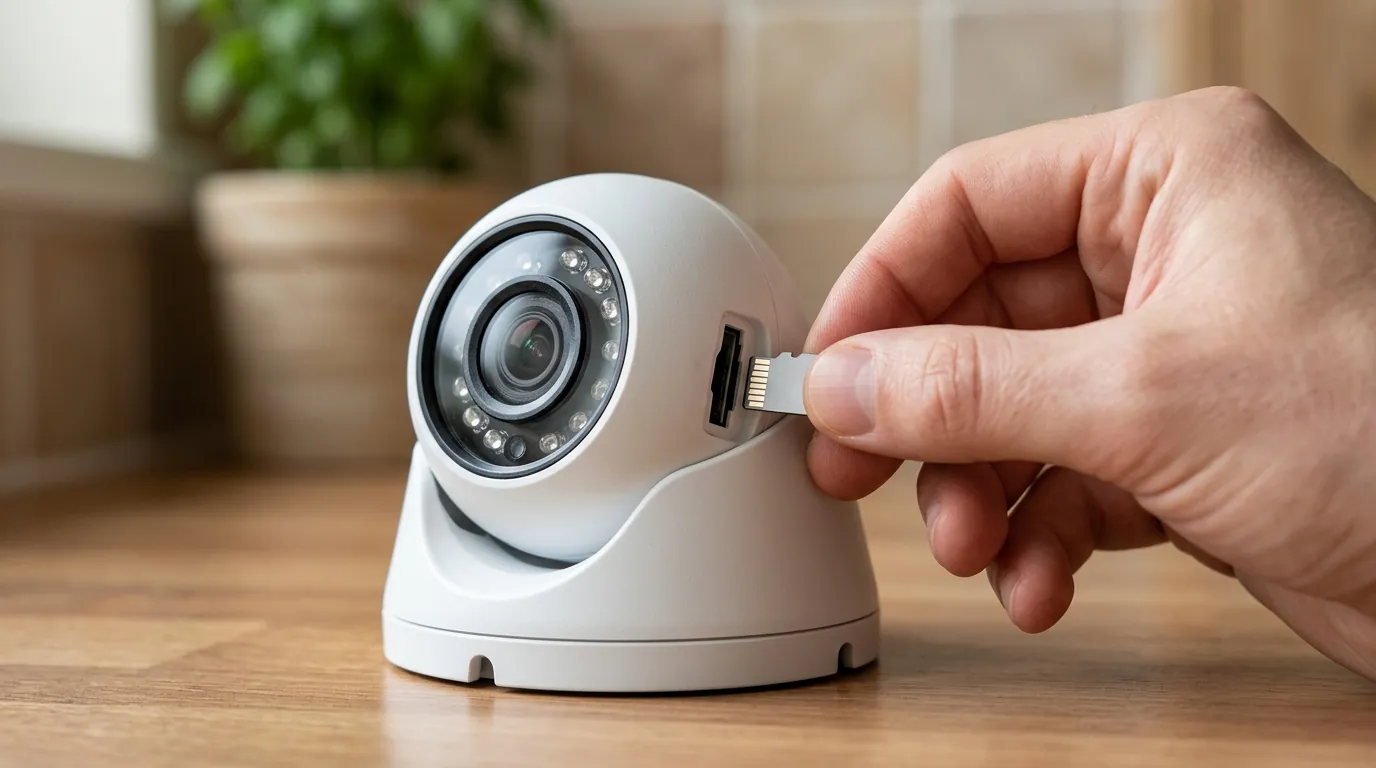
If you’re experiencing login issues with your Eufy Security app version 4.8.0, several steps can help restore access to your cameras and HomeBase. The immediate goal is to establish a connection with Eufy’s updated authentication servers.
Step-by-Step Recovery Guide
- Clear App Cache and Data: Before attempting a full reinstall, try clearing the cache and data for the Eufy Security app from your phone’s settings. This can resolve corrupted local data that might be interfering with the login process.
- Attempt Login on Mobile Data: If you’re on Wi-Fi, switch to a mobile data connection and try logging in again. Sometimes, local network or DNS issues can interfere with server communication.
- The ‘Nuclear’ Option (Recommended): Update to the Latest App: The most reliable fix is to uninstall your current Eufy Security app (v4.8.0) and then install the latest unified Eufy app from the official iOS App Store or Google Play Store. This ensures you have the most current security protocols and server compatibility.
- iOS: Search for “Eufy Security” in the App Store.
- Android: Search for “Eufy Security” in the Google Play Store.
- Check 2FA Settings: If you encounter persistent 2FA issues after updating, check your registered email for any “New Login” alerts or 2FA verification codes that might have been sent. Ensure your phone’s time and date settings are accurate, as time synchronization can affect 2FA token validity. If problems persist, you may need to reach out to Eufy Support to reset your 2FA.
- Restart HomeBase and Cameras: After updating the app, it’s a good practice to power cycle your Eufy HomeBase and any affected cameras. Unplug them for 30 seconds, then plug them back in. This can help re-establish a fresh connection with the updated app.
Alternative Viewing Methods
If the mobile app remains unresponsive, you still have options to access your cameras:
- Web Portal Fallback: Eufy provides a web portal at mysecurity.eufylife.com. You can log in here using your Eufy account credentials to view live streams and access recorded events. This is a crucial fallback that bypasses mobile app-specific issues.
- Third-Party Integrations (Limited): For some users, integrating Eufy cameras with smart home platforms like Homey or Home Assistant might offer alternative viewing methods, though this often requires more technical setup and might not provide full feature parity. This is not a direct fix for the app login issue but an alternative access path for advanced users.
Total Cost of Ownership (TCO) Considerations
When purchasing security cameras, understanding the Total Cost of Ownership (TCO) beyond the initial sticker price is crucial. While Eufy generally prides itself on subscription-free local storage, app stability and long-term software support directly impact the practical utility of your investment.
3-Year TCO Breakdown (Illustrative):
- Hardware Cost: Around $150-200 for a single EufyCam 3 + HomeBase 3 bundle, or under $100 for a SoloCam.
- Subscription Tier/Cloud Storage: Eufy primarily offers local storage. Optional cloud storage plans are available, typically in the $3-10/month range per camera or for a whole HomeBase system, depending on storage duration and number of devices. Over three years, this could add $100-360+.
- “Feature Paywall” Trap: Eufy largely avoids locking essential features behind subscriptions, unlike some competitors (e.g., Ring Protect plans for video history, Arlo Secure for advanced object detection). However, future app updates or premium features might introduce new paid tiers. The current app issue demonstrates that even “free” features can be inaccessible if the controlling software fails.
- Maintenance & Replacement: Factor in potential battery replacements (for wireless cams) or device upgrades.
The recent app issues underscore that even with a commitment to local storage, the software layer is a critical component of TCO. An app that fails to function effectively can negate the value of the hardware, requiring time and effort for troubleshooting or even unexpected upgrades.
Frequently Asked Questions
Why did my Eufy Security app stop working?
Your Eufy Security app version 4.8.0 likely stopped working due to recent server-side updates by Eufy in June 2026. These updates, particularly to Two-Factor Authentication protocols, have made the older app version incompatible with current authentication services, leading to login errors and access issues.
Do I need to update my Eufy app?
Yes, if you are experiencing login issues with Eufy Security app version 4.8.0 or older, you need to update to the latest unified Eufy app (version 6.x or newer) available on your device’s app store. This is the most effective way to restore functionality and ensure compatibility with Eufy’s current server architecture.
Can I still access my Eufy cameras without the app?
While the primary method of accessing Eufy cameras is through the mobile app, you can use the Eufy web portal at mysecurity.eufylife.com as a fallback. This allows you to view live feeds and recorded events directly from a web browser, bypassing mobile app-specific problems.
Will updating the app delete my recorded footage?
No, updating the Eufy app itself will not delete your recorded footage. If your footage is stored locally on a HomeBase, it remains on the HomeBase. If you have an optional cloud storage subscription, your footage is stored in the cloud. The app is merely the interface for accessing this data.
Is Eufy phasing out older cameras?
Eufy is generally committed to supporting its hardware. However, as app technology evolves, older app versions may lose compatibility with backend services, as seen with version 4.8.0. While Eufy hasn’t announced a phase-out of specific camera models, users of older devices might find newer app versions optimized for newer hardware, potentially affecting their user experience.