
Eufy Home Assistant Integration: Fixing 2026 Motion Push Failures
Smart home users who rely on the intersection of Eufy’s local storage hardware and Home Assistant’s automation engine faced a significant disruption in late June 2026.
Quick Answer: The June 2026 Eufy integration failure is caused by server-side API changes and a silent reset of “Push Notifications” in the Eufy app. Fix it by re-enabling notifications in Security Mode and updating eufy-security-ws to v2.1.0+.
What happened
Related: Reolink CVE-2026-57473 Advisory: Critical Home Hub Patch Released · Wired vs. Wireless Security Cameras for Apartments: 2026 Guide · Lorex NVR Security Vulnerability CVE-2026-4012: Is Your Footage Safe?
In late June 2026, a server-side API update by Eufy caused the popular “eufy_security” Home Assistant integration to return “No stations found” and “No devices found” errors. This disruption was not a localized bug but a fundamental shift in how Eufy’s cloud infrastructure authenticates third-party requests. While Eufy does not officially support a public API for Home Assistant, the community-maintained bridge relies on mimicking the Eufy Security app’s communication protocols.
The June 2026 API “Blackout”
The primary cause of the integration failure was a change in Eufy’s cloud handling of “Trusted Device” tokens. According to community logs on the bropat/eufy-security-ws GitHub repository, Eufy began invalidating long-lived session tokens that were previously used by the integration to maintain a constant connection. As a result, Home Assistant users found their dashboards populated with “Unavailable” entities. This “blackout” affected all regions, though users in the European Union reported faster recovery times due to different local server endpoints.
Firmware 3.8.x and the P2P Handshake Failure
Concurrent with the API changes, Eufy pushed firmware version 3.8.x to HomeBase 3 (S380) units and the Indoor Cam C220. This firmware update modified the Peer-to-Peer (P2P) handshake protocol. The P2P protocol is critical because it allows Home Assistant to “talk” directly to the camera for live streaming and event metadata once the initial cloud authentication is complete. The update introduced a new encryption layer to the handshake, which the version of eufy-security-ws available in early June was unable to decrypt, leading to a loop where the integration would authenticate but fail to pull any actual motion data.
The Silent Notification Reset
Perhaps the most frustrating aspect of the June 2026 event was the “silent reset” of the Eufy Security app settings. Following the app update (v4.9.x), many users found that the “Push Notification” toggle within the “Security Mode” settings had been unchecked by default. Because the Home Assistant integration “listens” for these cloud-based push notifications to trigger motion events, this change effectively “blinded” Home Assistant to any activity, even if the integration appeared to be “Connected.”
Why it matters for buyers
For prospective buyers, this incident serves as a case study in the complexities of “local-only” marketing. Eufy has built its brand around the promise of no monthly fees and local AI processing, yet its integration ecosystem remains heavily tethered to the cloud.
The Illusion of Local-Only Control
Eufy cameras, such as the S330 eufyCam 3, perform impressive on-device AI tasks like facial recognition and vehicle detection. However, the mechanism that alerts a user—or a smart home hub—that a person has been detected still relies on Eufy’s central servers. This means that if Eufy’s servers go down, or if they change their API as they did in June 2026, your Home Assistant automations (like turning on a porch light when motion is detected) will fail, regardless of the fact that the video is stored locally on your HomeBase.
Fragility of Unofficial APIs
Unlike brands that offer an official API or support the Matter standard natively, Eufy’s integration with Home Assistant is “unofficial.” It is a reverse-engineered bridge. Buyers must understand that every time Eufy updates their app or firmware, there is a non-zero chance that the integration will break for days or weeks while community developers like bropat work on a fix. This makes Eufy a “prosumer” choice rather than a “set-and-forget” solution for those who want deep smart home integration.
Eufy vs. The Matter Standard in 2026
By mid-2026, the Matter standard has become the benchmark for interoperability. While Eufy has released some Matter-compatible hardware, such as the eufy Security S380 HomeBase, the video implementation remains limited. Most Eufy cameras still do not support the Matter Video spec, forcing Home Assistant users to continue using the fragile cloud-bridge method. This creates a widening gap between Eufy’s “Local AI” marketing and the reality of its cloud-dependent architecture for motion triggers.
| Feature | Eufy S330 (with HomeBase 3) | Reolink CX410 (PoE) | Ring Spotlight Cam Pro |
|---|---|---|---|
| Resolution | 4K (3840 x 2160) | 2K (2560 x 1440) | 2K (1536p) |
| Primary Storage | Local (HomeBase 3) | Local (SD/NVR) | Cloud (Subscription) |
| HA Integration | Unofficial Cloud-Bridge | Native (Local/Webhooks) | Unofficial Cloud-Bridge |
| Monthly Fee | $0 | $0 | Around $10/mo |
| Power Type | Battery / Solar | PoE (Power over Ethernet) | Battery / Plug-in |
Impact on existing owners
For those already invested in the Eufy ecosystem, the June 2026 failure was more than a minor inconvenience; it was a breakdown of the “security” part of their security system.
Automation Paralysis and “Dark” Porches
The most immediate impact was the failure of motion-triggered automations. In a standard Home Assistant setup, a Eufy camera might trigger an automation that turns on high-intensity floodlights or sends a critical alert to a phone. When the API changed, these “triggers” simply stopped firing. Users reported “dark” porches where lights failed to activate, creating a safety concern for those who rely on these automations for physical security.
The “Unavailable” Entity Fatigue
In Home Assistant, when an integration fails, the entities are marked as “Unavailable.” For owners with 10+ cameras, this resulted in a dashboard full of red icons. The constant need to check if the system is “up” leads to notification fatigue. Owners found themselves spending hours troubleshooting their local network, only to realize the issue was a server-side change at Eufy’s headquarters.
Battery Drain and Connection Loops
A technical side effect of the P2P handshake failure was an increase in battery drain for cameras like the SoloCam S40. When the eufy-security-ws bridge fails to establish a stable P2P connection, it often enters a “retry loop.” This forces the battery-powered camera to wake up and attempt a handshake repeatedly. Community members on r/homeassistant reported battery drops of 10-15% in a single day during the peak of the June outage, which can be detrimental to the long-term health of non-removable lithium-ion cells.
What to do now
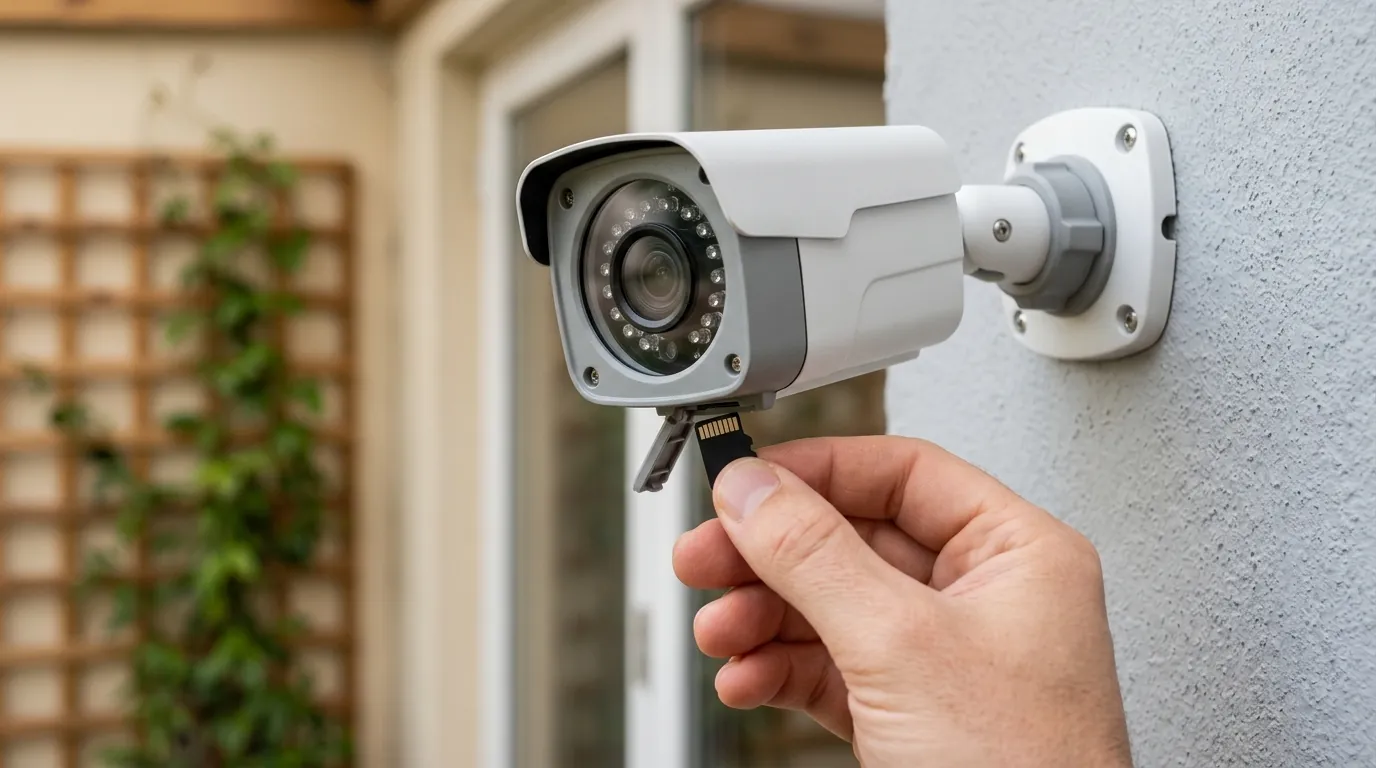
If your Eufy integration is currently failing, follow this prioritized troubleshooting checklist to restore functionality.
Immediate Fix: The Security Mode Toggle
The most common “silent” fix involves the Eufy Security app itself.
- Open the Eufy Security App.
- Navigate to the Security tab (bottom menu).
- Select your HomeBase or Standalone camera.
- Tap the Gear Icon next to your active mode (e.g., “Home” or “Away”).
- Ensure that the Push Notification checkbox is checked for every camera.
- Crucial: Even if it looks checked, uncheck it, wait 5 seconds, and re-check it. This “force-pushes” the setting to Eufy’s cloud and often restores the trigger in Home Assistant.
Technical Fix: Refreshing the eufy-security-ws Add-on
If the app settings are correct but entities are still “Unavailable,” you likely need to update the bridge.
- In Home Assistant, go to Settings > Add-ons.
- Locate the eufy-security-ws add-on (or the Docker container if running standalone).
- Update to version 2.1.0 or higher. This version includes the patch for the 2026 API endpoints and the new P2P handshake.
- Restart the add-on.
- Check the logs. If you see “HTTPApi.refreshStationData: No stations found,” you must log out of the integration and re-authenticate. Using a dedicated “Secondary Account” for Home Assistant (with its own email) is highly recommended to avoid 2FA conflicts.
The Local-First Alternative: Reolink CX410
For users who find the recurring fragility of the Eufy cloud-bridge to be a dealbreaker, the Reolink CX410 has emerged as the leading alternative in 2026. Unlike Eufy, Reolink provides an official, local API and supports ONVIF and RTSP natively.
Decision Framework: Should you stay or switch?
- The Renter: If you cannot run wires, stay with Eufy. The S330’s solar capabilities are still industry-leading, and the integration fixes usually arrive within days.
- The Privacy Purist: If you want 100% local motion triggers that work even if your internet is cut, switch to a PoE system like Reolink or Amcrest.
- The Homeowner: If you are building a permanent smart home, prioritize cameras with native Home Assistant integrations that do not require a cloud-bridge.
Total Cost of Ownership (3-Year Analysis)
When choosing a camera system, the sticker price is only one part of the equation. Eufy’s “no-subscription” model is a major draw, but the “cost” often comes in the form of maintenance time when integrations break.
| Component | Eufy S330 System (2 Cams) | Ring Spotlight Pro (2 Cams) | Reolink CX410 (2 Cams + NVR) |
|---|---|---|---|
| Initial Hardware | Around $450 | Around $400 | Around $350 |
| Annual Subscriptions | $0 | Around $100 | $0 |
| 3-Year Total Cost | $450 | $700 | $350 |
| Maintenance Effort | High (Integration fixes) | Low (Official App) | Low (Local API) |
While Eufy remains significantly cheaper than Ring over a three-year period, the Reolink system offers a lower TCO and higher reliability for Home Assistant users because it eliminates the “feature paywall” and the cloud-dependency for motion metadata.
Frequently Asked Questions
Why does my Eufy camera show “Unavailable” in Home Assistant but work in the Eufy app?
This happens because the Eufy app uses a direct, encrypted connection to Eufy’s servers, while the Home Assistant integration uses a community-made bridge. If Eufy changes their server-side API or authentication tokens, the bridge can no longer “see” the devices, even though the official app remains functional.
Do I need a subscription to get motion alerts in Home Assistant?
No, Eufy does not require a subscription for motion alerts. However, you must have “Push Notifications” enabled in the Eufy Security app’s Security Mode settings. The Home Assistant integration “intercepts” these notifications to trigger automations.
Can Eufy cameras work with Home Assistant without the cloud?
Most Eufy cameras cannot work entirely without the cloud for motion detection. While some models support RTSP for the video stream, the “trigger” that tells Home Assistant to look at that stream almost always comes through Eufy’s cloud servers. For a truly 100% local experience, cameras with native ONVIF or Matter support are required.
Sources
- bropat/eufy-security-ws GitHub Repository — https://github.com/bropat/eufy-security-ws
- Eufy Security Official Support — https://support.eufy.com/
- Home Assistant Eufy Security Integration Documentation — https://www.home-assistant.io/integrations/eufy/
- Reolink CX410 Product Specifications — https://reolink.com/product/cx410/
- S330 eufyCam (eufyCam 3) Spec Sheet