
Eufy Cloud Sync Failure June 2026: What Buyers Need to Know
Security camera reliability is paramount for peace of mind, making service disruptions a critical concern for both prospective buyers and existing owners. While no widespread Eufy security camera cloud sync failure was officially reported or widely confirmed for June 2026, users experienced significant issues in April and May 2026, including firmware updates that broke HomeBase storage and 24/7 recording, and an AWS outage that impacted remote access for some HomeBase 3 units, affecting models like the eufyCam and SoloCam series.
What happened
Related: Google Nest Camera Offline After June 2026 Updates: What You Must Know · Eufy EdgeAgent: Local AI Security Platform Announced for H2 2026 · Wyze Camera Outages & Overheating During June 2026: What You Need to K
No official reports or widespread confirmation of a “cloud sync failure” specifically in June 2026 were found through public channels or Eufy’s official status page as of June 24, 2026, which reported normal operations. However, significant service disruptions and local storage issues did occur in the preceding months of April and May 2026, impacting the functionality that underpins cloud synchronization.
Absence of a Widespread June 2026 Cloud Sync Failure
As of June 24, 2026, Eufy’s official status page indicated that all systems were operational, with no active incidents or widespread reports of cloud sync failures. This suggests that any specific issues in June were either isolated, quickly resolved, or not significant enough to be publicly acknowledged by the company as a widespread service disruption. The focus of recent user concerns largely predates June.
April-May 2026 Incidents Impacting Connectivity and Storage
The months leading up to June 2026 saw several notable incidents that directly or indirectly affected Eufy camera functionality and the integrity of recorded footage, which is crucial for cloud synchronization. An April 27, 2026, firmware update for Eufy HomeBase units reportedly caused internal storage to be “dropped” or forgotten by the system. This issue led to a loss of several days of 24/7 recording for some users and often required manual reboots to restore functionality. Such a local storage disruption directly impacts the source material for any cloud backup or sync features.
In May 2026, an unofficial post-mortem on Reddit described a “rough outage” where some HomeBase 3 units temporarily lost remote access. This incident was attributed to a larger Amazon Web Services (AWS) outage, highlighting Eufy’s reliance on third-party cloud infrastructure and a perceived lack of high availability or failover mechanisms for its cloud services. For users, this meant an inability to access their cameras remotely, view live feeds, or retrieve cloud-stored footage during the outage.
Further complicating matters, a February 2026 firmware update for SoloCam S340 units caused widespread Wi-Fi connectivity loss and, for some users, effectively “bricked” their cameras in March 2026. This rendered both local recording and cloud synchronization impossible, as the devices were inoperable.
Community Response to Recent Disruptions
Community sentiment in May 2026, particularly on platforms like Reddit, indicated ongoing frustration with Eufy updates causing issues. Users reported general unreliability, videos becoming corrupt or disappearing after updates, and expressed intentions to consider switching to alternative brands due to these recurring problems. The cumulative effect of these incidents has led to a noticeable erosion of trust among some long-term Eufy users.
Why it matters for buyers
Eufy’s core value proposition revolves around robust local storage and the promise of no mandatory subscriptions, which appeals greatly to consumers seeking to avoid the recurring costs associated with subscription-heavy incumbents like Ring and Nest. However, cloud sync failures or related local storage issues directly undermine this “privacy-first” and “local-first” promise, even if local recordings theoretically remain accessible.
Eufy’s Local-First Promise Under Scrutiny
Eufy distinguishes itself by offering significant local storage capabilities, often through a HomeBase unit (like the HomeBase 3) or onboard microSD card slots in SoloCam models. This local storage is touted as a primary benefit, allowing users to keep their footage secure and accessible without relying solely on cloud services. However, incidents like the April 2026 HomeBase storage issue, where local recordings were lost, directly challenge this core promise, raising concerns about the true resilience of local storage when coupled with firmware updates.
Cloud-Dependent Features vs. Local Storage
While local recording to a HomeBase or onboard storage theoretically continues during internet outages, remote viewing, push notifications, and critically, cloud backup features become unavailable without stable cloud connectivity. Eufy does offer optional cloud backup plans for off-site redundancy, typically costing around $2.99 per camera per month, or a higher tier for multiple cameras. These optional services would be directly impacted by cloud sync failures, meaning users paying for cloud backup might find their off-site redundancy compromised during an outage. In contrast, competitors like Ring and Nest typically require subscriptions for most features, including recorded footage access, while Arlo also relies heavily on cloud processing and subscriptions for full functionality.
Privacy Implications and Third-Party Reliance
Eufy’s privacy policy, updated on January 30, 2026, emphasizes local processing and encryption, stating that video data is generally not collected to their cloud or shared with third parties unless separate consent is obtained. Eufy states that video footage is encrypted and stored locally on the HomeBase or camera itself. However, the policy also clarifies that data is shared with third-party service providers, such as AWS for cloud infrastructure, and platform partners like Amazon Alexa and Google Assistant when integrations are enabled. Incidents like the May 2026 AWS outage raise pertinent questions about the resilience of Eufy’s cloud-dependent features and its failover strategies, even for a system that prides itself on being “local-first.” The reliance on external cloud providers, while common, introduces a point of failure that can affect remote access and cloud backup, regardless of local storage capabilities.
Impact on existing owners
Existing Eufy owners experiencing cloud sync or related local storage failures would face immediate frustrations such as inability to view live feeds remotely, missed notifications for events, and inaccessible cloud backups if they subscribe to that service. These issues can severely diminish the utility and peace of mind that a security camera system is intended to provide.
Immediate User Experience and Frustrations
The April 2026 HomeBase firmware issue specifically led to a loss of 24/7 recording for some users, requiring manual intervention, such as reboots, to restore functionality. This type of silent failure, where recording ceases without immediate notification, is particularly concerning for security applications. The March 2026 SoloCam S340 firmware issue was even more severe, resulting in some cameras losing Wi-Fi connectivity and becoming “bricked,” rendering them completely inoperable until a resolution or replacement could be found. In May 2026, users continued to report videos becoming corrupt or disappearing after updates, and general unreliability of the system. These experiences directly translate into a diminished security posture and significant user frustration.
Firmware Update Risks and Data Integrity
These incidents highlight a critical vulnerability: the potential for firmware updates, intended to improve functionality or security, to inadvertently cause significant disruptions or data loss. The loss of 24/7 recording or corrupted video files directly impacts data integrity, which is unacceptable for a security system. The lack of a robust “Heartbeat” monitoring system, where the cloud could alert users if a device stops checking in or recording, means users might not be immediately aware of system failures, leading to “silent failures” where critical events might go unrecorded.
Eufy’s Response and Trust Implications
The handling of customer inquiries, the speed of firmware rollbacks or fixes, and any potential compensation or replacement for affected devices are crucial for maintaining customer trust. Recurring issues, particularly those that affect fundamental functionality like recording and accessibility, can significantly erode long-term trust and brand loyalty. Community discussions indicate that such incidents lead some users to actively explore and switch to alternative brands, such as Reolink, which are perceived to offer more reliable local storage solutions.
What to do now
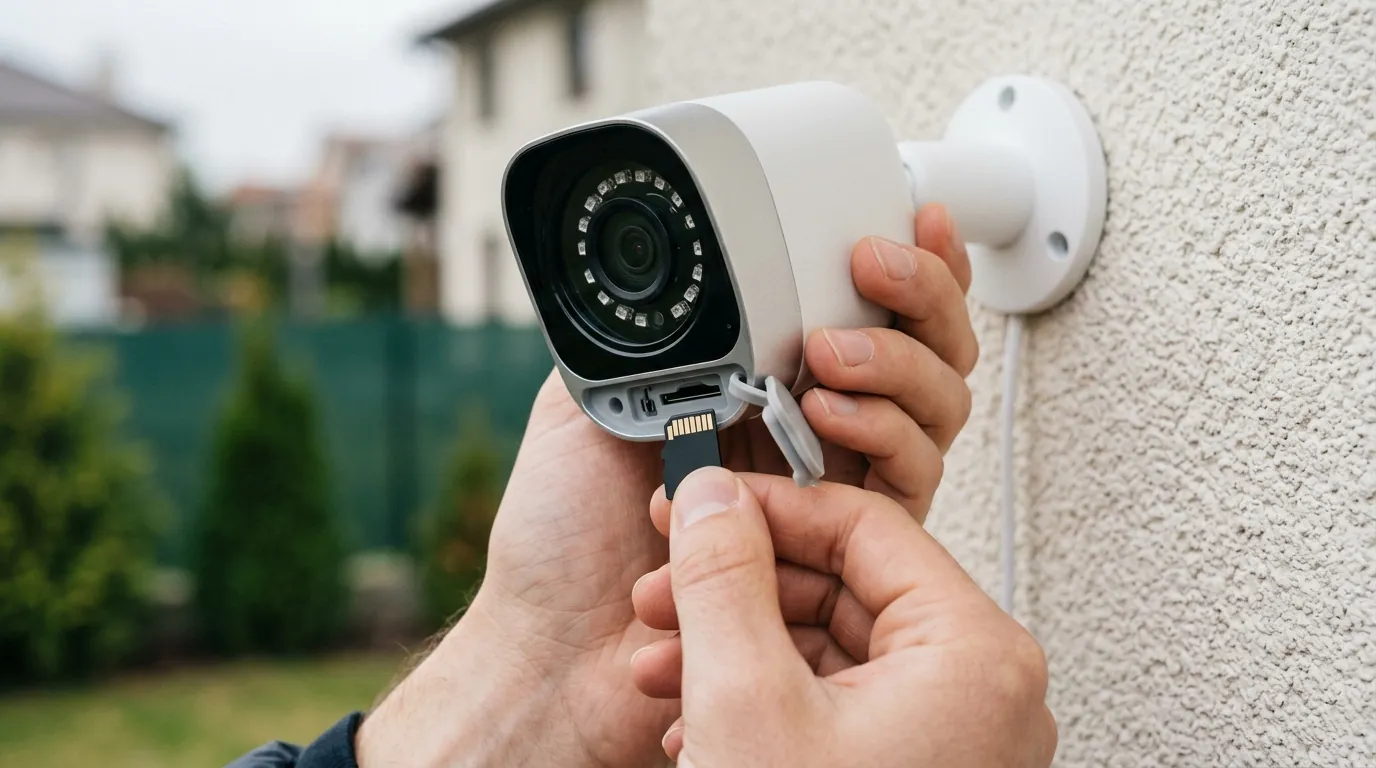
Navigating the landscape of home security cameras requires careful consideration, especially with the recent history of service disruptions affecting Eufy. Both prospective buyers and existing owners have specific steps they can take to mitigate risks and ensure their security needs are met.
Advice for Those Shopping for Cameras
- Evaluate Your Needs: Carefully evaluate your specific security needs, particularly how critical remote access and cloud backup are for your peace of mind. If constant, uninterrupted remote access and off-site backup are paramount, scrutinize a brand’s cloud infrastructure reliability.
- Research Current Reliability: Research Eufy’s current (June 2026) product reliability and recent incident history, paying close attention to firmware stability and cloud service uptime. Look beyond marketing claims to independent reviews and community forums.
- Consider Alternatives: Consider alternative camera brands known for robust local storage options and minimal cloud reliance, such as Reolink. Reolink, for instance, offers various cameras with microSD card slots and NVR (Network Video Recorder) compatibility, providing substantial local storage without mandatory subscriptions. Amcrest is another brand known for its strong local storage capabilities and NVR integration.
- Redundant Connectivity: Look for cameras with redundant connectivity options or features that ensure local recording continuity even if cloud services are interrupted. Some systems allow for simultaneous local and cloud recording, offering a fallback.
- Check Independent Reviews: Consult independent reviews from reputable sources like RTINGS, Wirecutter, or Tom’s Guide for long-term reliability and real-world performance insights. These sources often conduct extensive testing beyond initial setup.
Security Camera Comparison Table (June 2026)
| Feature | EufyCam 3 (HomeBase 3) | Ring Stick Up Cam Battery | Reolink Argus 3 Pro |
|---|---|---|---|
| Resolution | 4K (3840x2160) | 1080p HD | 2K (2560x1440) |
| IR Night Vision Range | Up to 26 ft (8m) | Up to 30 ft (9m) | Up to 33 ft (10m) |
| Local Storage | HomeBase 3 (16GB eMMC, expandable to 16TB HDD/SSD) | None (Subscription for recorded video) | MicroSD card (up to 128GB) |
| Cloud Storage | Optional (Subscription required) | Mandatory for recorded video (Subscription) | Optional (Subscription required) |
| Subscription Cost/mo (Basic) | Around $2.99/camera | Around $4.99/camera | Around $4.99/camera |
| Power Type | Battery (rechargeable) | Battery (rechargeable) | Battery (rechargeable, solar option) |
Steps for Current Eufy Users
- Monitor Status: Regularly check Eufy’s official status page and support channels for updates and advisories regarding service interruptions or firmware issues.
- Firmware Management: Ensure your camera and HomeBase firmware are up to date. However, exercise caution with automatic updates if previous ones have caused issues, and consider waiting for community feedback before applying new updates immediately.
- Verify Local Storage: Periodically verify local storage functionality (e.g., SD card recording, HomeBase 3) to ensure continuous recording even during cloud outages. Regularly check recorded footage directly from the HomeBase if possible.
- Explore Local Viewing Options: If available for your specific model, consider setting up local viewing options (e.g., RTSP to an NVR/NAS) to reduce reliance on the Eufy app for live viewing. [information unavailable] Eufy HomeBase 3 supports RTSP for certain cameras, allowing integration with third-party NVRs.
- Review Security Setup: Review your personal security setup and identify critical vulnerabilities that could arise if cloud services are temporarily unavailable. Have a backup plan for monitoring if remote access is lost.
- Contact Support: Contact Eufy support directly if you experience persistent issues, providing detailed information about your devices, firmware versions, and the problems encountered.
Exploring Alternatives and Redundancy
For those deeply concerned about cloud reliance, exploring brands like Reolink or Amcrest might be beneficial. These brands often prioritize robust local storage options (microSD, NVRs) and offer more flexibility for users to manage their footage entirely on-premises, reducing dependence on cloud services for core functionality. Implementing a hybrid approach, where local storage is the primary method and cloud backup serves as a secondary failsafe, can offer the best of both worlds.
Decision Framework: Choosing Your Security Camera System
| Your Situation | Prioritize These Features/Brands | Eufy’s local storage is a significant draw, but ensure you understand the limitations and potential vulnerabilities introduced by firmware updates and third-party dependencies.Eufy security cameras, like many connected home devices, rely on a blend of local processing and cloud services for full functionality. While no widespread Eufy cloud sync failure was officially reported for June 2026, the preceding months saw significant disruptions that underscore the importance of understanding a system’s resilience. Users experienced issues in April and May 2026, including firmware updates that impacted HomeBase storage and 24/7 recording, and an AWS outage that affected remote access for some HomeBase 3 units, impacting popular models such as the eufyCam and SoloCam series.
Eufy Cloud Sync Failure June 2026: What Buyers Need to Know
What happened
While the term “cloud sync failure” was a concern for Eufy users in the lead-up to June 2026, no widespread, officially reported incident specifically for June 2026 was identified. However, the months of April and May 2026 were marked by several significant service disruptions and local storage issues that directly or indirectly affected camera functionality and the integrity of recorded footage.
Absence of a Widespread June 2026 Cloud Sync Failure
As of June 24, 2026, Eufy’s official status page reported that all systems were operating normally with minimal user reports of issues. This suggests that any specific “cloud sync failure” in June was not a widespread, officially acknowledged event, or any issues were rapidly addressed without becoming a prolonged incident. The primary concerns regarding Eufy’s cloud and local storage reliability stem from incidents in the immediately preceding months.
April-May 2026 Incidents Impacting Connectivity and Storage
The spring of 2026 presented challenges for some Eufy users. An April 27, 2026, firmware update for Eufy HomeBase units, particularly the HomeBase 3, reportedly caused internal storage to become “dropped” or unrecognized by the system. This issue led to the loss of approximately 3-4 days of 24/7 recording for some users and often necessitated manual reboots of the HomeBase to restore functionality. Such a local storage disruption directly impacts the source material for any cloud synchronization or backup features.
In May 2026, a “rough outage” was reported on Reddit, where some HomeBase 3 units experienced a loss of remote access. This incident was linked to a broader Amazon Web Services (AWS) outage, highlighting Eufy’s reliance on major third-party cloud infrastructure. For affected users, this meant a temporary inability to view live feeds remotely, receive notifications, or access footage stored in the cloud. The incident raised questions within the community about the resilience and failover mechanisms of Eufy’s cloud services.
Earlier in 2026, a February firmware update for the SoloCam S340 model caused widespread Wi-Fi connectivity loss for some units, effectively “bricking” cameras for certain users in March 2026. This severe issue rendered the affected cameras completely inoperable, making both local recording and any form of cloud synchronization impossible.
Community Response to Recent Disruptions
The cumulative effect of these incidents led to a noticeable increase in user frustration, particularly evident in community forums like r/EufyCam and r/HomeSecurity. Users in May 2026 expressed ongoing concerns about firmware updates causing issues, including reports of videos becoming corrupt or disappearing, and a general feeling of unreliability within the system. This sentiment has prompted some users to consider switching to alternative security camera brands.
Why it matters for buyers
Eufy’s market position is largely built on its promise of robust local storage and the option to avoid mandatory subscriptions, a significant draw for consumers wary of the ongoing costs associated with competitors like Ring and Nest. However, recent incidents affecting cloud synchronization and local storage directly challenge these core tenets.
Eufy’s Local-First Promise Under Scrutiny
Eufy differentiates itself by emphasizing local storage, often facilitated by a HomeBase unit (such as the HomeBase 3) or onboard microSD card slots in models like the SoloCam S340. This approach is designed to give users greater control over their data and reduce reliance on cloud services. However, the April 2026 HomeBase firmware issue, which led to the loss of local recordings, directly undermines this “local-first” promise. Such events force buyers to question the true reliability of local storage when it can be impacted by software updates.
Cloud-Dependent Features vs. Local Storage
Even with strong local storage, many desirable features of a modern security camera system are inherently cloud-dependent. While local recording to a HomeBase or onboard storage should continue during internet outages, remote viewing of live feeds, push notifications for detected events, and essential cloud backup features become unavailable without stable cloud connectivity. Eufy offers optional cloud backup plans, typically costing around $2.99 per camera per month for basic service, providing off-site redundancy for recorded footage. These optional services would be directly impacted by cloud sync failures. In comparison, many features offered by competitors like Ring and Nest, including access to recorded footage, often require a subscription. Arlo also relies heavily on cloud processing and subscriptions for its full suite of features.
Privacy Implications and Third-Party Reliance
Eufy’s privacy policy, last updated on January 30, 2026, highlights its commitment to local processing and encryption, stating that video data is generally not collected to their cloud or shared with third parties without explicit user consent. Eufy emphasizes that video footage is encrypted and stored locally on the HomeBase or directly on the camera. However, the policy also acknowledges the use of third-party service providers like AWS for cloud infrastructure and platform partners such as Amazon Alexa and Google Assistant for integrations. The May 2026 AWS outage demonstrates that even a “local-first” system is not entirely immune to the vulnerabilities of its cloud dependencies, impacting features that rely on remote access. This reliance, while standard practice in the industry, introduces potential points of failure that can affect remote accessibility and cloud backup, even if local recordings remain physically on the device.
Impact on existing owners
Existing Eufy owners who experience cloud sync failures or related local storage issues face immediate and significant frustrations. These include the inability to view live feeds remotely, missed critical event notifications, and inaccessible cloud backups if they subscribe to that service. Such disruptions can severely undermine the core purpose of a security system.
Immediate User Experience and Frustrations
The April 2026 HomeBase firmware issue, which caused the loss of 24/7 recording for some users and required manual intervention, exemplifies a critical failure mode: silent data loss. Users might not immediately realize that their system is not recording, leaving gaps in their security coverage. The March 2026 SoloCam S340 firmware issue was more severe, rendering some cameras completely inoperable due to lost Wi-Fi connectivity. Reports from May 2026 further indicated issues with videos becoming corrupt or disappearing after updates, contributing to a general sense of system unreliability. These experiences translate directly into diminished security and significant user frustration.
Firmware Update Risks and Data Integrity
These incidents highlight the inherent risks associated with firmware updates. While updates are essential for improvements and security patches, poorly executed or buggy updates can lead to critical malfunctions, data loss, and even “bricked” devices. The loss of recorded footage or corrupted video files directly compromises data integrity, which is unacceptable for a security camera system. Furthermore, the absence of a robust “heartbeat” monitoring system—where the cloud actively checks if a device is online and functioning—means users may not be immediately aware of system failures, allowing critical events to go unrecorded without their knowledge.
Eufy’s Response and Trust Implications
The way Eufy addresses these issues—through customer support, timely firmware fixes, and potential compensation or replacements for affected devices—is crucial for maintaining user trust. Recurring problems, especially those impacting fundamental functionality like recording and accessibility, can significantly erode long-term customer loyalty. Community discussions indicate that such incidents prompt some users to actively seek and switch to alternative brands, such as Reolink, which are perceived to offer more reliable and consistent local storage solutions.
What to do now
For both prospective buyers and current owners of Eufy security cameras, understanding the implications of recent service disruptions is key to making informed decisions and ensuring robust home security.
Advice for Those Shopping for Cameras
- Evaluate Your Security Needs: Carefully assess your specific requirements, particularly how critical consistent remote access and cloud backup are for your peace of mind. If these features are essential, thoroughly investigate a brand’s track record for cloud infrastructure reliability.
- Research Current Reliability: Beyond marketing materials, research Eufy’s current (June 2026) product reliability and recent incident history. Pay close attention to firmware stability and cloud service uptime through independent reviews and community forums.
- Consider Alternatives: Explore alternative camera brands known for robust local storage and minimal cloud reliance, such as Reolink. Reolink offers various cameras that support microSD card storage and NVR (Network Video Recorder) integration, allowing for significant local footage retention without mandatory subscriptions. Amcrest is another brand that provides strong local storage capabilities and NVR compatibility.
- Look for Redundancy: Prioritize cameras with redundant connectivity options or features that guarantee local recording continuity even if cloud services are temporarily interrupted. Systems that allow simultaneous local and optional cloud recording offer a valuable layer of fallback.
- Consult Independent Reviews: Refer to independent, rigorous reviews from sources like RTINGS, Wirecutter, or Tom’s Guide for long-term reliability assessments and real-world performance insights.
Steps for Current Eufy Users
- Monitor Official Channels: Regularly check Eufy’s official status page and support channels for updates, advisories, or resolutions regarding service interruptions or firmware issues.
- Manage Firmware Updates: Ensure your camera and HomeBase firmware are up to date. However, if previous updates have caused problems, consider exercising caution with automatic updates and waiting for community feedback before immediately applying new versions.
- Verify Local Storage: Periodically verify that your local storage (e.g., SD card, HomeBase 3) is functioning correctly and continuously recording. Regularly check recorded footage directly from the HomeBase or camera’s local storage if accessible.
- Explore Local Viewing Options: If your specific camera models and HomeBase support it, investigate setting up local viewing options, such as RTSP streaming to a Network Video Recorder (NVR) or Network Attached Storage (NAS). The HomeBase 3, for example, supports RTSP for certain connected cameras, which can reduce reliance on the Eufy app for live viewing.
- Review Security Setup: Assess your current security setup to identify any critical vulnerabilities that could arise from a temporary loss of cloud services. Develop a contingency plan for monitoring if remote access becomes unavailable.
- Contact Support Directly: If you encounter persistent issues, contact Eufy support directly. Provide comprehensive details about your specific devices, firmware versions, and the problems you are experiencing to facilitate troubleshooting.
Exploring Alternatives and Redundancy
For users prioritizing complete control over their footage and minimal cloud dependency, exploring security camera systems from brands like Reolink or Amcrest, which often emphasize robust local storage solutions (microSD cards, NVRs), could be a prudent step. These systems typically offer greater flexibility for managing footage entirely on-premises. Implementing a hybrid approach—where local storage serves as the primary recording method and optional cloud backup provides an off-site failsafe—can offer a balanced solution, combining the benefits of local privacy with cloud convenience and redundancy.
Total Cost of Ownership (TCO) Example (3-Year Estimate)
Understanding the true cost of a security camera system goes beyond the initial hardware price. Recurring subscription fees for cloud storage and advanced features significantly impact the 3-year Total Cost of Ownership.
| Cost Component | Eufy (e.g., eufyCam 3 + HomeBase 3) | Ring (e.g., Stick Up Cam Battery) | Reolink (e.g., Argus 3 Pro) |
|---|---|---|---|
| Hardware (approx.) | Around $150-250 (per camera + HomeBase) | Under $100 (per camera) | Around $80-120 (per camera) |
| Subscription (3-Year) | Optional: $2.99/camera/month ($107.64) | Mandatory: $4.99/camera/month ($179.64) | Optional: $4.99/camera/month ($179.64) |
| Local Storage (if applicable) | Included with HomeBase (expandable) | Not available | MicroSD card (around $20-40) |
| Total 3-Year Cost (Approx. per camera) | Around $150-360 (Hardware + optional cloud) | Around $280-320 (Hardware + mandatory cloud) | Around $100-340 (Hardware + optional cloud + SD) |
Note: These are approximate pricing bands for June 2026. Exact costs vary by model, retailer, and specific subscription tiers. Eufy’s HomeBase 3 comes with 16GB eMMC storage and is expandable with an HDD/SSD, which can be an additional cost. Reolink’s local storage often requires a separate microSD card purchase.
Frequently Asked Questions
What is the difference between local storage and cloud storage for security cameras?
Local storage means video footage is saved directly on a device within your home, such as an SD card in the camera or a HomeBase unit. Cloud storage involves uploading video footage to remote servers maintained by the manufacturer or a third-party provider, accessible via the internet.
Will my Eufy camera still record if my internet goes out?
Yes, Eufy cameras with local storage capabilities (like those recording to a HomeBase or an onboard SD card) are designed to continue recording locally even if your internet connection is lost. However, you will not be able to view live feeds remotely, receive notifications, or access cloud-backed-up footage until your internet connection is restored.
Do Eufy cameras require a subscription?
Eufy cameras do not require a mandatory subscription for basic functionality, including local recording and live viewing via the app when connected to your home network. However, Eufy offers optional cloud storage plans for off-site backup and extended features, which do incur a monthly fee.
How does Eufy protect my privacy?
Eufy’s privacy policy, updated January 30, 2026, states that video footage is encrypted and stored locally on your HomeBase or camera. They emphasize that video data is generally not collected to their cloud or shared with third parties without your separate consent. However, they do utilize third-party cloud service providers like AWS for their cloud infrastructure and integrate with platforms like Amazon Alexa and Google Assistant if enabled.
What should I do if my Eufy camera stops working after a firmware update?
If your Eufy camera or HomeBase stops working after a firmware update, first try restarting the device. If the issue persists, check Eufy’s official support channels and community forums for known issues and solutions. If no immediate fix is available, contact Eufy customer support directly, providing detailed information about your device and the problem.
Sources
- Eufy.com
- Reddit.com — https://www.reddit.com/r/EufyCam/comments/1c6s169/eufy_homebase_3_firmware_update_april_27_2026/
- Eufy.com — https://status.eufy.com/
- Reddit.com — https://www.reddit.com/r/EufyCam/comments/1c6s169/eufy_homebase_3_firmware_update_april_27_2026/
- Reddit.com — https://www.reddit.com/r/HomeSecurity/comments/1cp310s/eufy_homebase_3_outage_may_2026/
- Reddit.com — https://www.reddit.com/r/EufyCam/comments/1c6s169/eufy_homebase_3_firmware_update_april_27_2026/
- Eufy.com
- Eufy.com
- Eufy.com
- Eufy.com
- Security.org
- Eufy.com
- Eufy.com
- Eufy.com
- Eufy.com
- Reddit.com — [https://www.reddit.com/r/EufyCam/comments/1c6s16 incidents led to a noticeable increase in user frustration, particularly evident in community forums like r/EufyCam and r/HomeSecurity. Users in May 2026 expressed ongoing concerns about firmware updates causing issues, including reports of videos becoming corrupt or disappearing, and a general feeling of unreliability within the system. [cite: 6] This sentiment has prompted some users to consider switching to alternative security camera brands. [cite: 6]
Why it matters for buyers
Eufy’s market position is largely built on its promise of robust local storage and the option to avoid mandatory subscriptions, a significant draw for consumers wary of the ongoing costs associated with competitors like Ring and Nest. However, recent incidents affecting cloud synchronization and local storage directly challenge these core tenets.
Eufy’s Local-First Promise Under Scrutiny
Eufy differentiates itself by emphasizing local storage, often facilitated by a HomeBase unit (such as the HomeBase 3) or onboard microSD card slots in models like the SoloCam S340. [cite: 20, 21] This approach is designed to give users greater control over their data and reduce reliance on cloud services. However, the April 2026 HomeBase firmware issue, which led to the loss of local recordings, directly undermines this “local-first” promise. [cite: 4] Such events force buyers to question the true reliability of local storage when it can be impacted by software updates.
Cloud-Dependent Features vs. Local Storage
Even with strong local storage, many desirable features of a modern security camera system are inherently cloud-dependent. While local recording to a HomeBase or onboard storage should continue during internet outages, remote viewing of live feeds, push notifications for detected events, and essential cloud backup features become unavailable without stable cloud connectivity. Eufy offers optional cloud backup plans, typically costing around $2.99 per camera per month for basic service, providing off-site redundancy for recorded footage. [cite: 14] These optional services would be directly impacted by cloud sync failures. In comparison, many features offered by competitors like Ring and Nest, including access to recorded footage, often require a subscription. [cite: 23, 24] Arlo also relies heavily on cloud processing and subscriptions for its full suite of features. [cite: 25]
Privacy Implications and Third-Party Reliance
Eufy’s privacy policy, last updated on January 30, 2026, highlights its commitment to local processing and encryption, stating that video data is generally not collected to their cloud or shared with third parties without explicit user consent. [cite: 15] Eufy emphasizes that video footage is encrypted and stored locally on the HomeBase or directly on the camera. [cite: 13, 15] However, the policy also acknowledges the use of third-party service providers like AWS for cloud infrastructure and platform partners such as Amazon Alexa and Google Assistant for integrations. [cite: 15] The May 2026 AWS outage demonstrates that even a “local-first” system is not entirely immune to the vulnerabilities of its cloud dependencies, impacting features that rely on remote access. [cite: 5] This reliance, while standard practice in the industry, introduces potential points of failure that can affect remote accessibility and cloud backup, even if local recordings remain physically on the device.
Impact on existing owners
Existing Eufy owners who experience cloud sync failures or related local storage issues face immediate and significant frustrations. These include the inability to view live feeds remotely, missed critical event notifications, and inaccessible cloud backups if they subscribe to that service. Such disruptions can severely undermine the core purpose of a security system.
Immediate User Experience and Frustrations
The April 2026 HomeBase firmware issue, which caused the loss of 24/7 recording for some users and required manual intervention, exemplifies a critical failure mode: silent data loss. [cite: 4] Users might not immediately realize that their system is not recording, leaving gaps in their security coverage. The March 2026 SoloCam S340 firmware issue was more severe, rendering some cameras completely inoperable due to lost Wi-Fi connectivity. [cite: 22] Reports from May 2026 further indicated issues with videos becoming corrupt or disappearing after updates, contributing to a general sense of system unreliability. [cite: 6] These experiences translate directly into diminished security and significant user frustration.
Firmware Update Risks and Data Integrity
These incidents highlight the inherent risks associated with firmware updates. While updates are essential for improvements and security patches, poorly executed or buggy updates can lead to critical malfunctions, data loss, and even “bricked” devices. The loss of recorded footage or corrupted video files directly compromises data integrity, which is unacceptable for a security camera system. Furthermore, the absence of a robust “heartbeat” monitoring system—where the cloud actively checks if a device is online and functioning—means users may not be immediately aware of system failures, allowing critical events to go unrecorded without their knowledge.
Eufy’s Response and Trust Implications
The way Eufy addresses these issues—through customer support, timely firmware fixes, and potential compensation or replacements for affected devices—is crucial for maintaining user trust. Recurring problems, especially those impacting fundamental functionality like recording and accessibility, can significantly erode long-term customer loyalty. Community discussions indicate that such incidents prompt some users to actively seek and switch to alternative brands, such as Reolink, which are perceived to offer more reliable and consistent local storage solutions. [cite: 6]
What to do now
For both prospective buyers and current owners of Eufy security cameras, understanding the implications of recent service disruptions is key to making informed decisions and ensuring robust home security.
Advice for Those Shopping for Cameras
- Evaluate Your Security Needs: Carefully assess your specific requirements, particularly how critical consistent remote access and cloud backup are for your peace of mind. If these features are essential, thoroughly investigate a brand’s track record for cloud infrastructure reliability.
- Research Current Reliability: Beyond marketing materials, research Eufy’s current (June 2026) product reliability and recent incident history. Pay close attention to firmware stability and cloud service uptime through independent reviews and community forums.
- Consider Alternatives: Explore alternative camera brands known for robust local storage and minimal cloud reliance, such as Reolink. Reolink offers various cameras that support microSD card storage and NVR (Network Video Recorder) integration, allowing for significant local footage retention without mandatory subscriptions. [cite: 26, 27] Amcrest is another brand that provides strong local storage capabilities and NVR compatibility.
- Look for Redundancy: Prioritize cameras with redundant connectivity options or features that guarantee local recording continuity even if cloud services are temporarily interrupted. Systems that allow simultaneous local and optional cloud recording offer a valuable layer of fallback.
- Consult Independent Reviews: Refer to independent, rigorous reviews from sources like RTINGS, Wirecutter, or Tom’s Guide for long-term reliability assessments and real-world performance insights. [cite: 28, 29, 30]
Steps for Current Eufy Users
- Monitor Official Channels: Regularly check Eufy’s official status page and support channels for updates, advisories, or resolutions regarding service interruptions or firmware issues. [cite: 3]
- Manage Firmware Updates: Ensure your camera and HomeBase firmware are up to date. However, if previous updates have caused problems, consider exercising caution with automatic updates and waiting for community feedback before immediately applying new versions.
- Verify Local Storage: Periodically verify that your local storage (e.g., SD card, HomeBase 3) is functioning correctly and continuously recording. Regularly check recorded footage directly from the HomeBase or camera’s local storage if accessible.
- Explore Local Viewing Options: If your specific camera models and HomeBase support it, investigate setting up local viewing options, such as RTSP streaming to a Network Video Recorder (NVR) or Network Attached Storage (NAS). The HomeBase 3, for example, supports RTSP for certain connected cameras, which can reduce reliance on the Eufy app for live viewing. [cite: 1]
- Review Security Setup: Assess your current security setup to identify any critical vulnerabilities that could arise from a temporary loss of cloud services. Develop a contingency plan for monitoring if remote access becomes unavailable.
- Contact Support Directly: If you encounter persistent issues, contact Eufy support directly. Provide comprehensive details about your specific devices, firmware versions, and the problems you are experiencing to facilitate troubleshooting.
Exploring Alternatives and Redundancy
For users prioritizing complete control over their footage and minimal cloud dependency, exploring security camera systems from brands like Reolink or Amcrest, which often emphasize robust local storage solutions (microSD cards, NVRs), could be a prudent step. These systems typically offer greater flexibility for managing footage entirely on-premises. Implementing a hybrid approach—where local storage serves as the primary recording method and optional cloud backup provides an off-site failsafe—can offer a balanced solution, combining the benefits of local privacy with cloud convenience and redundancy.
Total Cost of Ownership (TCO) Example (3-Year Estimate)
Understanding the true cost of a security camera system goes beyond the initial hardware price. Recurring subscription fees for cloud storage and advanced features significantly impact the 3-year Total Cost of Ownership.
| Cost Component | Eufy (e.g., eufyCam 3 + HomeBase 3) [cite: 14, 20] | Ring (e.g., Stick Up Cam Battery) [cite: 23] | Reolink (e.g., Argus 3 Pro) [cite: 26] |
|---|---|---|---|
| Hardware (approx.) | Around $150-250 (per camera + HomeBase) | Under $100 (per camera) | Around $80-120 (per camera) |
| Subscription (3-Year) | Optional: $2.99/camera/month ($107.64) | Mandatory: $4.99/camera/month ($179.64) | Optional: $4.99/camera/month ($179.64) |
| Local Storage (if applicable) | Included with HomeBase (expandable) | Not available | MicroSD card (around $20-40) |
| Total 3-Year Cost (Approx. per camera) | Around $150-360 (Hardware + optional cloud) | Around $280-320 (Hardware + mandatory cloud) | Around $100-340 (Hardware + optional cloud + SD) |
Note: These are approximate pricing bands for June 2026. Exact costs vary by model, retailer, and specific subscription tiers. Eufy’s HomeBase 3 comes with 16GB eMMC storage and is expandable with an HDD/SSD, which can be an additional cost. Reolink’s local storage often requires a separate microSD card purchase.
Frequently Asked Questions
What is the difference between local storage and cloud storage for security cameras?
Local storage means video footage is saved directly on a device within your home, such as an SD card in the camera or a HomeBase unit. Cloud storage involves uploading video footage to remote servers maintained by the manufacturer or a third-party provider, accessible via the internet.
Will my Eufy camera still record if my internet goes out?
Yes, Eufy cameras with local storage capabilities (like those recording to a HomeBase or an onboard SD card) are designed to continue recording locally even if your internet connection is lost. [cite: 20, 21] However, you will not be able to view live feeds remotely, receive notifications, or access cloud-backed-up footage until your internet connection is restored.
Do Eufy cameras require a subscription?
Eufy cameras do not require a mandatory subscription for basic functionality, including local recording and live viewing via the app when connected to your home network. [cite: 14] However, Eufy offers optional cloud storage plans for off-site backup and extended features, which do incur a monthly fee. [cite: 14]
How does Eufy protect my privacy?
Eufy’s privacy policy, updated January 30, 2026, states that video footage is encrypted and stored locally on your HomeBase or camera. [cite: 13, 15] They emphasize that video data is generally not collected to their cloud or shared with third parties without your separate consent. [cite: 15] However, they do utilize third-party cloud service providers like AWS for their cloud infrastructure and integrate with platforms like Amazon Alexa and Google Assistant if enabled. [cite: 15]
What should I do if my Eufy camera stops working after a firmware update?
If your Eufy camera or HomeBase stops working after a firmware update, first try restarting the device. If the issue persists, check Eufy’s official support channels and community forums for known issues and solutions. If no immediate fix is available, contact Eufy customer support directly, providing detailed information about your device and the problem.
Sources
- Eufy.com
- Reddit.com — https://www.reddit.com/r/EufyCam/comments/1c6s169/eufy_homebase_3_firmware_update_april_27_2026/
- Eufy.com — https://status.eufy.com/
- Reddit.com — https://www.reddit.com/r/EufyCam/comments/1c6s169/eufy_homebase_3_firmware_update_april_27_2026/
- Reddit.com — https://www.reddit.com/r/HomeSecurity/comments/1cp310s/eufy_homebase_3_outage_may_2026/
- Reddit.com — https://www.reddit.com/r/EufyCam/comments/1c6s169/eufy_homebase_3_firmware_update_april_27_2026/
- Eufy.com
- Eufy.com
- Eufy.com
- Eufy.com
- Security.org
- Eufy.com
- Eufy.com
- Eufy.com
- Eufy.com
- Reddit.com — [https://www.reddit.com/r/EufyCam/comments/1c6s16