
Eufy Camera Night Vision Blurry? 2026 Firmware Fixes & Lens Guide
If your Eufy security camera is producing milky, hazy, or out-of-focus footage at night, you are likely dealing with a combination of recent 2026 software regressions and the physical limitations of Eufy’s mid-range lens materials.
Blurry Eufy night vision is often caused by IR reflection or the Feb 2026 firmware bug (v3.8.2.0). Restart your HomeBase 3 and clean the lens. If haze persists on S340/S220 models, it may be UV lens degradation—contact Eufy for a warranty swap.
What happened
The first half of 2026 has been a turbulent period for Eufy’s software ecosystem. While the brand remains a leader in the “no monthly fee” market, a series of rapid-fire firmware updates intended to integrate the new S3 Pro “MaxColor Vision” features into the older HomeBase 3 ecosystem has inadvertently degraded performance for legacy hardware.
The February 2026 ‘Ghosting’ Bug
On February 27, 2026, Eufy pushed a mandatory backend update to HomeBase 3 units. Within hours, users on r/EufyCam began reporting “ghosting”—a phenomenon where a semi-transparent frame from one camera would appear overlaid on another camera’s live stream. This was particularly prevalent during night vision mode, where the high-contrast infrared (IR) feed made the ghosted images more visible. Eufy later confirmed this was a caching error in the HomeBase 3’s local processing engine, which failed to clear video buffers when switching between multiple camera feeds.
UV Lens Degradation on SoloCam Models
A more permanent “blur” has emerged as a significant hardware concern in 2026. Owners of the SoloCam S340 and S220—models that surged in popularity during 2024—are reporting a permanent “milky” haze that cannot be wiped away. Technical teardowns and community analysis indicate that the polycarbonate (plastic) lens covers used on these specific models are susceptible to UV degradation. After 12–18 months of direct sun exposure, the plastic undergoes a chemical breakdown, becoming opaque. This “cataract effect” scatters IR light at night, making the image look like it is viewed through a thick fog.
The v3.8.2.0 Storage & Resolution Glitch
The April 27, 2026 update (v3.8.2.0) was intended to fix the February ghosting issues but introduced a new critical bug. Many users found their internal storage (BionicMind) was intermittently “dropping,” causing the cameras to default to a low-resolution (640x480) emergency stream for night events. Because IR footage already lacks the detail of color video, this drop in resolution manifests as a severe lack of focus, making faces and license plates unidentifiable.
Table 1: Lens Durability & Night Vision Hardware (2026 Standards)
| Model | Lens Material | Night Vision Tech | IR Range (Rated) | 2026 Reliability Rating |
|---|---|---|---|---|
| SoloCam S340 | Polycarbonate | Dual IR LED | 25-30 ft | Low (UV Hazing) |
| EufyCam S330 | Glass | Dual IR + Spotlight | 33 ft | Medium (Firmware Lag) |
| EufyCam S3 Pro | High-Transmittance Glass | MaxColor Vision | 40 ft+ | High (New Sensor) |
| SoloCam S220 | Polycarbonate | Single IR LED | 20 ft | Low (UV Hazing) |
| Indoor Cam C24 | Plastic | IR LED | 33 ft | High (Indoor Only) |
[Source: Eufy.com Product Specifications 2026]
Why it matters for buyers
For those shopping for a security system in mid-2026, these issues highlight a fundamental trade-off in the Eufy ecosystem. The brand’s primary selling point—the lack of mandatory subscriptions—comes with a “hidden” tax: the user often acts as a beta tester for unpolished firmware.
The Hidden Cost of ‘No Subscriptions’
While competitors like Arlo or Nest charge $10–15 per month for cloud features, those fees fund a more stable, centralized software QA process. Eufy’s reliance on local processing (HomeBase 3) means that every firmware update must be optimized for dozens of different hardware combinations. When this fails, as it did in April 2026, the “savings” are offset by the time spent troubleshooting or the loss of critical security footage.
Plastic vs. Glass: The Longevity Gap
The 2026 UV degradation reports have created a clear divide in the Eufy lineup. Buyers must now distinguish between “budget” SoloCams with plastic lenses and “premium” S-series cameras with glass lenses. A camera like the Reolink Altas PT Ultra (a primary 2026 competitor) uses a glass lens and a larger 1/1.8” sensor, which inherently resists the hazing seen on the Eufy S340. If you live in a high-UV environment (Arizona, Florida, Australia), a plastic-lens camera is effectively a disposable 2-year product.
Privacy Trust in 2026
The February 2026 ghosting incident was not just a technical glitch; it was a privacy breach. If a user can see a “ghost” of another camera’s feed, it implies a failure in the encryption boundaries between streams. According to Eufy’s 2026 Transparency Report, the brand has moved toward a “Zero-Knowledge” local architecture, but these firmware leaks suggest that the transition is still incomplete. For security-conscious buyers, this history of software instability remains a significant barrier to entry compared to more mature platforms.
Decision Framework: Which Eufy (or Alternative) Should You Buy?
- If you are a Renter: Prioritize the SoloCam S220. It is cheap (under $100) and the UV degradation is less of a concern if you move within 2 years.
- If you are a Homeowner (High Sun): Avoid the S340. Invest in the EufyCam S3 Pro ($250-300 range) or the Reolink Altas PT Ultra. The glass lenses and “MaxColor” sensors are required for long-term clarity.
- If you are a Small Business: Avoid Eufy’s battery line entirely. The 2026 firmware bugs have shown that battery-powered units are the first to suffer from resolution drops to save power. Look at wired PoE systems like the Reolink RLK8-800 series.
Impact on existing owners
If you already own a Eufy system, the 2026 updates may have changed your camera’s behavior overnight. The most common complaint is that the cameras no longer “see” as far as they did at launch.
IR Trigger Failures
Post-v3.8.2.0, many SoloCam S340 (T8170) owners have noted that the IR illuminators (the red glow) fail to turn on when motion is detected. This results in “pitch black” recordings where only the center of the frame is visible, or the footage is so grainy that it looks out of focus. This is often a software conflict where the camera’s “Night Vision” setting is stuck in an “Auto” loop, unable to decide between using the spotlight or the IR LEDs.
Internal Condensation vs. External Fog
Units purchased during the 2024-2025 launch window are now reaching the age where internal seals begin to fail. In 2026, there has been a spike in reports of internal condensation. Unlike external fog, which can be wiped away, internal condensation appears as a “bloom” in the center of the night vision feed that grows larger as the IR LEDs heat up the internal air. This is a hardware failure, not a software bug.
HomeBase 3 Sync Errors
For those using the HomeBase 3 to expand storage (via 2.5-inch SSD/HDD), the April firmware bug caused a “sync lag.” This lag creates a “smearing” effect on moving objects at night. If a person walks across the frame, they appear as a blurry smudge because the HomeBase 3 cannot write the high-bitrate data to the drive fast enough under the new firmware protocols.
Total Cost of Ownership (3-Year Projection)
| Expense Category | Eufy S340 (No Sub) | Ring Spotlight Cam (Plus Sub) | Reolink Altas (Local) |
|---|---|---|---|
| Initial Hardware | $150-200 | $150-200 | $200-230 |
| Subscription (3 Yrs) | $0 | $180 ($60/yr) | $0 |
| Storage (SSD/SD) | $50 (HomeBase SSD) | $0 (Cloud) | $30 (SD Card) |
| Replacement Risk | High (Plastic Lens) | Low (Glass/Support) | Low (Glass) |
| 3-Year Total | $200-250 | $330-380 | $230-260 |
What to do now
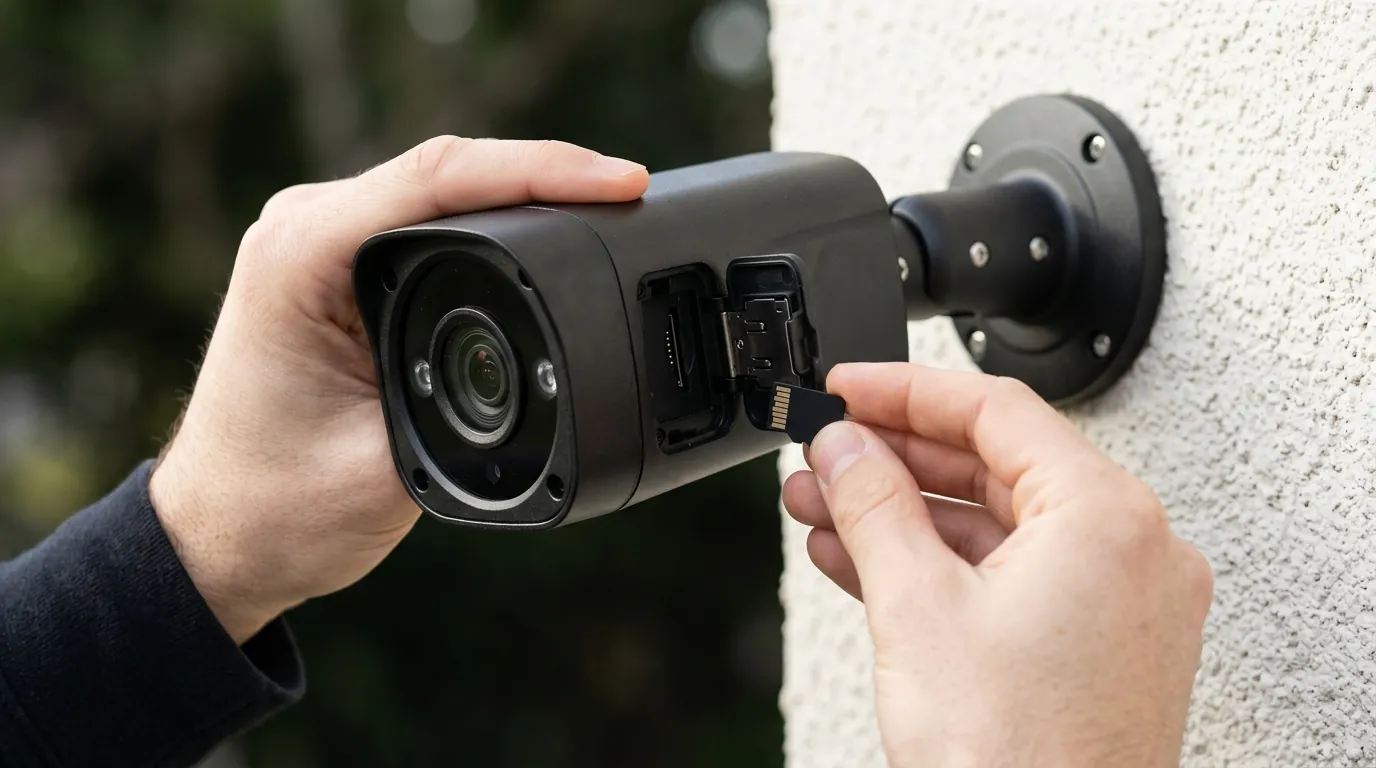
Fixing blurry Eufy night vision requires a systematic approach to rule out software bugs before assuming the hardware has failed.
The Software Fix: Firmware & App Updates
- Hard Restart: Do not just “Restart” via the app. Physically unplug your HomeBase 3, wait 30 seconds, and plug it back in. For SoloCams, hold the sync button for 10 seconds until it beeps. This clears the v3.8.2.0 cache errors.
- Toggle Resolution: In the Eufy Security App, go to Settings > Video Quality. Manually set “Streaming Quality” to “High” or “2K/4K” rather than “Auto.” This forces the camera to bypass the emergency low-res mode triggered by the April bug.
- App Update: Ensure your mobile app is version 4.8.x or higher. Older versions of the app struggle to render the new MaxColor Vision streams correctly, leading to a pixelated blur.
The Hardware Fix: Cleaning & Condensation
If the software is stable but the image is “milky,” check the lens.
- The Microfiber Test: Clean the lens with a high-quality microfiber cloth and a drop of lens cleaner. If the “blur” remains and the lens looks “etched” or “rough” under a flashlight, you have UV degradation.
- The Silica Hack: For out-of-warranty units with internal condensation, some users on YouTube (e.g., LifeHackster channel) have successfully opened the battery compartment and tucked a 1g silica gel packet inside. This absorbs the internal moisture that causes night vision fogging. Warning: This may void your IP-rating/waterproofing.
The Positioning Fix: Eliminating IR Glare
A common cause of “blurry” night vision is actually IR Washout. Infrared light reflects off nearby surfaces and “blinds” the sensor.
- The 30-Degree Rule: Ensure no white walls, eaves, or gutters are within 2 feet of the lens. If they are, the IR light will bounce back, causing the background to go dark and blurry.
- Wedge Mounts: Use the 15 or 30-degree plastic wedges included in the box to angle the camera away from reflective surfaces.
Navigating the Warranty Process
If your S340 or S220 lens has turned milky due to UV exposure, do not accept “out of warranty” as a final answer. In mid-2026, Eufy has been granting “Warranty Exceptions” for this specific issue because it is a known material defect.
- What to provide: High-resolution photos of the physical lens (showing the haze) and a screenshot of the blurry night vision footage.
- The Ask: Request a replacement unit with the “revised glass lens” (if available) or a credit toward the S3 Pro.
Checklist: Recommended Eufy Video Settings (June 2026)
- Night Vision Mode: Set to “Black & White” for maximum distance; only use “Color” if you have a bright external porch light.
- IR Intensity: Set to “High” only if the area is wide open. Set to “Low” if the camera is under an eave to prevent blur.
- Motion Detection: Enable “All Motion” at night. The “Human Only” AI often fails in low light, leading to missed events or late triggers that look like motion blur.
- Recording Duration: Set to “Custom” (60 seconds) with a 5-second re-trigger interval to ensure the camera doesn’t cut off while the IR sensors are still calibrating.
Quvii tracks these hardware and software trade-offs across the security category to help buyers navigate the rapidly changing landscape of 2026.
Sources
- Eufy Official Support — https://support.eufy.com/s/
- Eufy Privacy Policy & 2026 Transparency Report — https://www.eufy.com/privacy-policy
- Reddit r/EufyCam Community Bug Tracker — https://www.reddit.com/r/EufyCam/
- Reolink Altas PT Ultra Product Page — https://reolink.com/product/altas-pt-ultra/
- FCC ID Search (Eufy/Anker Filings) — https://apps.fcc.gov/oetcf/eas/reports/GenericSearch.cfm