
Eufy Camera Firmware Update Issues: What Buyers Need to Know (June 2026)
For homeowners and small business owners, a security camera is only as valuable as its uptime. In the first half of 2026, Eufy’s reputation for reliable, subscription-free surveillance has been tested by a series of firmware updates that have left many systems intermittently non-functional.
As of June 2026, Eufy users have reported significant firmware update issues, including HomeBase 3 (v3.8.2.8) causing cameras to go offline, SoloCam S340s losing Wi-Fi connectivity after a February 2026 update, and HomeBase 3 (v3.7.6.8) leading to severe battery drain on S3 Pro and S340 cameras. These issues highlight the critical importance of understanding firmware impacts for both new buyers and existing owners.
What happened
Related: Are Smart Locks Safe During Power Outages in 2026? What Buyers Need to · Eufy Battery Drain Crisis (June 2026): Firmware Fixes & Workarounds · Ring Doorbell Overheating in June 2026: What Buyers Need to Know
The first six months of 2026 have been uncharacteristically turbulent for the Eufy ecosystem. While Eufy has historically been praised for its “no monthly fee” local storage model, the software delivery pipeline has recently introduced bugs that impact the hardware’s core utility. These issues are not isolated to a single product but span the flagship HomeBase 3 (S380) and several standalone SoloCam models.
HomeBase 3 Connectivity and Storage Failures
The most widespread disruption stemmed from the May 2026 rollout of HomeBase 3 firmware version 3.8.2.8. According to community reports on r/EufyCam, this update caused the central hub to enter a “reboot loop” or lose its handshake with connected eufyCam 3 (S330) and S3 Pro units. When the HomeBase goes offline, the entire security perimeter is effectively neutralized, as these cameras rely on the hub for AI processing and storage.
Furthermore, an earlier April 2026 update (v3.8.2.0) introduced a critical bug regarding internal storage management. Users reported that the HomeBase would “forget” expanded hard drives (SATA SSDs/HDDs). This led to an immediate loss of 24/7 continuous recording—a feature many users specifically buy the HomeBase 3 to enable. In some cases, the system required a full reformat of the drive to regain recognition, resulting in the total loss of historical security footage.
SoloCam S340 Wi-Fi Loss and Bricking Concerns
The SoloCam S340, a popular dual-lens solar camera, faced a specific crisis following a February 2026 update. A segment of the user base reported that their units stopped connecting to Wi-Fi entirely after the firmware was applied. Because the S340 is a standalone Wi-Fi device, the loss of connectivity prevents the camera from receiving a “fix” update over the air (OTA).
On the Eufy Support Forums, users described these units as “bricked,” as there is no external USB-based firmware flashing utility available to the public. While Eufy support has reportedly replaced some units under warranty, owners outside the warranty window have found themselves with expensive, non-functional hardware.
EufyCam Battery Drain After Updates
Battery longevity is a primary selling point for the EufyCam S3 Pro and SoloCam S340, often advertised with 365-day or “forever” solar power. However, HomeBase 3 firmware v3.7.6.8 (March 2026) appears to have altered the “heartbeat” interval between the hub and the cameras. This caused the cameras to “wake up” more frequently to check for a signal, leading to catastrophic battery drain. Some users reported their S3 Pro cameras dropping from 100% to 0% in less than a week, even with direct sunlight on the integrated solar panels.
| Firmware Version | Primary Affected Hardware | Reported Issue | Status (June 2026) |
|---|---|---|---|
| v3.8.2.8 | HomeBase 3 (S380) | Constant offline status / Reboot loops | Investigation ongoing |
| v3.8.2.0 | HomeBase 3 (S380) | SSD/HDD storage “dropped”; loss of 24/7 recording | Patch (v3.8.2.2) released |
| Feb 2026 OTA | SoloCam S340 | Total Wi-Fi connectivity loss (Bricking) | Warranty replacements offered |
| v3.7.6.8 | S3 Pro / S340 | Severe battery drain (days vs. months) | Partially resolved via v3.7.7.x |
Why it matters for buyers
For those currently shopping for a security system, these firmware incidents serve as a reminder that the “sticker price” and “spec sheet” are only part of the equation. The reliability of the software ecosystem is what determines whether a camera is a security tool or a maintenance headache.
Compromised Reliability and Security
The primary purpose of a security camera is peace of mind. If a firmware update causes a HomeBase to go offline at 2:00 AM, the owner is left unprotected without warning. Unlike a smartphone bug that might make an app crash, a security camera bug creates a physical vulnerability. For buyers, the recent Eufy issues highlight the risk of a “centralized failure” model where a single hub update can disable every camera on the property.
Erosion of Trust in ‘No Subscription’ Promise
Eufy markets itself as the premier alternative to Ring and Nest by emphasizing local storage and no mandatory monthly fees. However, this value proposition is compromised if the local storage becomes unstable. If a firmware update wipes a hard drive or disables 24/7 recording, the “savings” from avoiding a cloud subscription are quickly offset by the loss of critical evidence during an incident.
Hidden Costs of Troubleshooting and Downtime
While Eufy cameras are generally priced in the mid-to-high range (e.g., the S3 Pro kit is often in the $450-550 range), the “total cost” includes the owner’s time. The recent 2026 updates have forced owners into hours of troubleshooting: climbing ladders to manually reset cameras, reformatting drives, and waiting on hold with support. For a small business owner, this downtime is not just an annoyance; it is a period of unmanaged risk.
Potential Privacy Implications of Firmware Changes
Firmware controls how data is encrypted and transmitted. While there have been no confirmed privacy breaches related to the June 2026 firmware issues, Eufy’s history—specifically the 2022 incident regarding unencrypted cloud thumbnails—makes users sensitive to any software instability. When firmware acts unpredictably, it raises questions about whether data handling protocols (like EdgeVault encryption) are functioning as intended.
Comparison: Eufy Advertised Benefits vs. 2026 Firmware Reality
| Advertised Benefit | 2026 Firmware Reality |
|---|---|
| 365-Day Battery Life | Reduced to <7 days for some users on v3.7.6.8. |
| No Monthly Fees | True, but hardware instability may require more frequent replacements. |
| Local 24/7 Recording | Interrupted by storage “dropping” bugs in v3.8.2.0. |
| Expandable Storage | Risk of data loss during hub updates. |
Impact on existing owners
If you already own a Eufy system, the June 2026 firmware cycle has likely shifted your experience from “set and forget” to active management. The impact ranges from minor inconveniences to the complete failure of the security stack.
Loss of Security Coverage and Functionality
The most immediate impact is the “dark period.” When a HomeBase 3 enters a reboot loop due to v3.8.2.8, the cameras cannot upload clips to the hub. If a package is stolen or a break-in occurs during this window, there is no record of the event. Owners have expressed frustration on forums like r/HomeSecurity, noting that they only discovered their cameras were offline when they went to check a routine notification.
Increased Maintenance and Frustration
Battery-powered cameras like the S3 Pro are designed to be installed in high, hard-to-reach places to avoid tampering. The battery drain issue forced many owners to take these cameras down for manual charging via USB-C. For users with multiple cameras, this turns a “solar-powered” system into a high-maintenance chore.
Common Troubleshooting Flowchart for Eufy Firmware Issues:
- Check App: Verify firmware version in Device Settings > General > About Device.
- Soft Reboot: Restart the HomeBase via the app.
- Power Cycle: Physically unplug the HomeBase for 30 seconds.
- Resync: If a camera is “Offline,” press the Sync button on the unit to re-establish the handshake.
- Contact Support: If the unit is “bricked” (no LED lights, won’t sync), document the firmware version for a warranty claim.
Risk of Bricked Devices and Data Loss
The SoloCam S340 Wi-Fi loss is the most severe outcome. Unlike a software glitch that can be patched, a loss of network connectivity on a Wi-Fi-only device prevents the patch from ever reaching the device. This “catch-22” has left some owners with units that are effectively paperweights. Furthermore, the storage recognition issues on the HomeBase 3 mean that even if the cameras are working, the “local vault” of evidence might be inaccessible or deleted.
Diminished Value of Investment
A security system is a multi-year investment. When a brand experiences a cluster of software failures, the resale value of the hardware drops, and the owner’s confidence in the system’s longevity wanes. Many owners are now questioning whether to stay within the Eufy ecosystem or cut their losses and migrate to a more stable (though perhaps more expensive) platform like Reolink or a dedicated PoE (Power over Ethernet) system.
What to do now
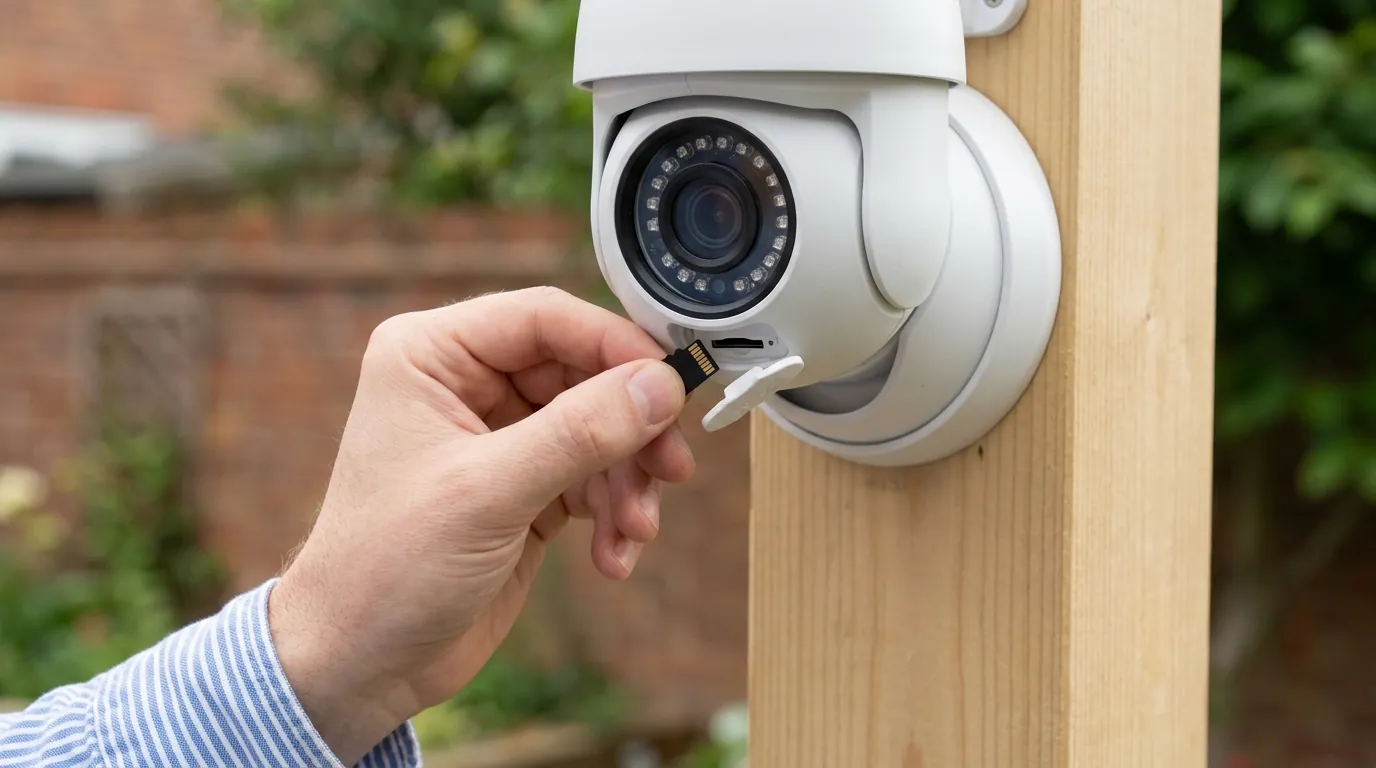
Navigating the current Eufy landscape requires a balance of technical troubleshooting and strategic purchasing decisions. Whether you are an owner or a shopper, here is the recommended path forward.
Advice for Prospective Eufy Camera Buyers
If you are considering Eufy in June 2026, exercise caution. While the hardware specs remain top-tier (4K resolution, dual-lens zoom, BionicMind AI), the software is in a state of flux.
- Check the “Return Window”: Only buy from retailers with at least a 30-day return policy. Test the system immediately upon arrival.
- Research Specific Models: Avoid the SoloCam S340 until Eufy confirms a hardware revision or a foolproof recovery method for the Wi-Fi “bricking” issue.
- Consider Alternatives: If reliability is your #1 priority, look at brands with more conservative update cycles or those that allow for local-only firmware management without forced OTA updates.
Immediate Steps for Affected Eufy Owners
If your system is currently exhibiting offline behavior or battery drain:
- Disable Auto-Update: In the Eufy Security app, check if you can toggle off “Auto-Update” (though Eufy often pushes “Critical” updates regardless).
- Document Everything: Take screenshots of your firmware versions and the “Device Offline” screens. This is vital for warranty claims.
- Manual Reboot: Many HomeBase 3 issues can be temporarily resolved by a physical power cycle (unplugging the power cable).
- Check the SSD: If your 24/7 recording has stopped, try removing the internal SSD and re-inserting it. If the app asks to “Format,” remember that all previous footage will be erased.
Long-Term Strategies for Firmware Management
To minimize future disruptions, treat your security system like a critical IT infrastructure:
- Staggered Deployment: If you have multiple HomeBases, update one first and wait a week before updating the others.
- Community Monitoring: Before manually clicking “Update” in the app, check the Eufy subreddit to see if other users are reporting “Day 1” bugs.
- Backup Critical Footage: Do not rely solely on the HomeBase internal drive. Use the “Manual Download” feature in the app to save important clips to your phone or a cloud service (like Dropbox or Google Photos) immediately.
When to Consider Alternatives
There is a point where the cost of troubleshooting exceeds the value of the hardware. You should consider switching brands if:
- Your system has been offline for more than 48 hours without a clear path to resolution.
- Eufy support denies a warranty claim for a device that was clearly “bricked” by an official update.
- You require 100% uptime for a business or high-risk residential environment.
Total Cost of Ownership (TCO) Analysis: 3-Year View
- Hardware Cost: Around $500 (HomeBase 3 + 2 S330 Cameras).
- Subscription Cost: $0 (Eufy’s main draw).
- Storage Cost: Around $60 (1TB SSD for 24/7 recording).
- “Stability Tax”: Estimated 10-15 hours of troubleshooting over 3 years + potential $180 replacement cost for a bricked standalone camera out of warranty.
- Total:
$740. Compare this to a subscription brand (e.g., Ring) which might cost $300 upfront but $360 in fees over 3 years ($660 total), but often features more stable cloud-based software.
Decision Framework: Should You Buy Eufy in June 2026?
| If you are… | Recommendation | Key Priority |
|---|---|---|
| A Renter | Wait | High portability is good, but software bugs make setup frustrating in temporary housing. |
| A Homeowner | Proceed with Caution | Ensure you are comfortable with occasional ladder-climbing for manual resets. |
| A Small Business | Look Elsewhere | Reliability is paramount; consider a wired PoE system (e.g., Reolink or Lorex). |
| Privacy-Focused | Verify | Monitor Eufy’s transparency reports; local storage is great, but only if the firmware is secure. |
Frequently Asked Questions
Can I roll back a Eufy firmware update if it causes issues?
No, Eufy does not currently provide a way for users to “roll back” to a previous firmware version. Once an update is applied OTA (Over-The-Air), it is permanent unless Eufy pushes a subsequent “fix” version.
How do I know if my Eufy camera is bricked or just offline?
A camera is likely bricked if it does not respond to a physical reset (holding the Sync/Reset button for 10-20 seconds) and shows no LED activity when plugged into a power source. If the LED blinks but won’t connect, it is likely a connectivity bug rather than a bricked motherboard.
Does Eufy cover firmware-related failures under warranty?
Generally, yes. If an official firmware update renders a device inoperable, it is considered a manufacturer defect. However, you must be within the standard warranty period (usually 12 months, though this varies by region and retailer).
Why does Eufy force firmware updates?
Eufy, like many IoT brands, pushes updates to ensure security patches and compatibility with their cloud servers and app. However, the lack of an “opt-out” for non-critical updates is a common point of criticism among advanced users.
Sources
- Eufy Official Support — https://support.eufy.com/
- Eufy Community Forums — https://community.eufy.com/
- Reddit r/EufyCam Community — https://www.reddit.com/r/EufyCam/
- Mozilla Privacy Not Included Report: Eufy
- FCC ID Search (Anker/Eufy RF Filings) — https://apps.fcc.gov/oetcf/eas/reports/GenericSearch.cfm