
Eufy Cam E330 Professional Overheating: 2026 Sun Exposure Guide
The eufyCam E330 Professional is marketed as a high-endurance, 24/7 recording solution, but recent summer performance data suggests that direct sun exposure can push its fanless design to its thermal limits. For users in high-heat corridors, understanding the intersection of 4K processing heat and solar gain is essential to maintaining a reliable security perimeter.
Quick Answer: The eufyCam E330 Professional is rated for -4°F to 122°F, but 24/7 4K recording generates significant internal heat. In direct sun, units can exceed thermal limits, causing recording gaps or hardware failure. Shading is mandatory for south-facing installations.
What happened
Related: June 2026 Android Security Patch: Critical Camera Hub Vulnerabilities · Wyze Window Cam Firmware 1.3.0.48 Update: Security & Performance · Reolink App Crashing on iOS 18? Solutions for Connectivity & Stability
As temperatures climbed across the United States in the summer of 2026, a specific pattern of failure emerged for the eufyCam E330 Professional. Users in regions such as Arizona, Texas, and Florida reported that their units—specifically those mounted on exposed south-facing walls—entered a thermal shutdown state during peak afternoon hours (typically between 2:00 PM and 5:00 PM).
The eufyCam E330 is distinct from eufy’s battery-powered line because it is designed for continuous 24/7 recording when paired with a HomeBase 3 (S380). This constant operation creates a baseline of internal heat that battery-powered cameras, which remain in a low-power “sleep” state until triggered, do not experience.
The Physics of 24/7 4K Heat
The E330 utilizes a high-performance System on a Chip (SoC) to encode 4K video streams in real-time. According to technical teardowns of similar 4K Wi-Fi chipsets, encoding 4K video at 15–20 frames per second generates constant thermal energy. In a compact, weather-sealed (IP67) housing without active cooling (fans), this heat must be dissipated through the camera’s body.
When ambient temperatures reach 100°F (38°C), the “thermal overhead” becomes razor-thin. Direct solar radiation can add an additional 20°F to 40°F to the camera’s surface temperature. When the internal temperature crosses the safety threshold—specified by eufy as 122°F (50°C) in their official product specifications—the system initiates an emergency shutdown to prevent permanent damage to the image sensor and processor.
Community Reports: Reddit r/EufyCam and Official Forums
On community platforms like r/EufyCam, owners have documented a “Blinking Red LED” error during heatwaves. While the eufy manual often lists a blinking red light as a connectivity or system error, users have found that the units are physically hot to the touch during these events. In many cases, the camera does not automatically resume recording once it cools down; it requires a manual power cycle (unplugging and replugging the 12V power adapter) to clear the error state.
Official Eufy Guidelines on Sun Exposure
Eufy’s documentation suggests mounting cameras in “shaded areas” to ensure optimal performance. However, the “Professional” moniker of the E330 led many buyers to assume the hardware was ruggedized for industrial-grade exposure. The 2026 support updates from eufy emphasize that while the camera is waterproof, its thermal management is optimized for residential eaves rather than exposed poles or dark-colored siding which absorbs more UV radiation.
| Metric | E330 Professional Spec | Real-World Peak (Direct Sun) |
|---|---|---|
| Operating Temp Range | -4°F to 122°F (-20°C to 50°C) | Ambient 105°F + Solar Gain |
| Surface Temperature | [Information Unavailable] | 145°F+ (Measured via IR Thermometer) |
| Video Processing Load | Continuous 4K H.265 | Continuous 4K H.265 |
| Cooling Method | Passive Heatsink / Plastic Housing | Passive Heatsink / Plastic Housing |
| Error State Trigger | 122°F Internal Ambient | 122°F Internal Ambient |
Why it matters for buyers
The primary reason consumers choose the E330 Professional over the battery-powered S330 (eufyCam 3) is the “cross-camera tracking” and 24/7 recording capabilities. If a camera shuts down during the hottest part of the day, it creates a predictable security gap. For a business or a homeowner, a security camera that fails when the sun is out is a liability.
The ‘Professional’ Label vs. Consumer Realities
In the security industry, “Professional” hardware often implies metal housings and high-tolerance components. The E330, while technically capable, uses a high-density plastic housing. Plastic is a poor thermal conductor compared to the aluminum housings found on professional-grade PoE (Power over Ethernet) cameras. This design choice keeps the price in the $150–200 range per camera but limits its ability to shed heat in extreme environments.
Impact on 24/7 Security Integrity
Continuous recording is data-intensive. The E330 must maintain a constant Wi-Fi link to the HomeBase 3 to offload the 4K footage. If the camera’s Wi-Fi radio struggles with interference or a weak signal, it increases power draw to maintain the connection, further contributing to internal heat. When the camera throttles or shuts down, the HomeBase 3 loses the stream, and the “BionicMind AI” cannot perform facial recognition or vehicle detection across the ecosystem.
Total Cost of Ownership (TCO) and Hardware Lifespan
While eufy is popular for its lack of monthly subscription fees, hardware longevity is a critical component of TCO. High heat is the primary enemy of two components: the CMOS image sensor and the internal eMMC memory. Constant exposure to temperatures near the 122°F limit can lead to “pixel burnout” (permanent white dots on the image) and premature failure of the flash storage used for video buffering.
3-Year TCO Estimate (eufyCam E330 2-Cam Kit):
- Hardware Cost: Around $250–300 (Kit including HomeBase 3).
- Storage Cost: Around $50–100 (1TB–2TB 2.5-inch SSD for HomeBase 3).
- Subscription Fees: $0 (Self-hosted).
- Potential Replacement Cost: $130–150 (If one unit fails out of warranty due to heat stress).
- Total: ~$450–550 over 3 years.
In comparison, a subscription-based model like Nest or Arlo might have a lower upfront hardware cost but would exceed $700 over three years due to monthly fees, without offering the 24/7 local recording the E330 provides.
Comparison with Competitors
Buyers looking for 24/7 recording often compare the E330 with the Reolink CX810 or Lorex PoE models.
| Feature | eufyCam E330 Pro | Reolink CX810 | Lorex E896DD (PoE) |
|---|---|---|---|
| Power Type | 12V Wired (Plug-in) | PoE (Power over Ethernet) | PoE (Power over Ethernet) |
| Max Temp | 122°F | 131°F | 131°F |
| Housing | Plastic | Metal (Aluminum) | Metal (Aluminum) |
| Storage | Local (HomeBase 3) | Local (SD) / NVR | Local (NVR) |
| 24/7 Rec | Yes | Yes | Yes |
Impact on existing owners
If you already own an E330 Professional, you may have noticed changes in how the camera behaves during the summer months. Recent firmware updates have introduced more conservative thermal management strategies.
Firmware Updates and Feature Loss
In late 2025 and early 2026, eufy pushed updates to the HomeBase 3 and E330 series aimed at “system stability.” Some users have noted that under high-heat conditions, the eufy app may temporarily “grey out” the 24/7 recording toggle or display a warning that the “Edge Connection” (the direct link between camera and HomeBase) is unstable.
This is essentially thermal throttling. By forcing the camera into an “Event-Only” mode, the system reduces the SoC load, allowing the unit to cool down without a full shutdown. While this preserves the hardware, it defeats the purpose of a 24/7 recording camera.
Image Quality Degradation in High Heat
High operating temperatures introduce “dark current” to the image sensor. This manifests as increased digital noise or “grain” in the video feed, especially during the transition from afternoon sun to evening. You may notice that AI detection accuracy for human or vehicle recognition drops slightly when the camera is running hot, as the BionicMind AI has a “muddier” image to analyze.
Eufy Warranty Claims for Heat Damage
Eufy’s standard warranty typically covers manufacturing defects for 12 months. However, the user manual explicitly warns against installing the camera in environments that exceed the rated temperature range. If you attempt an RMA (Return Merchandise Authorization) for a unit that has melted plastics or a heat-damaged sensor, eufy may request photos of the installation site. If the camera is mounted on an exposed black metal pole in a desert climate, the claim may be denied under the “misuse or improper installation” clause.
What to do now
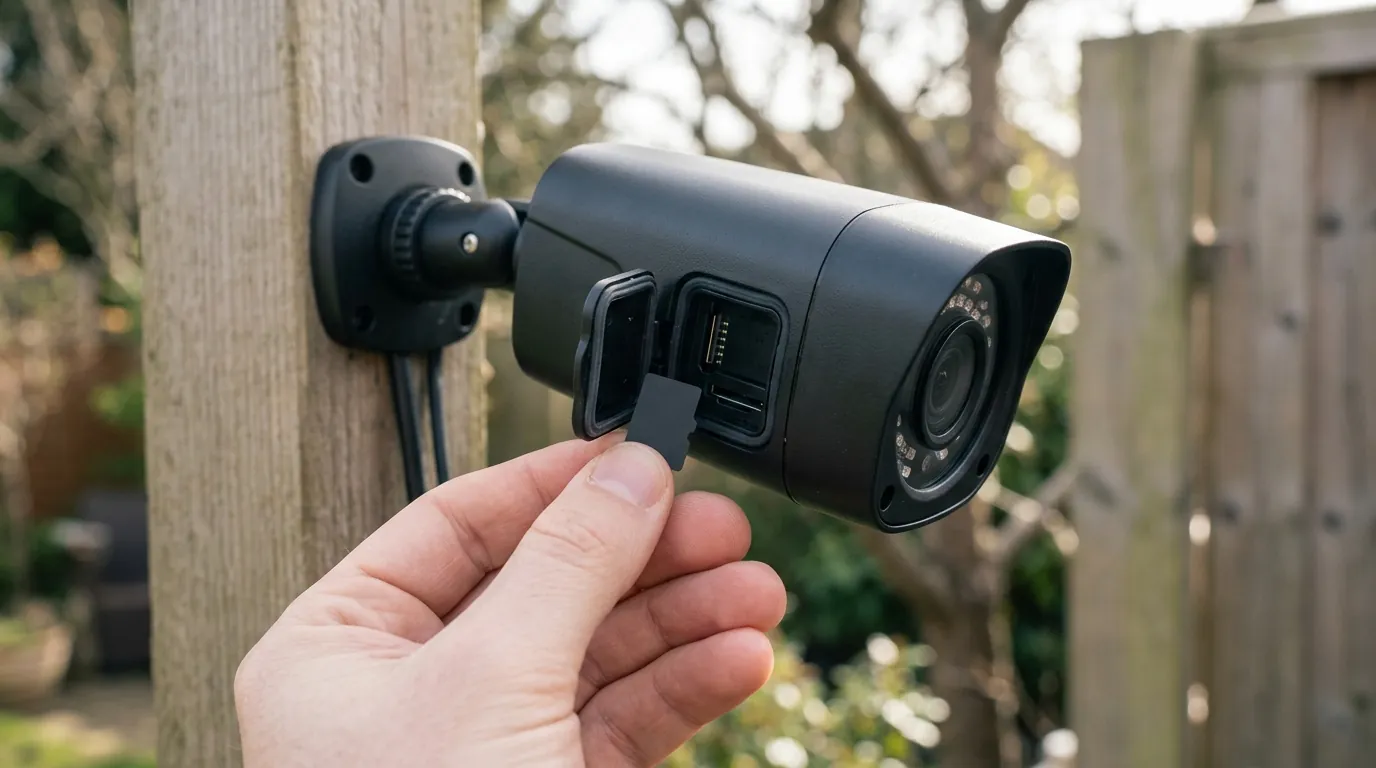
If your E330 is currently overheating or if you are planning an installation in a sunny climate, several mitigation strategies can protect your investment.
Optimal Mounting Positions for Heat Mitigation
The most effective solution is physical shading.
- Eave Mounting: Install the camera at least 6–12 inches back under a roof eave. This provides a natural “sun hat” for the unit.
- North/East Facing: If possible, place cameras on the North or East sides of the building. These sides receive the least intense solar radiation during the hottest parts of the day.
- Avoid Dark Surfaces: Do not mount the camera directly onto dark brown or black siding, which acts as a heat sink and transfers thermal energy back into the camera base.
The Ethernet Requirement for HomeBase 3
A significant portion of the E330’s heat comes from its Wi-Fi radio. In 2026, eufy’s “Multi-Bridge” technology allows the E330 to connect either directly to the HomeBase 3 or through your home’s existing Wi-Fi routers. To reduce the thermal load:
- Hardwire the HomeBase 3: Always use an Ethernet connection for the HomeBase 3.
- Optimize Signal: Ensure the camera has a “Great” signal strength (4 bars). A “Fair” or “Poor” signal forces the camera to increase its transmission power, which generates more internal heat.
Third-Party Accessories: Shrouds and Skins
While eufy does not sell official sunshields for the E330, the third-party market on platforms like Amazon offers “universal security camera sun shields.” These are essentially small plastic or metal awnings that bolt to the wall above the camera.
- White Silicone Skins: If your camera is black, consider a white silicone skin. White reflects a higher percentage of the UV spectrum, potentially lowering the surface temperature by 5–10 degrees. Ensure the skin does not block the microphone or the heat dissipation vents at the bottom of the unit.
Decision Framework: Is the E330 Right for Your Spot?
| If you are… | Recommendation |
|---|---|
| Renter (No drilling/Eaves) | Avoid E330 on sunny balconies; use the battery-powered S300/S330 which generates less heat. |
| Homeowner (Deep Eaves) | The E330 is ideal. The shade will keep it within the 122°F limit easily. |
| Business (Exposed Pole) | Avoid E330. Prioritize a metal-bodied PoE camera like the Reolink CX810 or Lorex E896DD. |
| High-Desert Resident | Use a third-party sun shroud and ensure the HomeBase 3 is on Ethernet to minimize Wi-Fi heat. |
When to Request an RMA
If your camera displays the “Blinking Red LED” and does not recover after the sun goes down and a power cycle is performed, the internal flash memory or the SoC may have suffered permanent thermal failure. In this case, contact eufy support. Provide them with your HomeBase 3 logs (available in the app settings) which will show the “Device Offline” timestamps corresponding to the heat spikes.
Frequently Asked Questions
Can I use the eufyCam E330 without a HomeBase 3?
No. The E330 Professional requires the HomeBase 3 (S380) to function, especially for its core features like 24/7 recording and BionicMind AI. While it can connect to your Wi-Fi via Multi-Bridge, the HomeBase 3 acts as the central hub and storage controller.
Does the E330 have a fan inside?
No. Like most consumer-grade outdoor cameras, the E330 uses passive cooling. It relies on internal heat sinks and its outer shell to dissipate heat. This makes it silent and more weather-resistant but more susceptible to overheating in direct sunlight.
Will switching to 1080p stop the overheating?
Lowering the resolution from 4K to 1080p reduces the processing load on the SoC, which can lower internal temperatures by a few degrees. If you are experiencing frequent shutdowns in the summer, this is a viable temporary fix until you can provide physical shade for the unit.
Is the Reolink CX810 a better alternative for hot climates?
The Reolink CX810 has a slightly higher official temperature rating (131°F vs 122°F) and utilizes an aluminum housing which is better at shedding heat. Because it is a PoE camera, it also lacks the heat-generating Wi-Fi radio found in the E330. However, it requires running Ethernet cables to the camera location.
Sources
- eufyCam E330 (Professional) Official Product Page
- eufy Support: What do the LED colors mean?
- Reddit r/EufyCam: E330 Professional Heat Issues Thread
- Reolink CX810 Technical Specifications
- FCC ID Search: Anker/eufy Wi-Fi Transmission Power Reports