
Arlo Doorbell Missing Motion Alerts? 6 Fixes That Work (2026)
An Arlo doorbell that fails to notify you of a visitor defeats the primary purpose of a smart security system, leaving your porch vulnerable to “silent” package thefts and unannounced guests.
📝 Editorial Note: This guide is AI-assisted and game data evolves rapidly. Please cross-reference with in-game information. Updated: 2026-08-28.
Quick Answer: Arlo doorbell alert failures are usually caused by an expired Arlo Secure subscription, low motion sensitivity (check Default Mode Settings), or restrictive Activity Zones. Recalibrate using the Motion Detection Test in the Arlo app and ensure your motion sensitivity slider is set to at least 80%.
The symptom
Related: Eufy P2P Cameras Not Recording? Fix Motion Detection Failures · Fix: Eufy Home Assistant Integration Not Loading (2026 Guide) · Fixing the Reolink Camera App ‘Connection Failed’ Error (2026)
When an Arlo doorbell stops sending alerts, it rarely fails completely. Instead, it enters a state of “selective blindness” where some events are captured while others are ignored. Understanding which specific symptom your device is exhibiting is the first step in diagnosing whether the fault lies in the hardware, the cloud, or your network.
Identifying the ‘Ghost’ Event
The most frustrating symptom is the “Ghost” event: you find a package on your porch or see a neighbor leaving on a different camera, yet the Arlo doorbell remained silent. This suggests the PIR (Passive Infrared) sensor triggered, but the logic following that trigger failed.
You must distinguish between a Notification Failure (the camera recorded the video, but your phone didn’t buzz) and a Capture Failure (the camera never “woke up” to record). Check your Arlo Secure Library first. If the video is there but you weren’t alerted, your “Modes and Rules” are likely misconfigured. If there is no video at all, the issue is likely sensitivity or power-related.
Notification Lag vs. Detection Failure
In some cases, the alert arrives, but it is too late to be useful. “Delayed alerts” occur when a notification is sent 30 to 60 seconds after the event. This is often a symptom of high Network Latency or the doorbell struggling to maintain a handshake with the Arlo cloud servers.
| Symptom | Probable Cause | Evidence in App |
|---|---|---|
| No Alert + No Recording | Sensitivity / Subscription / PIR Sensor | Empty Library; Motion Test fails to trigger LED. |
| No Alert + Recording Present | Notification Settings / Muted Alerts | Video exists in Library; “Mute Notifications” is ON. |
| Delayed Alert (30s+) | Wi-Fi RSSI / Upload Speed | “Device Info” shows RSSI > -60dBm. |
| Intermittent (Cars yes, People no) | Activity Zones / PIR Angle | Zones are drawn too high; Wedge mount missing. |
What’s likely happening
As of 2026, Arlo’s ecosystem has moved toward a “Cloud-First” architecture. This means the doorbell’s hardware is only half of the equation; the Arlo Secure AI determines whether a motion event is worth bothering you about.
The Role of Arlo Secure AI
For 2nd Generation Arlo doorbells (models like the AVD3001 and AVD4001), nearly all sophisticated motion filtering—such as distinguishing between a person, a pet, or a swaying tree—happens in the cloud. If your Arlo Secure Subscription has lapsed, the camera may default to a “legacy” mode or stop sending rich notifications entirely. Without the AI filter, the doorbell may also ignore motion that it deems “unimportant” based on outdated local cache settings.
Hardware Limits: The PIR Sensor
Arlo doorbells use Passive Infrared (PIR) sensors to detect heat signatures. These sensors have a physical “cone” of detection, typically reaching 13 to 16 feet (4-5 meters). If a person approaches from the side or stays outside this arc, the PIR sensor may not “wake up” the camera’s optical sensor.
Environmental Factors
Thermal interference is an increasing issue in 2026’s hotter summer months. PIR sensors work by detecting a temperature difference between an object (a human) and the background. If your porch temperature exceeds 95°F, the “heat contrast” of a human body diminishes, making it significantly harder for the sensor to trigger. Furthermore, glass—such as a storm door—is opaque to PIR; if your doorbell is mounted behind glass, it will never detect motion.
Quick fixes (in order of likelihood)
Before dismantling your hardware, follow this prioritized checklist derived from the latest Arlo Secure App (v4.12.x) interface.
1. The Subscription Check
Arlo’s 2026 business model strictly gates “Smart Notifications” and “Activity Zones” behind the Arlo Secure plan.
- Open the Arlo Secure App.
- Navigate to Settings > Subscription.
- Verify that your plan (Single Camera “Secure” around $7.99/mo or “Unlimited” around $12.99/mo) is active.
- Crucial: Ensure the doorbell is actually “assigned” to the plan. A common error after a factory reset is the device remaining in the “Unconfigured” bucket.
2. The 80% Sensitivity Rule
The default sensitivity on many Arlo doorbells is set to 50% to preserve battery. For many US porch layouts, this is insufficient.
- Go to Devices > [Your Doorbell] > Settings (gear icon) > Default Mode Settings.
- Adjust the Motion Sensitivity slider.
- The 80% Rule: Most community consensus on r/Arlo suggests that 80% is the “sweet spot” that eliminates lag without causing excessive false positives from shadows.
3. Mode and Rule Verification
Your doorbell must be in a “Mode” that tells it what to do when motion is detected.
- Tap the “Routine” or “Mode” tab (depending on your app version).
- Select Armed.
- Tap the Doorbell and ensure there is a checkmark next to “Record Video” AND “Send Push Notification.” If “Send Push Notification” is unchecked, the camera will record silently.
4. Clearing Activity Zones
Activity Zones are designed to ignore street traffic, but they can become “Dead Zones” if the camera’s field of view shifts slightly (e.g., due to wind or a loose mount).
- Go to Settings > Activity Zones.
- Delete all existing zones.
- Test the doorbell for 24 hours. If alerts return, redraw your zones more generously, ensuring they overlap the actual walking path by at least 20%.
Deeper diagnostics
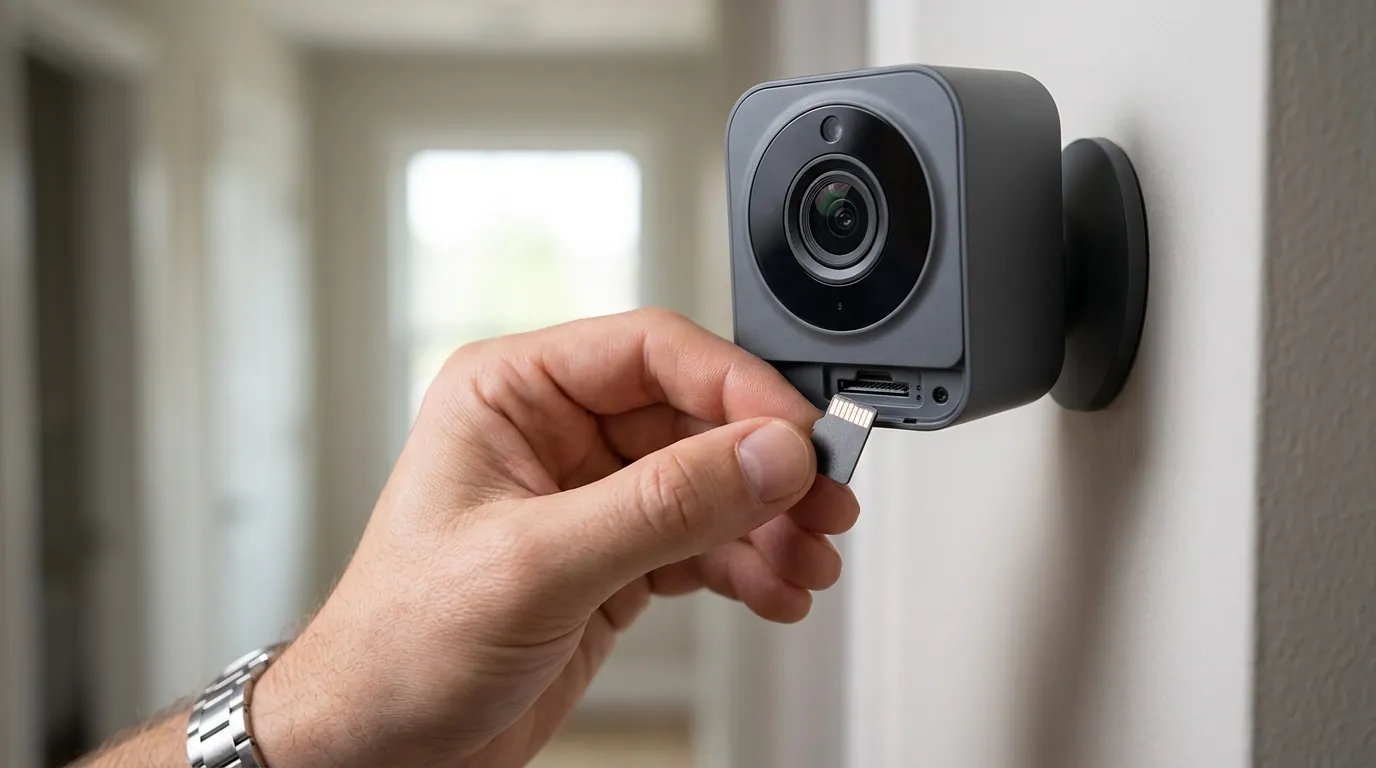
If the quick fixes fail, the issue is likely physical or network-based.
Analyzing RSSI and Wi-Fi Health
A doorbell may detect motion but fail to “handshake” with the router fast enough to send the alert. Arlo measures this via RSSI (Received Signal Strength Indicator).
- In the app, go to Device Settings > Device Info.
- Look for the Signal Strength or RSSI value.
- Green Zone (-30 to -50 dBm): Ideal.
- Yellow Zone (-51 to -60 dBm): Marginal; expect occasional missed alerts.
- Red Zone (Above -60 dBm): Critical failure. The doorbell will frequently “drop” motion events because it cannot establish a secure connection in time.
To fix high RSSI, consider an Arlo Chime (which can act as a bridge) or a dedicated 2.4GHz IoT SSID on your router to reduce interference from 5GHz devices.
Physical Mounting and Wedge Adjustments
Most missed alerts occur because the visitor is “under” the PIR sensor’s arc. Arlo includes a 15-degree wedge mount in the box. If your doorbell is mounted higher than 48 inches, or if you have stairs leading up to the door, you must use the wedge to angle the sensor downward. This ensures the PIR sensor catches foot traffic rather than the tops of heads or distant cars.
Firmware and Sync Issues
Firmware mismatches can cause “zombie” states where the doorbell appears online but doesn’t execute rules.
- Current Version (as of mid-2026): Most 2nd Gen Video Doorbells should be on Firmware 1.21.x or higher.
- If your app shows an “Update Available” banner, do not ignore it. Arlo pushed a critical patch in early 2026 to address a bug where PIR sensors would “sleep” indefinitely after a low-battery event.
- The Sync Fix: If firmware is current but alerts are missing, press and hold the sync button on the back of the doorbell for 15 seconds until the LED flashes amber, then re-add it to the app.
When to contact support
If your doorbell’s LED ring begins flashing specific patterns, it may indicate a hardware failure that no amount of software tuning can fix.
Hardware Failure Red Flags
Refer to the following table for LED status codes on 2nd Gen models:
| LED Pattern | Meaning | Action |
|---|---|---|
| Solid Amber | Power issue / Voltage drop | Check transformer (needs 16-24V AC). |
| Flashing Amber (Rapid) | Radio/Wi-Fi chip failure | Contact Support for RMA. |
| Alternating Blue/Amber | Firmware update failed | Perform a factory reset. |
| No LED during Motion Test | PIR Sensor dead | Hardware replacement required. |
Warranty vs. Out-of-Pocket Replacement
Arlo typically offers a 1-year limited hardware warranty in the US. However, users with an Arlo Secure Plus or Professional plan often receive extended warranty coverage as part of their subscription. If your device is older than two years and exhibiting hardware sensor failure, a repair is rarely cost-effective.
The Local-Storage Alternative
If you find the “subscription-gated” nature of Arlo alerts frustrating, you might consider the “Subscription Fatigue” pivot. The Reolink Video Doorbell WiFi (available in the $100 range) is a popular alternative in 2026 because it performs AI person detection locally on the device and stores footage to a microSD card, requiring $0 in monthly fees to maintain reliable alerts.
How to prevent it
Once you have restored your alerts, implement these maintenance habits to ensure they stay active.
Network Stability Best Practices
- Dedicated 2.4GHz Band: Smart doorbells struggle on “Band Steering” routers that try to force them onto 5GHz. Create a separate Wi-Fi SSID just for your security cameras.
- Static IP: Assign a static IP to your doorbell in your router settings to prevent “DHCP lease” delays that can cause notification lag.
Seasonal Sensitivity Tuning
PIR effectiveness changes with the seasons.
- Winter: Cold air increases “heat contrast,” making the sensor very sensitive. You may need to lower sensitivity to 60% to avoid alerts from car exhaust.
- Summer: High ambient heat reduces contrast. Increase sensitivity to 85-90% during July and August to ensure human detection remains sharp.
Maintenance Schedule Checklist
| Task | Frequency | Purpose |
|---|---|---|
| Lens Wipe | Monthly | Prevents “foggy” AI detection. |
| Motion Walk-Test | Quarterly | Ensures Activity Zones still align with paths. |
| Battery Check | Monthly | Keep charge >20% to avoid “Power Save” lag. |
| Transformer Check | Annually | Ensure 16V+ is reaching wired units. |
Frequently Asked Questions
Why does my Arlo doorbell only record cars but not people?
This is usually a PIR angle issue. Cars are large, fast-moving heat sources that trigger the sensor from a distance. Humans are smaller and move slower. Using the 15-degree wedge mount to angle the doorbell down toward the porch floor usually resolves this.
Do I need Arlo Secure for any motion alerts?
While Arlo technically allows “basic” notifications on some legacy models, almost all doorbells sold after 2023 require an active Arlo Secure subscription for “Smart” alerts (Person/Package/Vehicle). Without it, you may only receive a generic “Motion Detected” ping, or in some regions, no push notification at all.
How do I fix the “Request Timed Out” error in the Arlo app?
This error occurs when the app cannot reach the Arlo cloud. It is rarely a doorbell issue and usually a phone-side or router-side issue. Try toggling your phone’s Wi-Fi off and using LTE/5G to see if the alert and live view load faster.
Can a low battery cause missed alerts?
Yes. When an Arlo battery drops below 15-20%, the device enters a “Low Power Mode” which throttles the frequency of PIR checks and Wi-Fi pings to extend the remaining life. This significantly increases the likelihood of a missed or delayed alert.
Sources
- Arlo Support: How do I change the motion sensitivity?
- Arlo Community: Video Doorbell 2nd Gen Firmware Discussion
- Arlo Secure Subscription Tiers (2026 Official)
- FCC ID Search: Arlo Technologies RF Exposure Reports